


































AI skapar supersnabba 3D-modeller för spel
AI revolutionerar spelutveckling genom att generera 3D-modeller på sekunder från text eller bilder – vilket sparar timmar av manuellt arbete. Lär dig om de bästa AI-verktygen 2025 som Meshy, Sloyd och Ludo, och hur stora spelstudior använder dem för att påskynda kreativa arbetsflöden.
Modern spelutveckling kräver stora mängder 3D-tillgångar – från karaktärer och vapen till landskap och rekvisita. Traditionellt kunde skapandet av en enda högkvalitativ 3D-modell ta timmar eller till och med dagar av skickligt arbete. AI-driven modellering förändrar nu spelbranschen. Nya generativa tekniker (som text-till-3D och bild-till-3D) låter utvecklare skapa detaljerade 3D-tillgångar på sekunder eller minuter istället för timmar.
Hur AI genererar 3D-speltillgångar
AI genererar 3D-modeller med avancerade neurala nätverk och stora dataset av befintliga 3D-former och texturer. Två huvudsakliga metoder dominerar området:
Text-till-3D
Bild-till-3D
Under ytan använder dessa system ofta diffusionsmodeller eller Neural Radiance Fields (NeRFs) för att bygga 3D-geometri och färg från 2D-promptar. OpenAI:s Point-E-system genererar till exempel först en 2D-vy från texten och konstruerar sedan ett 3D-punktmoln – hela processen tar cirka 1–2 minuter. Nyckeln är att AI lär sig hur former och färger samverkar i objekt, vilket gör att den kan syntetisera helt nya tillgångar "från grunden" när den är tränad.
Moderna AI-verktyg låter dig skriva en prompt och omedelbart se en 3D-modell. Till exempel genererade Meshy AI:s text-till-3D-system ett detaljerat mossbeklätt medeltida hus från en enda prompt. Dessa modeller kan förhandsgranskas och förfinas inom sekunder.
— AI Game Development Practice
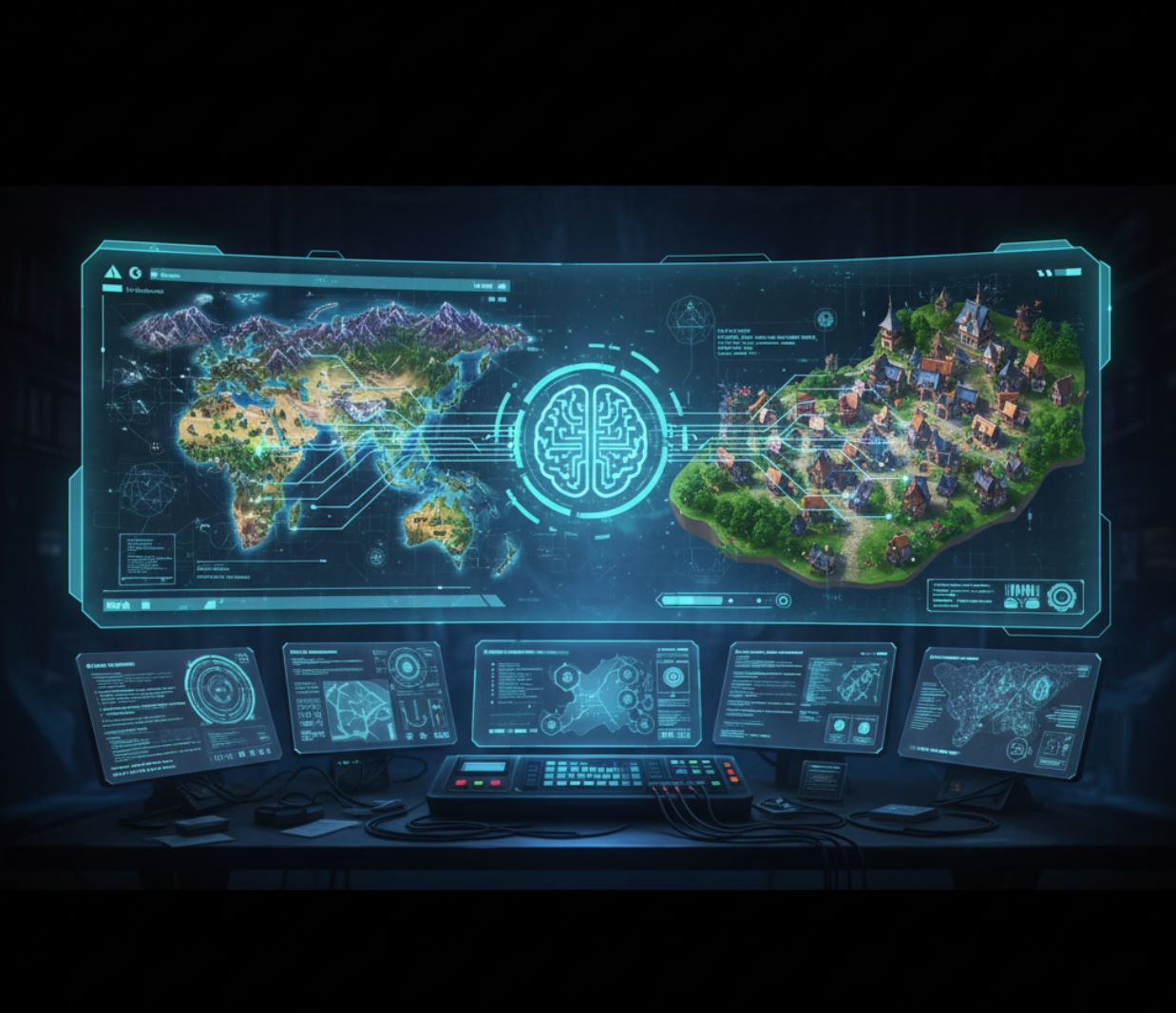
Bortom individuella modeller: Viss AI-forskning syftar till att bygga hela spelvärldar från text. Google DeepMinds Genie 3-världsmodell kan generera fullständiga 3D-miljöer som användare kan utforska i realtid. En designer kan ge en prompt som "snöig bergsby" och se en hel interaktiv scen dyka upp, fylld med byggnader, träd och NPC:er. Även om det fortfarande är i ett tidigt skede visar detta hur AI dramatiskt kan påskynda både tillgångsskapande och nivådesign för spel.

Viktiga fördelar
Dramatisk hastighetsökning
Det som tidigare tog timmar av manuellt modellarbete sker nu på minuter eller mindre.
- Uppgifter som traditionellt tog dagar tar nu minuter
- 90 % av spelstudior använder AI i arbetsflöden
- 95 % rapporterar automatisering av repetitiva uppgifter
Stilkonsekvens
AI-plattformar låter dig styra konststilen så att alla genererade modeller matchar spelets estetik.
- Flera variationer i samma visuella stil
- Förhindrar visuella krockar i spelvärlden
- Automatiserad scenmontering och placering
Demokratiserat skapande
Mindre team och indieutvecklare kan nu producera kvalitativa 3D-tillgångar utan års erfarenhet.
- Minimal skicklighet krävs för bra resultat
- Jämnar ut spelplanen för solo-skapare
- Minskar modellkostnader med upp till ~90 %
Praktiskt arbetsflöde: I praktiken används AI för att snabbt generera platshållare eller prototyptillgångar för att snabbt testa spelmekanik. Till exempel kan ett indie-team beskriva ett sci-fi-vapen eller ett fantasiträd och få en AI att spotta ut en grov 3D-modell på sekunder. Denna platshållare låter dem fokusera på spel-logik och iterera snabbt, för att sedan förfina tillgången senare vid behov.
Spelutvecklare kan skriva en beskrivning och få en texturerad modell omedelbart. Till exempel låter Ludo.ai:s 3D Asset Generator en användare skriva "häst med cybernetiska implantat" och AI:n producerar en spelklar hästmodell direkt. Detta möjliggör snabb prototypframställning utan manuell skulptering.
— AI Game Asset Generation Practice

Populära AI-verktyg för 3D-modellering
Several specialized AI tools and platforms have emerged to make 3D game asset creation easier:

Sloyd.ai
Applikationsinformation
| Utvecklare | Sloyd-teamet, medgrundat av Øyvind Sørøy, Andreas Edesberg, Avi Latner och Noam Tzionit, tillsammans med ett team av 3D-artister och ingenjörer |
| Stödda plattformar |
|
| Språkstöd | Engelskspråkigt gränssnitt; tillgängligt globalt |
| Prissättningsmodell | Freemium — gratisplan tillgänglig; betalnivåer (Plus, Pro, Enterprise) för avancerade funktioner och API-användning |
Översikt
Sloyd.ai är en nästa generations 3D-skapande plattform som kombinerar parametrisk modellering med generativ AI för att hjälpa skapare att snabbt producera spelklara 3D-tillgångar. Utan krav på traditionella 3D-modelleringskunskaper kan användare generera rekvisita, arkitektur, karaktärer och andra objekt genom att kombinera textbeskrivningar, bildreferenser och anpassningsbara mallar. Alla utdata-meshar är optimerade för spelmotorer med ren topologi, UV-mappning och LOD-stöd. Sloyd erbjuder även API/SDK för realtidsgenerering av tillgångar i spel och applikationer.
Nyckelfunktioner
Skapa 3D-modeller från textbeskrivningar eller referensbilder på några sekunder.
- Text-till-3D-konvertering
- Bild-till-3D-konvertering
Anpassa fördefinierade 3D-mallar med intuitiva reglage och växlar.
- Möbler, byggnader, rekvisita
- Exakt kontroll över former
Optimerade meshar redo för omedelbar användning i spelmotorer.
- Ren topologi och UV-mappning
- LOD-kontroller och polygonoptimering
Generera modeller dynamiskt i spelmotorer via API/SDK.
- Stöd för Unity och Unreal
- Proceduriell innehållsskapande
Applicera konsekvent stil på dina modeller med förinställningar eller egna texturer.
- Bibliotek med stilförinställningar
- Egen texturträning
Utformad för skapare på alla nivåer att generera professionella 3D-modeller.
- Intuitivt gränssnitt
- Användarvänliga arbetsflöden för nybörjare
Ladda ner eller få tillgång
Kom igång
Registrera dig för ett gratis Sloyd-konto i webbappen för att börja direkt.
Välj mellan tre skapandemetoder: använd parametriska mallar, generera från textbeskrivningar eller konvertera bilder till 3D-modeller.
Justera parametrar, applicera stilförinställningar, ladda upp referenstexturer och ställ in mesh-egenskaper som polygonantal och LOD-nivåer.
Visa din modell i realtid och gör justeringar av parametrar eller promptar tills du är nöjd med resultatet.
Ladda ner din modell i spelvänliga format (.obj, .glb och fler) för användning i dina projekt.
Använd Sloyds API eller SDK för att generera tillgångar dynamiskt i realtid i Unity, Unreal eller andra spelmotorer.
Viktiga anmärkningar
- AI-genererat innehåll kan kräva manuell efterbearbetning och optimering för specifika användningsområden
- Den webbaserade editorn kräver stabil internetuppkoppling och modern webbläsarprestanda
- Komplex eller storskalig generering i realtid kan kräva integrationsplanering och anpassad licensiering (Studio/Enterprise-nivåer)
- Kommersiell användning är tillåten i alla planer; rättigheter för vidareförsäljning och distribution varierar beroende på nivå
Vanliga frågor
Ja — Sloyds planer inkluderar rättigheter för kommersiell användning. Rättigheter för vidareförsäljning och distribution varierar beroende på din prenumerationsnivå.
Du kan exportera modeller som .obj, .glb och andra vanliga format som är kompatibla med stora spelmotorer som Unity och Unreal Engine.
Ja — Sloyd erbjuder API och SDK för generering i realtid inne i spelmotorer som Unity och Unreal, vilket möjliggör proceduriellt och användardrivet innehållsskapande.
Modeller genererade från text- eller bildpromptar kan skapas på några sekunder till minuter, tack vare Sloyds parametriska motor kombinerad med generativ AI-teknik.
Nej — Sloyd är speciellt utformat för skapare på alla nivåer. Du kan generera och anpassa professionella 3D-modeller utan någon tidigare erfarenhet av 3D-modellering.

Meshy.ai
Applikationsinformation
| Utvecklare | Meshy LLC |
| Stödda plattformar | Webbaserat verktyg tillgängligt via webbläsare på stationära och bärbara datorer |
| Språkstöd | Flera språk inklusive engelska, spanska, franska, kinesiska, japanska med flera. Tillgängligt globalt. |
| Prissättningsmodell | Freemium — Gratisplan (200 krediter/månad), Pro (~20 USD/månad), Max (~60 USD/månad), Max Unlimited (~120 USD/månad), samt anpassade företagsplaner |
Allmän översikt
Meshy.ai är en AI-driven 3D-genereringsplattform som omvandlar textbeskrivningar eller 2D-bilder till högkvalitativa, spelklara 3D-modeller på några sekunder. Utformad för spelutvecklare, designers, 3D-printentusiaster och kreativa yrkespersoner, eliminerar Meshy behovet av djup modelleringsexpertis. Med intelligent remeshing, AI-drivna texturer och automatisk riggning påskyndar plattformen dramatiskt produktionen av 3D-tillgångar och stödjer sömlös export till realtidsspelsmotorer.
Så fungerar det
Meshy.ai använder avancerad generativ AI för att förenkla skapandet av 3D-modeller. Användare matar in antingen textbeskrivningar eller referensbilder, och plattformen genererar detaljerade, texturerade 3D-modeller optimerade för realtidsanvändning. Den smarta remeshing-motorn låter dig balansera polygonantalet (1k till 300k trianglar) för att matcha dina prestandakrav.
För karaktärer och organiska modeller erbjuder Meshy automatisk riggning samt tillgång till ett animationsbibliotek med över 500 spelklara rörelser. Det AI-baserade textureringssystemet genererar PBR-kartor (diffus, metallisk, roughness, normal) från enkla beskrivningar eller bilder. Integration med branschstandardarbetsflöden inkluderar export till FBX, GLB, OBJ, STL, USDZ och BLEND-format, samt inbyggda plugins för Unity, Unreal, Blender, Godot med flera.
Nyckelfunktioner
Förvandla naturliga språkbeskrivningar eller referensbilder (skisser, foton, konceptkonst) till fullt modellerade 3D-tillgångar på några sekunder.
Generera PBR-klara texturer inklusive diffus, normal, metallisk och roughness-kartor från text- eller bildreferenser.
Justera dynamiskt mesh-tätheten från mycket låg (1k) till mycket hög (300k) triangel-/kvadratantal för att optimera efter dina behov.
Automatisk riggning av karaktärer och tillgång till över 500 spelklara animationer inklusive gång, hopp, strid och dansrörelser.
Hantera över 50 samtidiga modellerings- och textureringsuppgifter för effektiv arbetsflödeshantering.
REST API och inbyggda plugins för Unity, Unreal, Blender, Godot och andra branschstandardverktyg.
Ladda ner eller få tillgång
Kom igång-guide
Gå till Meshy.ai:s webbplats och utforska plattformen.
Registrera dig för ett gratis konto för att få tillgång till dina månatliga krediter.
Text till 3D: Ange en beskrivande prompt och skicka in. Bild till 3D: Ladda upp en referensbild (skiss, foto) och konvertera.
Använd den inbyggda Prompt Helper för att optimera dina beskrivningar för bättre resultat.
Efter att basmodellen genererats, applicera AI-texturering genom att ange en prompt eller ladda upp en bild för att styla texturen.
Använd Smart Remesh för att välja polygonantal (1k–300k) som bäst passar dina prestandakrav.
För karaktärer, applicera automatisk riggning och tilldela eventuellt en animation från Meshys bibliotek.
Förhandsgranska modellen i din webbläsare, gör justeringar vid behov och exportera sedan i önskat format (FBX, OBJ, GLB, STL, USDZ, BLEND).
Använd API:et eller den inbyggda pluginen för att importera din genererade 3D-tillgång direkt till Unity, Unreal, Blender eller din föredragna spelmotor.
Viktiga begränsningar
- Komplexa prompts eller bilder kan generera resultat som kräver förfining eller manuell efterbearbetning
- Ansiktsgeometri från bild-till-3D-konverteringar kan ibland ge förvrängda drag
- Mycket högupplösta meshar eller detaljerade texturer kan kräva kraftfull hårdvara för bearbetning efter nedladdning
Vanliga frågor
Ja, du kan äga och använda genererade tillgångar kommersiellt beroende på din prissättningsnivå. Kommersiella rättigheter ingår i alla betalda planer.
Meshy.ai stöder FBX, GLB, OBJ, STL, 3MF, USDZ och BLEND-format, vilket säkerställer kompatibilitet med de flesta 3D-verktyg och spelmotorer.
Ja, Meshy.ai erbjuder ett REST API och inbyggda plugins för Unity, Unreal, Blender, Godot och andra branschstandardmotorer, vilket möjliggör sömlös tillgångsgenerering och import.
Meshy tillhandahåller ett bibliotek med över 500 spelklara animationer, inklusive gång, hopp, strid, dans och andra vanliga karaktärrörelser.
Nej, Meshy.ai är utformat för att vara nybörjarvänligt. Du kan generera professionella 3D-modeller enbart från text eller bilder utan någon manuell mesh-manipulation eller modelleringsexpertis.

Ludo.ai
Applikationsinformation
| Utvecklare | Ludo.ai — ett företag specialiserat på AI-drivna verktyg för speldesign och tillgångsskapande |
| Stödda plattformar |
|
| Språkstöd | Engelskt gränssnitt; tillgängligt globalt |
| Prismodell | Freemium — Gratisnivå (30 krediter), Indie (15 USD/månad), Pro (30 USD/månad), Studio (160 USD/månad) |
Översikt
Ludo.ai är en AI-driven plattform som påskyndar spelutveckling genom att generera produktionsklara 3D-tillgångar från textbeskrivningar eller bilder. Den eliminerar behovet av traditionell 3D-modelleringskompetens och gör det möjligt för utvecklare att skapa texturerade, spelklara modeller på några minuter. Perfekt för snabb prototypframställning och konceptutforskning, integreras Ludo.ai sömlöst med det bredare Ludo-ekosystemet av verktyg för spelutveckling.
Nyckelfunktioner
Ludo.ai:s 3D-tillgångsgenerator använder generativ AI för att omvandla enkla indata till fullt utvecklade 3D-modeller. Uppdateringen för 2025 introducerar flera skapelselägen som ger utvecklare flexibel kontroll:
Skapa 3D-modeller från naturliga språkbeskrivningar med AI-driven tolkning.
Ladda upp 2D-bilder; Ludo.ai tar automatiskt bort bakgrunder och härleder 3D-geometri.
Applicera eller återgenerera PBR-texturer (albedo, metallisk, grovhet) med textkommandon.
Ändra tillgångens form eller utseende med styrkereglar och anpassade kommandon.
Inspektera genererade modeller i realtid med mesh- och texturvisualiseringslägen.
Ladda ner i GLB (med texturer), STL, PLY, OBJ eller OFF-format.
Kom åt Ludo.ai
Kom igång
Registrera dig eller logga in på Ludo.ai via webbplatsen för att få tillgång till 3D-tillgångsgeneratorn.
Välj mellan Text-till-3D, Bild-till-3D, Texturgenerering eller Modellvariation beroende på dina behov.
Skriv in en beskrivande prompt (för text) eller ladda upp en ren referensbild. Använd den inbyggda bildredigeraren för maskning och justeringar vid behov.
Justera vid behov meshdetaljer (formkomplexitet) och texturupplösning för att optimera för din spelmotor.
Klicka på Generera och vänta på bearbetning. För text-till-3D skapar Ludo.ai först ett 2D-koncept och konverterar sedan till 3D. Förhandsgranska i den interaktiva visaren med texturerade, trådram eller roterade vyer.
Återtexturera eller applicera variationer på befintliga modeller via kontextmenyn för ytterligare anpassning.
Ladda ner den slutgiltiga modellen i önskat format (GLB, OBJ, STL, PLY eller OFF) och integrera i din spelmotor.
Viktiga överväganden
- Bäst för prototypframställning: Genererade modeller är utmärkta för snabb prototypframställning och tidig visualisering. Produktionskvalitet kan kräva manuell efterbearbetning eller re-topologi.
- Tvåstegsarbetsflöde: Text-till-3D innebär en 2D-genereringsfas följt av 3D-omvandling, vilket ökar iterationstiden jämfört med direkt 3D-generering.
- Kreditbaserad förfining: Återtexturering och meshoptimering förbrukar krediter, så planera ditt arbetsflöde därefter.
- Komersiell användning: Genererade tillgångar är tillgängliga för kommersiell användning beroende på din prenumerationsnivå.
Vanliga frågor
Ja. Ludo.ai tillåter export och kommersiell användning av genererade tillgångar, med tillgänglighet beroende på din kreditnivå och prenumerationsplan.
Ludo.ai stöder GLB (med inbäddade texturer), STL, PLY, OBJ och OFF-format, vilket ger flexibilitet för olika spelmotorer och arbetsflöden.
Nej. Ludo.ai är speciellt utformat för skapare utan modelleringskunskaper. Du kan generera professionella tillgångar enbart från textbeskrivningar eller referensbilder.
Ja. Du kan ladda upp egna 3D-modeller eller använda Ludo.ai-genererade tillgångar för att återtexturera dem eller skapa variationer med verktyget Modellvariation.

CSM Cube (Common Sense Machines)
Applikationsinformation
| Utvecklare | Common Sense Machines, Inc. |
| Stödda plattformar |
|
| Språkstöd | Engelska och spanska i iOS-appen; globalt tillgängligt via CSM:s webbplats |
| Prissättningsmodell | Gratisnivå tillgänglig; kreditbaserade köp i appen för avancerade funktioner |
Översikt
CSM Cube är ett AI-drivet verktyg för 3D-tillgångsgenerering som förvandlar bilder, text eller skisser till produktionsklara 3D-modeller på några sekunder. Med avancerade neurala nätverk som kombinerar diffusion, transformers och neurala radiancefält möjliggör Cube för skapare att generera texturerade nät, förfina dem till HD-kvalitet samt automatiskt rigga och animera karaktärer – allt utan krav på avancerade 3D-modelleringskunskaper.
Nyckelfunktioner
Skapa 3D-modeller från bilder, textbeskrivningar eller skisser direkt.
Uppgradera initiala nät till HD-kvalitetsmodeller med förbättrad geometri och texturdetaljer.
Segmentera bilder i logiska delar för modulära, tydligt separerade nät med optimerad topologi.
Applicera eller återskapa PBR-texturer via textstyrning för att förbättra ytkvalitet och realism.
Automatisk riggning av humanoida modeller och applicering av förbyggda animationer eller generera egna animationer via textkommandon.
Exportera till OBJ, glTF, USD med flera; kompatibelt med Unity, Unreal, Blender och branschstandardmotorer.
Ladda ner eller få tillgång
Kom igång
Besök CSM Cube webapp eller ladda ner Cube-appen från App Store.
Välj mellan Bild till 3D, Text till 3D eller Delbaserat & Tillgångspaket-lägen.
Ladda upp din/dina bilder och anpassa nätets topologi, polygonantal, symmetri och texturpreferenser.
Klicka på Generera för snabb förhandsvisning ("turbo") eller starta en Förfina-session för högre detaljnivå.
Använd 3D-visaren för att granska din modell i trådram, textur eller kombinerat läge. Segmentera och återskapa delar vid behov.
Välj humanoida alternativ, välj från animationsbiblioteket eller skapa egna animationer med textkommandon.
Exportera i önskat format (OBJ, glTF, USD) för omedelbar användning i din spelmotor eller 3D-applikation.
Viktiga överväganden
Vanliga frågor
Ja — Cube är specifikt designad för spelklara tillgångar. Alla exporterade modeller kan användas i kommersiella projekt utan begränsningar.
Cube stödjer export till OBJ, glTF, USD och andra vanliga 3D-format kompatibla med stora spelmotorer och 3D-applikationer.
Nej — Cube är designad för skapare på alla kunskapsnivåer. Du kan generera professionella modeller från enkla bilder, skisser eller textbeskrivningar utan avancerade 3D-kunskaper.
Grundläggande generering ("turbo"-läge) slutförs på några sekunder. Högkvalitativa förfiningssessioner tar vanligtvis flera minuter, beroende på valda inställningar och modellens komplexitet.
Ja — Cube riggar automatiskt humanoida nät och ger tillgång till ett inbyggt animationsbibliotek. Du kan också generera egna animationer med textkommandon för större kreativ kontroll.
Ja — Cube har en dedikerad iOS-app tillgänglig för iPhone, iPad och Mac-datorer med Apple Silicon (M1 eller senare).

3D AI Studio
Applikationsinformation
| Utvecklare | 3D AI Studio-teamet (3daistudio.com) |
| Stödda plattformar |
|
| Språkstöd | Engelska; globalt tillgängligt |
| Prissättningsmodell | Betald prenumeration från 14 US-dollar/månad (Basic-plan). Kreditbaserad generering (~25 krediter per uppgift) |
Översikt
3D AI Studio är en AI-driven plattform som genererar produktionsklara 3D-modeller från textpromptar eller uppladdade bilder. Utformad för spelutvecklare, 3D-konstnärer och designers, eliminerar den traditionella modelleringsarbetsflöden genom att producera texturerade, spelklara tillgångar på några minuter. Plattformen inkluderar quad-remeshing, LOD-generering och export i flera format för sömlös integration i Unity, Unreal Engine och 3D-utskriftsflöden.
Nyckelfunktioner
Generera 3D-modeller genom att skriva naturliga språkpromptar som beskriver ditt önskade objekt.
Ladda upp en 2D-bild eller skiss för att omedelbart konvertera till en fullt texturerad 3D-modell.
Generera automatiskt PBR-stil texturer inklusive diffus, normal och roughness-kartor från promptar.
Ren topologi och generera detaljnivåer för optimal prestanda i realtidsmotorer.
Ställ in verklig skala och pivotpunkter för exportklar placering i dina projekt.
Exportera till FBX, GLB, OBJ, STL, USDZ, 3MF och BLEND för kompatibilitet över plattformar.
Ladda ner eller få åtkomst
Kom igång
Skapa ett konto eller logga in på 3D AI Studio-webbplatsen för att få tillgång till plattformen.
Välj antingen Text till 3D (beskriv ditt objekt) eller Bild till 3D (ladda upp en referensbild).
Skriv en detaljerad prompt eller ladda upp din referensbild för att styra AI-genereringsprocessen.
Välj önskad modellkvalitet (t.ex. "Prism Turbo" för snabbhet eller "Prism 3" för detaljrikedom) för att balansera genereringstid och resultat.
Klicka på "Generera" och vänta på att AI:n skapar din modell. Snabba generationer tar 20–30 sekunder; högupplösta versioner tar 2–4 minuter.
Använd 3D-visaren för att granska din mesh och texturer. Växla mellan trådram och texturerat läge för att verifiera kvaliteten.
Applicera quad-remeshing eller generera LOD:er vid behov för att optimera din modell för produktion.
Ladda ner din färdiga modell i valt format (FBX, GLB, OBJ, etc.) för användning i spelmotorer eller 3D-flöden.
Viktiga begränsningar
- Kreditbaserad prissättning: Varje Text-till-3D- eller Bild-till-3D-generering kostar cirka 25 krediter per uppgift.
- Genereringstid: Högkvalitativa, detaljerade generationer (Prism 3) kan ta flera minuter att slutföra.
- Efterbearbetning krävs: Viss användarfeedback indikerar att mesh-topologi eller texturresultat kan behöva manuell förfining för produktionsanvändning.
- Skalningskostnader: Tung användning kan kräva uppgradering till högre kreditnivå, vilket ökar prenumerationskostnaderna.
Vanliga frågor
3D AI Studio stöder export till flera branschstandardformat: FBX, GLB, OBJ, STL, USDZ, 3MF och BLEND. Detta säkerställer kompatibilitet med spelmotorer (Unity, Unreal), 3D-utskriftstjänster, animationsprogram och andra professionella arbetsflöden.
Ja, de genererade 3D-modellerna är exportklara och fullt licensierade för kommersiell användning. Du kan integrera dem i spelutveckling, animationsprojekt, 3D-utskrift, produktvisualisering och andra kommersiella tillämpningar utan begränsningar.
Genereringstiden beror på dina kvalitetsinställningar. Snabba (Turbo) generationer slutförs på cirka 20–30 sekunder, medan högupplösta modeller (Prism 3) tar 2–4 minuter. Du kan välja balans mellan hastighet och kvalitet baserat på dina projektbehov.
En standard Text-till-3D- eller Bild-till-3D-generering kostar cirka 25 krediter per uppgift. Din prenumerationsplan bestämmer din månatliga kreditkvot. Basic-planen börjar på 14 US-dollar/månad och inkluderar ett visst antal krediter för genereringar.
Enligt användarrapporter kan nya användare få ett begränsat antal gratisgenereringar för att utforska plattformen. Det finns dock ingen långsiktig gratisnivå. När dina provkrediter är slut måste du prenumerera på en betald plan för att fortsätta använda tjänsten.

Masterpiece X
Applikationsinformation
| Utvecklare | Masterpiece Studio |
| Stödda plattformar |
|
| Språkstöd | Engelska; tillgängligt globalt online |
| Prissättningsmodell | Betalda krediter krävs för AI-generering; begränsade gratis krediter för nya användare |
Översikt
Masterpiece X är en avancerad AI-driven plattform som gör det möjligt för skapare att snabbt generera högkvalitativa 3D-modeller för spel, animation och virtuell produktion. Förvandla textkommandon eller referensbilder till fullt texturerade, riggade och animerade 3D-tillgångar. Plattformen erbjuder VR-baserad redigering för intuitiv omformning, målning och animationsarbetsflöden. Med API- och SDK-integration kan utvecklare bädda in 3D-generering i anpassade produktionsflöden. Alla tillgångar exporteras som GLB-filer, redo för omedelbar användning i spelmotorer och 3D-arbetsflöden.
Nyckelfunktioner
Skapa fullt texturerade 3D-modeller från beskrivande textkommandon direkt.
Generera 3D-tillgångar automatiskt från skisser eller referensbilder.
Omforma nät, måla texturer, autorrigga och animera i immersiv virtuell verklighet.
Integrera AI 3D-generering sömlöst i Python- eller Node.js-anpassade arbetsflöden.
Exportera i GLB-format och dela eller remixa modeller via communitybiblioteket.
Ladda ner eller få tillgång
Kom igång
Registrera dig eller logga in på Masterpiece X:s onlineplattform.
Välj mellan Text-till-3D eller Bild-till-3D generering.
Ange en detaljerad textprompt eller ladda upp en referensbild för generering.
För VR-användare, anslut ett Meta Quest-headset för att gå in i immersivt redigeringsläge.
Justera nätgeometri, texturer, riggning och animation efter önskemål.
Exportera modellen i GLB-format eller dela i communitybiblioteket.
Viktiga anteckningar & begränsningar
- Export är för närvarande begränsad till GLB-format; stöd för FBX och OBJ kommer snart
- Detaljerade tillgångar kan kräva manuell efterbearbetning efter generering
- Optimal prestanda rekommenderas på stationär dator eller VR-hårdvara
Vanliga frågor
Ja, genererade modeller är lämpliga för kommersiell användning i spel, animation, virtuell produktion och andra professionella projekt.
För närvarande stöds GLB-format. Ytterligare format som FBX och OBJ planeras för framtida versioner.
Nej, webbversionen fungerar utan VR. VR förbättrar dock avsevärt redigerings-, riggnings- och animationsarbetsflöden för en mer intuitiv upplevelse.
Nya användare får begränsade gratis krediter för testning och utvärdering. Fortsatt användning kräver betalda krediter baserat på dina genereringsbehov.
Ja, plattformen erbjuder Python- och Node.js-SDK:er för sömlös integration i anpassade applikationer och utvecklingsarbetsflöden.
Anmärkningsvärda plattformar i ekosystemet:
- Luma AI – Använder NeRF-teknik för fotorealistiska 3D-modeller från bilder och video
- Kaedim – Konverterar 2D-konst till 3D-modeller optimerade för Unity och Unreal Engine
- Sketchfab – Erbjuder riktlinjer och integration för AI-genererat innehåll
- Blender-plugins – Anropar AI-generatorer direkt inom den populära 3D-mjukvaran
- Google Project Bernini – Intern lösning för AI-baserad 3D-formgenerering
Var och en av dessa AI-verktyg minskar utvecklingstiden dramatiskt. En designer kan iterera dussintals modellvariationer på den tid det tidigare tog att bygga en. De levererar tillgångar i standardiserade 3D-format (FBX, OBJ, glTF), redo att importeras till Unity, Unreal Engine eller andra spelmotorer.
Utmaningar och begränsningar
Trots hypen är dagens AI-modeller inte perfekta. Att förstå dessa begränsningar hjälper utvecklare att använda AI effektivt:
Variabel kvalitet
Många AI-genererade modeller behöver manuell efterbearbetning: fixa mesh-topologi, optimera UV-kartor eller polera texturer. Komplexa objekt (som fullt riggade karaktärer eller precisa mekaniska delar) är fortfarande svåra att få helt rätt utan en konstnärs hand. För närvarande är AI bäst på statisk rekvisita och miljöer – svärd, lådor, byggnader, scener – men har svårare med animerade karaktärer eller invecklad logik. Utvecklare noterar att AI-tillgångar kan ha extra vertex eller konstig geometri som kräver trimning (även om vissa verktyg inkluderar automatisk retopologi).
Kräver promptteknik
Kreativiteten kommer fortfarande från utvecklaren. Ett bra resultat kräver oftast en välformulerad prompt eller bildinmatning. Designers lär sig att skriva bättre promptar och iterera på dem för att få önskad stil och detaljrikedom. Till exempel inkluderar prompttips att specificera exakt stil eller dela upp en komplex tillgång i delar. AI är för närvarande en samarbetspartner, inte en helt automatiserad konstnär. Även verktyg som påstår sig skapa "direkt användbara" modeller levereras med redigerings- och riggningsverktyg för att förfina resultatet.
Arbetsflöde och juridiska frågor
Studior måste noggrant granska AI-tillgångar för upphovsrättsfrågor (beroende på träningsdata) och säkerställa att de uppfyller prestandakrav (polygonantal, texturstorlekar). Vissa plattformar har inbyggda kontroller (som Shutterstocks filter) för att garantera säker och högkvalitativ output. När AI-verktyg utvecklas anpassar spelteam också sina processer: avsätter tid för att granska AI-genererade tillgångar, justera dem och integrera dem konsekvent i spelet.

Slutsats
AI-driven 3D-modellering förändrar snabbt spelutvecklingen. Det som tidigare krävde expertmodellörer och långa deadlines kan nu ske på några ögonblick med rätt verktyg. Genom att använda textpromptar, bilder eller skisser kan utvecklare generera högkvalitativa tillgångar på sekunder till minuter – en spelväxlande acceleration av innehållspipelinen. Ledande plattformar som Sloyd, Meshy, Ludo och andra erbjuder redan dessa möjligheter, och teknikjättar som Google, NVIDIA och Autodesk driver fram gränserna med forskning och partnerskap.
Slutligen är AIs löfte att "låsa upp 1 miljard 3D-skapare", som branschledare uttrycker det – och göra skapandet av 3D-tillgångar lika enkelt som att skriva en mening.


No comments yet. Be the first to comment!