


































AI Lumilikha ng Napakabilis na 3D Models para sa Mga Laro
Binabago ng AI ang pagbuo ng laro sa pamamagitan ng paglikha ng 3D models sa loob ng ilang segundo mula sa teksto o mga larawan—nakakatipid ng oras sa manwal na paggawa. Alamin ang pinakamahusay na mga AI tool ng 2025 tulad ng Meshy, Sloyd, at Ludo, at kung paano ginagamit ito ng mga pangunahing game studio para pabilisin ang malikhaing proseso.
Ang makabagong pagbuo ng laro ay nangangailangan ng napakaraming 3D assets – mula sa mga karakter at sandata hanggang sa mga tanawin at props. Tradisyonal, ang paggawa ng isang mataas na kalidad na 3D model ay maaaring tumagal ng oras o araw ng bihasang paggawa. Ang AI-powered modeling ay binabago na ngayon ang laro. Ang mga bagong generative na teknik (tulad ng text-to-3D at image-to-3D) ay nagpapahintulot sa mga developer na gumawa ng detalyadong 3D assets sa loob ng ilang segundo o minuto sa halip na oras.
Paano Gumagawa ang AI ng 3D Game Assets
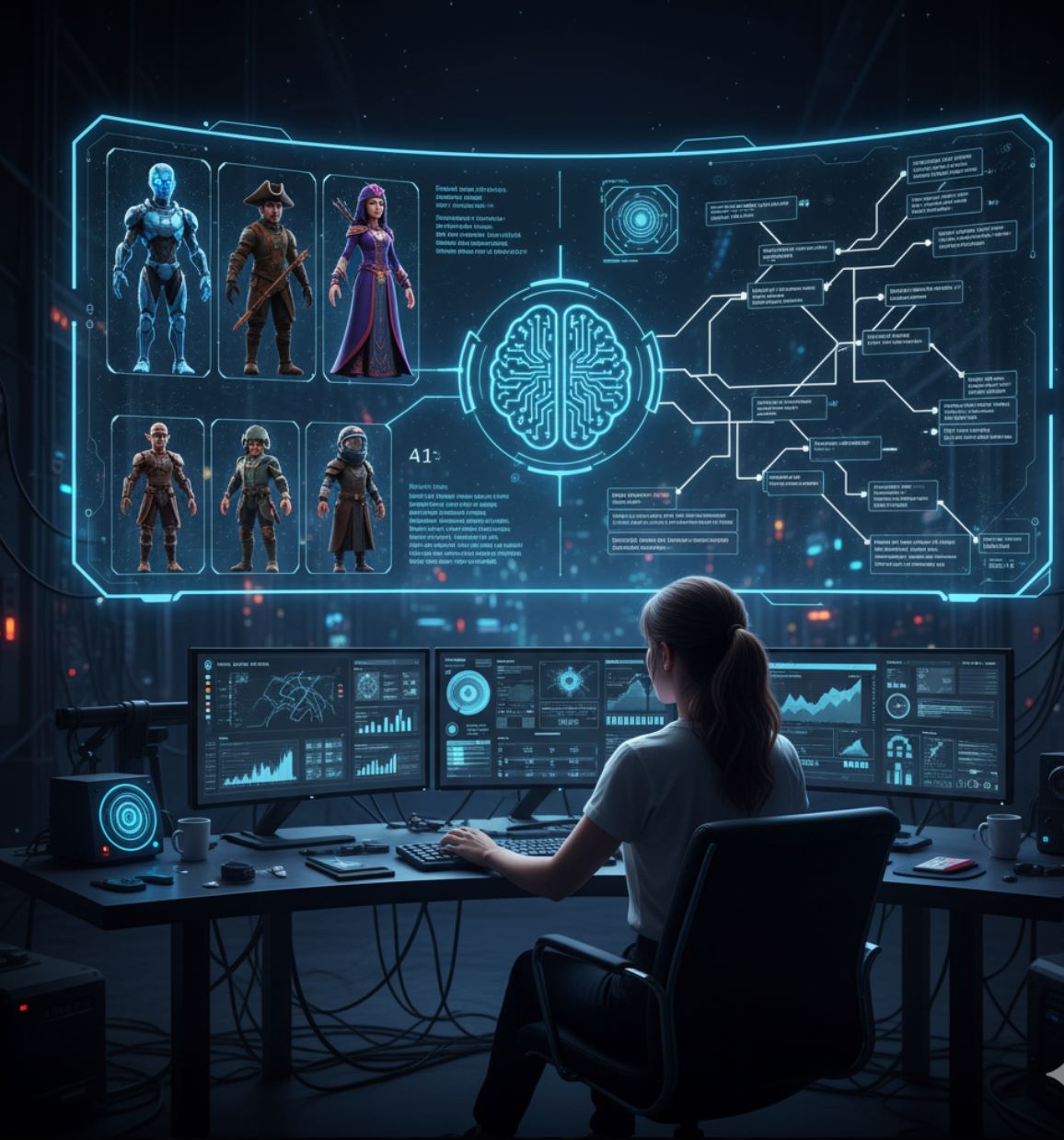
Gumagawa ang AI ng 3D models gamit ang advanced neural networks at malalaking dataset ng umiiral na 3D hugis at texture. Dalawang pangunahing pamamaraan ang nangingibabaw:
Text-to-3D
Image-to-3D
Sa likod nito, madalas gamitin ng mga system na ito ang diffusion models o Neural Radiance Fields (NeRFs) para bumuo ng 3D geometry at kulay mula sa 2D prompts. Halimbawa, ang Point-E system ng OpenAI ay unang gumagawa ng 2D view mula sa teksto at pagkatapos ay bumubuo ng 3D point cloud – tinatapos ang buong proseso sa loob ng 1–2 minuto. Ang susi ay natutunan ng AI kung paano nagkakasabay ang mga hugis at kulay sa mga bagay, kaya nakakagawa ito ng mga bagong assets "mula sa simula" kapag na-train na.
Pinapayagan ka ng mga modernong AI tool na mag-type ng prompt at agad makita ang 3D model. Halimbawa, ang text-to-3D system ng Meshy AI ay gumawa ng detalyadong bahay na may lumot mula sa isang prompt. Maaaring i-preview at i-refine ang mga modelong ito sa loob ng ilang segundo.
— AI Game Development Practice
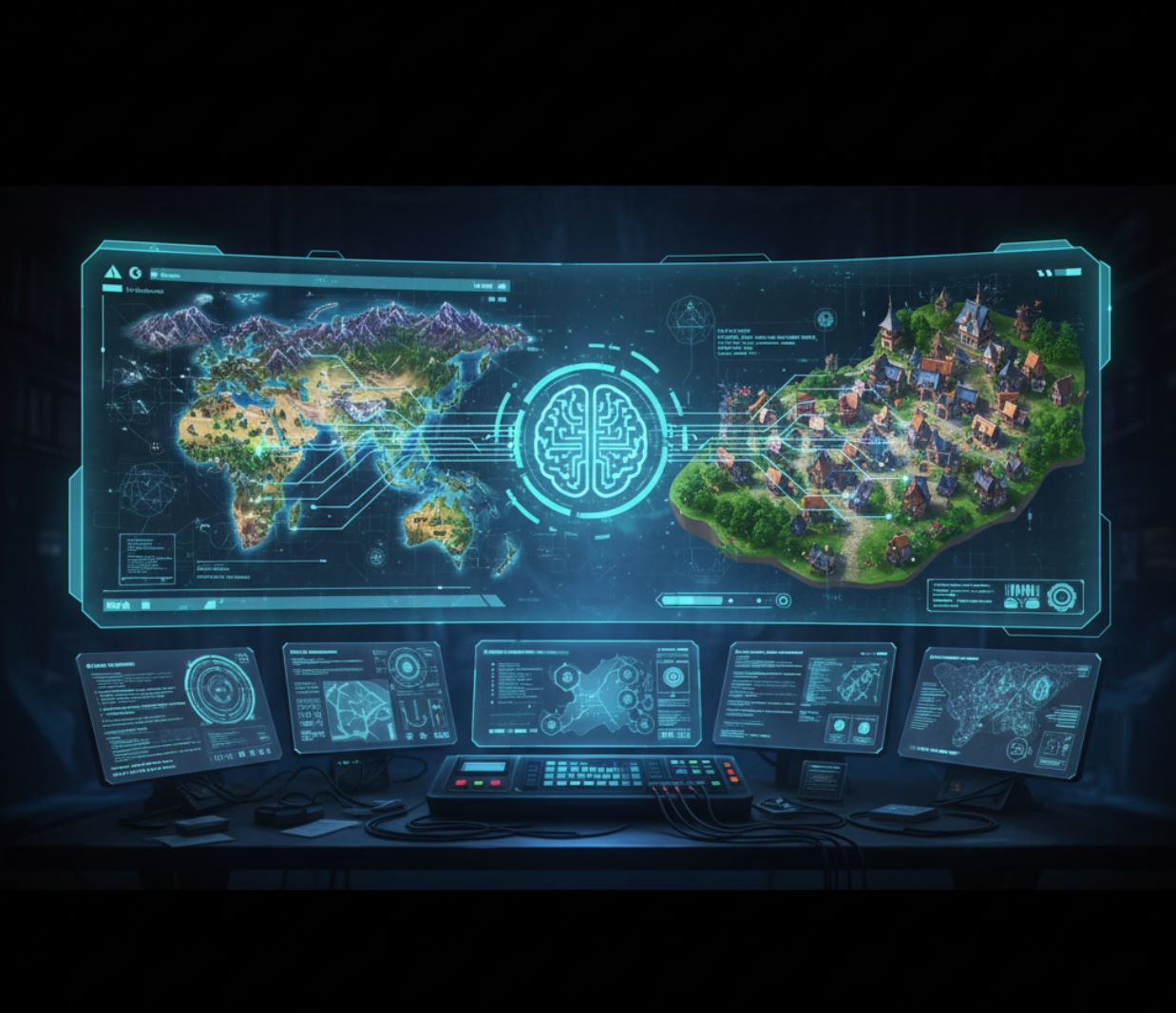
Higit pa sa mga indibidwal na modelo: Ang ilang AI research ay naglalayong bumuo ng buong mundo ng laro mula sa teksto. Ang Genie 3 world-model ng Google DeepMind ay makakagawa ng buong 3D environment na maaaring tuklasin ng mga user nang real time. Maaaring magbigay ang designer ng prompt tulad ng "nayon sa niyebe sa bundok" at makikita ang isang buong interactive na eksena na may mga gusali, puno, at NPC. Bagaman nasa maagang yugto pa, ipinapakita nito kung paano malaki ang maitutulong ng AI sa pagpapabilis ng paggawa ng assets at disenyo ng level para sa mga laro.

Pangunahing Mga Bentahe
Napakabilis na Pagbilis
Ang dati ay tumatagal ng oras ng manwal na pagmomodelo ay ngayon nangyayari sa loob ng ilang minuto o mas mababa pa.
- Mga gawain na dati ay tumatagal ng araw ay ngayon tumatagal na lang ng minuto
- 90% ng mga game studio ay gumagamit ng AI sa kanilang workflow
- 95% ang nag-ulat ng automation ng paulit-ulit na gawain
Konsistensi ng Estilo
Pinapayagan ka ng mga AI platform na kontrolin ang art style upang lahat ng mga modelong ginawa ay tumugma sa estetika ng iyong laro.
- Iba't ibang bersyon sa parehong visual style
- Pinipigilan ang hindi pagkakatugma ng visual sa buong mundo ng laro
- Awtomatikong pagbuo at paglalagay ng mga eksena
Demokratikong Paglikha
Ang mas maliliit na koponan at indie developers ay maaari nang gumawa ng kalidad na 3D assets nang hindi nangangailangan ng maraming taon ng karanasan.
- Minimal na kasanayan ang kailangan para sa magandang resulta
- Pinapantay ang pagkakataon para sa mga solo creator
- Pinabababa ang gastos sa pagmomodelo ng hanggang ~90%
Praktikal na workflow: Sa praktis, ginagamit ang AI para mabilis na gumawa ng placeholder o prototype assets upang mabilis na masubukan ang gameplay. Halimbawa, maaaring ilarawan ng isang indie team ang isang sci-fi rifle o isang fantasy tree at makakagawa ang AI ng isang magaspang na 3D model sa loob ng ilang segundo. Pinapayagan sila ng placeholder na ito na mag-focus sa game logic at mabilis na mag-iterate, pagkatapos ay i-refine ang asset kung kinakailangan.
Maaaring maglagay ang mga game dev ng paglalarawan at agad makakuha ng textured model. Halimbawa, pinapayagan ng Ludo.ai's 3D Asset Generator ang user na mag-type ng "kabayo na may cybernetic implants" at gumagawa ang AI ng game-ready na modelong kabayo agad-agad. Pinapabilis nito ang prototyping nang walang manwal na sculpting.
— AI Game Asset Generation Practice

Mga Sikat na AI 3D Modeling Tools
Several specialized AI tools and platforms have emerged to make 3D game asset creation easier:

Sloyd.ai
Impormasyon ng Aplikasyon
| Developer | Koponan ng Sloyd, na itinatag nina Øyvind Sørøy, Andreas Edesberg, Avi Latner, at Noam Tzionit, kasama ang isang grupo ng mga 3D artist at engineer |
| Sinusuportahang Platform |
|
| Suporta sa Wika | Interface sa wikang Ingles; available sa buong mundo |
| Modelo ng Pagpepresyo | Freemium — may libreng plano; may bayad na tier (Plus, Pro, Enterprise) para sa advanced na mga tampok at paggamit ng API |
Pangkalahatang-ideya
Ang Sloyd.ai ay isang next-generation na platform para sa paglikha ng 3D na pinagsasama ang parametric modeling at generative AI upang tulungan ang mga creator na mabilis makagawa ng game-ready na 3D asset. Hindi kailangan ang tradisyunal na kasanayan sa 3D modeling; maaaring gumawa ang mga gumagamit ng props, arkitektura, karakter, at iba pang mga bagay gamit ang kombinasyon ng text prompt, reference na larawan, at mga customizable na template. Lahat ng output mesh ay optimized para sa mga game engine na may malinis na topology, UV mapping, at suporta sa LOD. Nagbibigay din ang Sloyd ng API/SDK para sa real-time na paglikha ng asset sa loob ng mga laro at aplikasyon.
Pangunahing Mga Tampok
Gumawa ng 3D na mga modelo mula sa mga paglalarawan sa teksto o reference na mga larawan sa loob ng ilang segundo.
- Text-to-3D conversion
- Image-to-3D conversion
I-customize ang mga predefined na 3D template gamit ang madaling gamitin na mga slider at toggle.
- Muwebles, gusali, props
- Eksaktong kontrol sa mga hugis
Mga optimized na mesh na handa nang gamitin agad sa mga game engine.
- Malinis na topology at UV mapping
- Kontrol sa LOD at optimization ng polygon
Gumawa ng mga modelo nang dinamiko sa loob ng mga game engine gamit ang API/SDK.
- Suporta sa Unity at Unreal
- Procedural na paglikha ng nilalaman
Mag-apply ng pare-parehong estilo sa iyong mga modelo gamit ang mga preset o custom na texture.
- Library ng mga style preset
- Custom na pagsasanay sa texture
Dinisenyo para sa mga creator ng lahat ng antas ng kasanayan upang makagawa ng propesyonal na 3D na mga modelo.
- Madaling gamitin na interface
- Mga workflow na friendly sa mga baguhan
I-download o I-access
Pagsisimula
Mag-sign up para sa libreng Sloyd account sa web app upang agad makapagsimula.
Pumili mula sa tatlong paraan ng paglikha: gamitin ang parametric templates, gumawa mula sa text prompt, o i-convert ang mga larawan sa 3D na mga modelo.
I-adjust ang mga parameter, mag-apply ng style preset, mag-upload ng reference texture, at itakda ang mga katangian ng mesh tulad ng bilang ng polygon at mga antas ng LOD.
Tingnan ang iyong modelo nang real time at gumawa ng mga pagbabago sa mga parameter o prompt hanggang sa maging kontento ka sa resulta.
I-download ang iyong modelo sa mga format na friendly sa laro (.obj, .glb, at iba pa) para magamit sa iyong mga proyekto.
Gamitin ang API o SDK ng Sloyd upang gumawa ng mga asset nang dinamiko habang tumatakbo ang laro sa Unity, Unreal, o iba pang mga game engine.
Mahahalagang Tala
- Ang output na gawa ng AI ay maaaring mangailangan ng manual na pag-aayos at optimization para sa partikular na gamit
- Ang web-based editor ay nangangailangan ng matatag na koneksyon sa internet at modernong performance ng browser
- Ang komplikado o malakihang runtime generation ay maaaring mangailangan ng plano sa integrasyon at custom na lisensya (Studio/Enterprise tiers)
- Pinapayagan ang komersyal na paggamit sa lahat ng plano; ang mga karapatan sa redistribution at reselling ay nag-iiba depende sa tier
Madalas Itanong
Oo — Kasama sa mga plano ng Sloyd ang mga karapatan para sa komersyal na paggamit. Ang mga karapatan sa redistribution at reselling ay nag-iiba depende sa iyong subscription tier.
Maaari mong i-export ang mga modelo bilang .obj, .glb, at iba pang karaniwang mga format na compatible sa mga pangunahing game engine tulad ng Unity at Unreal Engine.
Oo — Nagbibigay ang Sloyd ng API at SDK para sa runtime generation sa loob ng mga game engine tulad ng Unity at Unreal, na nagpapahintulot ng procedural at user-driven na paglikha ng nilalaman.
Ang mga modelo na ginawa mula sa text o image prompt ay maaaring malikha sa loob ng ilang segundo hanggang minuto, salamat sa parametric engine ng Sloyd na pinagsama sa generative AI technology.
Hindi — Ang Sloyd ay partikular na dinisenyo para sa mga creator ng lahat ng antas ng kasanayan. Maaari kang gumawa at mag-customize ng propesyonal na 3D na mga modelo nang walang anumang karanasan sa 3D modeling.

Meshy.ai
Impormasyon ng Aplikasyon
| Developer | Meshy LLC |
| Sinusuportahang Platform | Web-based na tool na maa-access sa mga desktop at laptop browser |
| Suporta sa Wika | Iba't ibang wika kabilang ang Ingles, Espanyol, Pranses, Tsino, Hapon, at iba pa. Available sa buong mundo. |
| Modelo ng Pagpepresyo | Freemium — Libreng plano (200 credits/buwan), Pro (~$20/buwan), Max (~$60/buwan), Max Unlimited (~$120/buwan), pati na rin ang custom na Enterprise plans |
Pangkalahatang Pagsusuri
Ang Meshy.ai ay isang AI-powered na platform para sa pagbuo ng 3D na nagbabago ng mga text prompt o 2D na larawan sa mataas na kalidad, game-ready na mga 3D na modelo sa loob ng ilang segundo. Dinisenyo para sa mga game developer, designer, mahilig sa 3D printing, at mga propesyonal sa paglikha, inaalis ng Meshy ang pangangailangan ng malalim na kasanayan sa modeling. Sa matalinong remeshing, AI-driven na mga texture, at awtomatikong rigging, pinapabilis ng platform ang paggawa ng 3D asset at sumusuporta sa seamless na pag-export sa mga real-time na game engine.
Paano Ito Gumagana
Gumagamit ang Meshy.ai ng advanced na generative AI upang gawing simple ang paggawa ng 3D na modelo. Naglalagay ang mga gumagamit ng mga text description o reference na larawan, at ang platform ay lumilikha ng detalyado, teksturadong 3D na mga modelo na na-optimize para sa real-time na paggamit. Pinapayagan ka ng smart remeshing engine na balansehin ang bilang ng polygon (1k hanggang 300k triangles) upang umangkop sa iyong mga pangangailangan sa performance.
Para sa mga karakter at organikong modelo, nag-aalok ang Meshy ng awtomatikong rigging pati na rin access sa isang animation library na may mahigit 500 game-ready na galaw. Ang AI-based na sistema ng texturing ay lumilikha ng mga PBR map (diffuse, metallic, roughness, normal) mula sa simpleng mga prompt o larawan. Kasama sa integrasyon ang mga industry-standard na workflow kabilang ang pag-export sa FBX, GLB, OBJ, STL, USDZ, at BLEND na mga format, pati na rin ang mga native plugin para sa Unity, Unreal, Blender, Godot, at iba pa.
Pangunahing Mga Tampok
I-transform ang mga natural na wikang prompt o reference na mga larawan (mga sketch, larawan, concept art) sa ganap na modeled na 3D asset sa loob ng ilang segundo.
Gumawa ng mga PBR-ready na texture kabilang ang diffuse, normal, metallic, at roughness maps mula sa text o image references.
Dynamic na ayusin ang densidad ng mesh mula sa napakababa (1k) hanggang napakataas (300k) na bilang ng triangle/quad upang i-optimize ayon sa iyong pangangailangan.
Awtomatikong i-rig ang mga karakter at magkaroon ng access sa mahigit 500 game-ready na animasyon kabilang ang paglakad, pagtalon, laban, at sayaw na mga galaw.
Pamahalaan ang higit sa 50 sabay-sabay na modeling at texturing na gawain para sa mas episyenteng workflow management.
REST API at mga native plugin para sa Unity, Unreal, Blender, Godot, at iba pang mga industry-standard na tool.
I-download o I-access
Gabay sa Pagsisimula
Pumunta sa website ng Meshy.ai at tuklasin ang platform.
Mag-sign up para sa isang libreng account upang ma-access ang iyong buwanang credits.
Text to 3D: Maglagay ng detalyadong prompt at isumite. Image to 3D: Mag-upload ng reference na larawan (sketch, larawan) at i-convert.
Gamitin ang built-in na Prompt Helper upang i-optimize ang iyong mga paglalarawan para sa mas magagandang resulta.
Pagkatapos mabuo ang base model, ilapat ang AI texturing sa pamamagitan ng pagbibigay ng prompt o pag-upload ng larawan upang istilohan ang texture.
Gamitin ang Smart Remesh upang piliin ang bilang ng polygon (1k–300k) na pinakaangkop sa iyong mga pangangailangan sa performance.
Para sa mga karakter, ilapat ang awtomatikong rigging at opsyonal na pumili ng animasyon mula sa library ng Meshy.
I-preview ang modelo sa iyong browser, gumawa ng mga pagsasaayos kung kinakailangan, pagkatapos ay i-export sa nais mong format (FBX, OBJ, GLB, STL, USDZ, BLEND).
Gamitin ang API o native plugin upang direktang i-import ang iyong generated 3D asset sa Unity, Unreal, Blender, o iyong paboritong game engine.
Mahahalagang Limitasyon
- Ang mga kumplikadong prompt o larawan ay maaaring magresulta sa mga output na nangangailangan ng pagpipino o manwal na paglilinis
- Ang geometry ng mukha mula sa image-to-3D conversions ay paminsan-minsan ay maaaring maglabas ng mga distorted na katangian
- Ang mga napakataas na density ng mesh o detalyadong texture ay maaaring mangailangan ng malakas na hardware upang maproseso pagkatapos i-download
Madalas Itanong
Oo, maaari mong pagmamay-ari at gamitin ang mga generated na asset nang komersyal depende sa iyong pricing tier. Kasama ang mga karapatan sa komersyo sa lahat ng bayad na plano.
Sinusuportahan ng Meshy.ai ang FBX, GLB, OBJ, STL, 3MF, USDZ, at BLEND na mga format, na tinitiyak ang pagiging compatible sa karamihan ng mga 3D tool at game engine.
Oo, nagbibigay ang Meshy.ai ng REST API at mga native plugin para sa Unity, Unreal, Blender, Godot, at iba pang mga industry-standard na engine, na nagpapahintulot ng seamless na paggawa at pag-import ng asset.
Nagbibigay ang Meshy ng library ng mahigit 500 game-ready na animasyon, kabilang ang paglakad, pagtalon, laban, sayaw, at iba pang karaniwang galaw ng karakter.
Hindi, ang Meshy.ai ay idinisenyo upang maging friendly sa mga baguhan. Maaari kang gumawa ng propesyonal na 3D na modelo gamit lamang ang text o mga larawan nang walang anumang manwal na manipulasyon ng mesh o kinakailangang kasanayan sa modeling.

Ludo.ai
Impormasyon ng Aplikasyon
| Developer | Ludo.ai — isang kumpanya na dalubhasa sa AI-powered na mga tool para sa disenyo ng laro at paggawa ng asset |
| Sinusuportahang Platform |
|
| Suporta sa Wika | Interface sa Ingles; available sa buong mundo |
| Modelo ng Pagpepresyo | Freemium — Libreng tier (30 credits), Indie ($15/buwan), Pro ($30/buwan), Studio ($160/buwan) |
Pangkalahatang-ideya
Ang Ludo.ai ay isang AI-powered na platform na nagpapabilis ng pagbuo ng laro sa pamamagitan ng paglikha ng production-ready na 3D asset mula sa mga text description o larawan. Inaalis nito ang pangangailangan para sa tradisyunal na kasanayan sa 3D modeling, na nagpapahintulot sa mga developer na gumawa ng mga textured, game-ready na modelo sa loob ng ilang minuto. Perpekto para sa mabilisang prototyping at eksplorasyon ng konsepto, ang Ludo.ai ay seamless na nakikipag-integrate sa mas malawak na Ludo ecosystem ng mga tool sa pagbuo ng laro.
Pangunahing Kakayahan
Pinapagana ng Ludo.ai's 3D Asset Generator ang generative AI upang i-transform ang mga simpleng input sa ganap na na-realize na mga 3D model. Ang update para sa 2025 ay nagdadala ng maraming mode ng paggawa, na nagbibigay sa mga developer ng flexible na kontrol:
Gumawa ng mga 3D model mula sa mga natural na paglalarawan gamit ang AI-powered na interpretasyon.
Mag-upload ng 2D na mga larawan; awtomatikong tinatanggal ng Ludo.ai ang mga background at hinuhulaan ang 3D geometry.
Mag-apply o mag-regenerate ng PBR textures (albedo, metallic, roughness) gamit ang mga text prompt.
Baguhin ang hugis o hitsura ng asset gamit ang strength sliders at custom na mga prompt.
Suriin ang mga generated na modelo nang real time gamit ang mesh at textured visualization modes.
I-download sa GLB (kasama ang mga texture), STL, PLY, OBJ, o OFF na mga format.
Access sa Ludo.ai
Paano Magsimula
Mag-sign up o mag-log in sa Ludo.ai sa pamamagitan ng kanilang website upang ma-access ang 3D Asset Generator.
Pumili mula sa Text-to-3D, Image-to-3D, Texture Generation, o Model Variation ayon sa iyong pangangailangan.
Ilagay ang isang deskriptibong prompt (para sa teksto) o mag-upload ng malinis na reference image. Gamitin ang built-in na image editor para sa masking at mga pagsasaayos kung kinakailangan.
Opsyonal na i-adjust ang detalye ng mesh (kompleksidad ng hugis) at resolusyon ng texture upang ma-optimize para sa iyong game engine.
I-click ang Generate at maghintay sa proseso. Para sa text-to-3D, gumagawa muna ang Ludo.ai ng 2D concept, pagkatapos ay kino-convert ito sa 3D. I-preview sa interactive viewer gamit ang textured, wireframe, o rotated na mga view.
Mag-re-texture o mag-apply ng mga variation sa umiiral na mga modelo gamit ang context menu para sa karagdagang customisasyon.
I-download ang final na modelo sa iyong nais na format (GLB, OBJ, STL, PLY, o OFF) at i-integrate ito sa iyong game engine.
Mahahalagang Pagsasaalang-alang
- Pinakamainam para sa Prototyping: Ang mga generated na modelo ay mahusay para sa mabilisang prototyping at visualization sa maagang yugto. Ang mga asset na may kalidad para sa produksyon ay maaaring mangailangan ng manu-manong paglilinis o re-topology.
- Dalawang-Hakbang na Workflow: Ang Text-to-3D ay may kasamang 2D generation phase na sinusundan ng 3D conversion, na nagdadagdag ng oras kumpara sa direktang 3D generation.
- Pag-refine na Batay sa Credit: Ang re-texturing at mesh optimization ay kumokonsumo ng credits, kaya planuhin nang maayos ang iyong workflow.
- Komersyal na Paggamit: Ang mga generated na asset ay maaaring gamitin sa komersyal na layunin depende sa iyong subscription tier.
Madalas Itanong
Oo. Pinapayagan ng Ludo.ai ang pag-export at komersyal na paggamit ng mga generated na asset, depende sa iyong credit tier at subscription plan.
Sinusuportahan ng Ludo.ai ang GLB (na may naka-embed na mga texture), STL, PLY, OBJ, at OFF na mga format, na nagbibigay ng flexibility para sa iba't ibang game engine at workflow.
Hindi. Ang Ludo.ai ay partikular na dinisenyo para sa mga creator na walang kasanayan sa modeling. Maaari kang gumawa ng propesyonal na mga asset gamit lamang ang mga text description o reference image.
Oo. Maaari kang mag-upload ng sarili mong 3D model o gumamit ng mga Ludo.ai-generated na asset upang i-re-texture ang mga ito o gumawa ng mga variation gamit ang Model Variation tool.

CSM Cube (Common Sense Machines)
Impormasyon ng Aplikasyon
| Developer | Common Sense Machines, Inc. |
| Sinusuportahang Platform |
|
| Suporta sa Wika | Ingles at Espanyol sa iOS app; available sa buong mundo sa pamamagitan ng CSM website |
| Modelo ng Pagpepresyo | May libreng tier; credit-based na in-app purchases para sa advanced na mga tampok |
Pangkalahatang-ideya
Ang CSM Cube ay isang AI-powered na tool para sa pagbuo ng 3D asset na nagko-convert ng mga larawan, teksto, o sketch sa production-ready na 3D models sa loob ng ilang segundo. Gamit ang advanced neural networks na pinagsasama ang diffusion, transformers, at neural radiance fields, pinapayagan ng Cube ang mga creator na gumawa ng textured meshes, pinuhin ito sa HD quality, at awtomatikong i-rig at i-animate ang mga karakter—lahat nang hindi nangangailangan ng advanced na kasanayan sa 3D modeling.
Pangunahing Mga Tampok
Gumawa ng 3D models mula sa mga larawan, paglalarawan sa teksto, o mga sketch nang instant.
I-upgrade ang mga unang mesh sa HD-quality na mga modelo na may pinahusay na geometry at detalye ng texture.
Hatiin ang mga larawan sa mga lohikal na bahagi para sa modular, malinis na hiwalay na mga mesh na may optimized na topology.
Mag-apply o muling likhain ang mga PBR texture gamit ang text guidance upang mapahusay ang kalidad at realism ng ibabaw.
Awtomatikong i-rig ang mga humanoid na modelo at mag-apply ng mga pre-built na animation o gumawa ng custom na animation gamit ang text prompts.
I-export sa OBJ, glTF, USD, at iba pa; compatible sa Unity, Unreal, Blender, at mga industry-standard na engine.
I-download o I-access
Pagsisimula
Bisitahin ang CSM Cube web app o i-download ang Cube app mula sa App Store.
Pumili mula sa Larawan to 3D, Teksto to 3D, o Parts-based & Asset Pack na mga mode.
I-upload ang iyong mga larawan at i-customize ang mesh topology, bilang ng polygon, symmetry, at mga preference sa texture.
I-click ang Generate para sa mabilis na preview ("turbo") o simulan ang isang Refine session para sa mas mataas na kalidad na output.
Gamitin ang 3D viewer upang tingnan ang iyong modelo sa wireframe, texture, o pinagsamang mode. Opsyonal na hatiin at muling likhain ang mga bahagi.
Piliin ang mga humanoid na opsyon, pumili mula sa animation library, o gumawa ng custom na animation gamit ang text prompts.
I-export sa iyong gustong format (OBJ, glTF, USD) para sa agarang paggamit sa iyong game engine o 3D application.
Mahahalagang Pagsasaalang-alang
Madalas Itanong
Oo — Ang Cube ay partikular na dinisenyo para sa game-ready na mga asset. Lahat ng na-export na modelo ay maaaring gamitin sa mga commercial na proyekto nang walang mga restriksyon.
Sinusuportahan ng Cube ang pag-export sa OBJ, glTF, USD, at iba pang karaniwang 3D format na compatible sa mga pangunahing game engine at 3D application.
Hindi — Ang Cube ay dinisenyo para sa mga creator ng lahat ng antas ng kasanayan. Maaari kang gumawa ng mga propesyonal na kalidad na modelo mula sa simpleng mga larawan, sketch, o paglalarawan sa teksto nang hindi nangangailangan ng advanced na kaalaman sa 3D.
Ang basic generation ("turbo" mode) ay natatapos sa loob ng ilang segundo. Ang mga high-quality refine session ay karaniwang tumatagal ng ilang minuto, depende sa iyong mga napiling setting at komplikasyon ng modelo.
Oo — Awtomatikong nirig ng Cube ang mga humanoid mesh at nagbibigay ng access sa built-in na animation library. Maaari ka ring gumawa ng custom na animation gamit ang text prompts para sa mas malawak na kontrol sa paglikha.
Oo — May dedikadong iOS app ang Cube na available para sa iPhone, iPad, at Mac computers na may Apple Silicon (M1 o mas bago).

3D AI Studio
Impormasyon ng Aplikasyon
| Developer | 3D AI Studio team (3daistudio.com) |
| Sinusuportahang Platform |
|
| Suporta sa Wika | Ingles; accessible sa buong mundo |
| Modelo ng Pagpepresyo | Bayad na subscription na nagsisimula sa US$14/buwan (Basic plan). Generasyon batay sa credits (~25 credits kada gawain) |
Pangkalahatang-ideya
Ang 3D AI Studio ay isang AI-powered na plataporma na lumilikha ng production-ready na 3D models mula sa mga text prompt o mga in-upload na larawan. Dinisenyo para sa mga game developer, 3D artist, at designer, tinatanggal nito ang tradisyonal na workflow sa pagmomodelo sa pamamagitan ng paggawa ng mga textured, game-ready na asset sa loob ng ilang minuto. Kasama sa plataporma ang quad-remeshing, LOD generation, at multi-format export para sa seamless na integrasyon sa Unity, Unreal Engine, at mga pipeline ng 3D printing.
Pangunahing Mga Tampok
Gumawa ng 3D models sa pamamagitan ng pagpasok ng mga natural na paglalarawan ng nais mong bagay.
Mag-upload ng 2D na larawan o sketch upang agad na ma-convert sa ganap na textured na 3D model.
Awtomatikong gumawa ng PBR-style na mga texture kabilang ang diffuse, normal, at roughness maps mula sa mga prompt.
Malinis na topology at paggawa ng mga level of detail para sa optimal na performance sa real-time na mga engine.
Itakda ang sukat sa totoong mundo at mga pivot point para sa export-ready na paglalagay sa iyong mga proyekto.
Mag-export sa FBX, GLB, OBJ, STL, USDZ, 3MF, at BLEND para sa compatibility sa iba't ibang platform.
I-download o I-access
Pagsisimula
Gumawa ng account o mag-log in sa website ng 3D AI Studio upang ma-access ang plataporma.
Pumili sa Text to 3D (ilarawan ang iyong bagay) o Image to 3D (mag-upload ng reference na larawan).
Mag-type ng detalyadong prompt o mag-upload ng iyong reference na larawan upang gabayan ang proseso ng AI generation.
Pumili ng nais mong kalidad ng modelo (hal., "Prism Turbo" para sa bilis o "Prism 3" para sa detalye) upang balansehin ang oras ng generasyon at kalidad ng output.
I-click ang "Generate" at maghintay na likhain ng AI ang iyong modelo. Ang mabilis na generasyon ay tumatagal ng 20–30 segundo; ang mga high-detail na bersyon ay tumatagal ng 2–4 minuto.
Gamitin ang 3D viewer upang tingnan ang iyong mesh at mga texture. Lumipat sa pagitan ng wireframe at textured na mga mode upang suriin ang kalidad.
Mag-apply ng quad-remeshing o gumawa ng mga LOD kung kinakailangan upang i-optimize ang iyong modelo para sa produksyon.
I-download ang iyong tapos na modelo sa napiling format (FBX, GLB, OBJ, atbp.) para magamit sa mga game engine o 3D pipeline.
Mahahalagang Limitasyon
- Presyong Batay sa Credit: Bawat Text-to-3D o Image-to-3D na generasyon ay nagkakahalaga ng humigit-kumulang 25 credits kada gawain.
- Oras ng Generasyon: Ang mataas na kalidad at detalyadong generasyon (Prism 3) ay maaaring tumagal ng ilang minuto upang matapos.
- Kailangang Post-Processing: May ilang feedback mula sa mga gumagamit na ang topology ng mesh o resulta ng texture ay maaaring kailanganin ng manwal na pag-aayos para sa produksyon.
- Tumaas na Gastos sa Pagsusukat: Ang mabigat na paggamit ay maaaring mangailangan ng pag-upgrade sa mas mataas na credit tier, na nagpapataas ng gastos sa subscription.
Madalas Itanong
Sinusuportahan ng 3D AI Studio ang pag-export sa maraming industry-standard na format: FBX, GLB, OBJ, STL, USDZ, 3MF, at BLEND. Tinitiyak nito ang compatibility sa mga game engine (Unity, Unreal), serbisyo ng 3D printing, software sa animasyon, at iba pang propesyonal na workflow.
Oo, ang mga generated na 3D model ay handa nang i-export at may buong lisensya para sa komersyal na paggamit. Maaari mo silang isama sa game development, mga proyekto ng animasyon, 3D printing, product visualization, at iba pang komersyal na aplikasyon nang walang limitasyon.
Ang oras ng generasyon ay depende sa iyong mga setting ng kalidad. Ang mabilis (Turbo) na generasyon ay tumatagal ng humigit-kumulang 20–30 segundo, habang ang mas mataas na fidelity na mga modelo (Prism 3) ay tumatagal ng 2–4 minuto. Maaari mong piliin ang balanse ng bilis at kalidad ayon sa pangangailangan ng iyong proyekto.
Ang isang karaniwang Text-to-3D o Image-to-3D na generasyon ay nagkakahalaga ng humigit-kumulang 25 credits kada gawain. Ang iyong subscription plan ang nagtatakda ng buwanang allowance ng credits. Ang Basic plan ay nagsisimula sa US$14/buwan at kasama ang isang takdang bilang ng credits para sa mga generasyon.
Ayon sa mga ulat ng gumagamit, maaaring makatanggap ang mga bagong user ng limitadong bilang ng libreng generasyon upang subukan ang plataporma. Gayunpaman, walang pangmatagalang libreng tier na plano. Kapag naubos ang iyong trial credits, kailangan mong mag-subscribe sa bayad na plano upang magpatuloy sa paggamit ng serbisyo.

Masterpiece X
Application Information
| Developer | Masterpiece Studio |
| Supported Platforms |
|
| Language Support | Ingles; accessible sa buong mundo online |
| Pricing Model | Kailangan ng bayad na credits para sa AI generation; limitado ang libreng credits para sa mga bagong user |
Overview
Ang Masterpiece X ay isang advanced na AI-powered na plataporma na nagpapahintulot sa mga creator na mabilis na makagawa ng mataas na kalidad na 3D models para sa mga laro, animasyon, at virtual production. I-transform ang mga text prompt o reference images sa ganap na may texture, rigged, at animated na 3D assets. Tampok ng plataporma ang VR-based editing para sa intuitive na reshaping, pagpipinta, at animation workflows. Sa API at SDK integration, maaaring i-embed ng mga developer ang 3D generation sa mga custom pipeline. Lahat ng assets ay na-e-export bilang GLB files, handa nang gamitin agad sa mga game engine at 3D workflows.
Key Features
Gumawa ng ganap na may texture na 3D models mula sa mga detalyadong text prompt nang instant.
Awtomatikong gumawa ng 3D assets mula sa mga sketch o reference images.
Baguhin ang mga mesh, pinturahan ang mga texture, auto-rig, at i-animate sa immersive virtual reality.
Isama ang AI 3D generation sa mga custom workflow gamit ang Python o Node.js nang walang kahirap-hirap.
I-export bilang GLB format at ibahagi o i-remix ang mga modelo sa community library.
Download or Access
Getting Started
Mag-sign up o mag-log in sa Masterpiece X online platform.
Pumili sa pagitan ng Text-to-3D o Image-to-3D generation.
Ilagay ang detalyadong text prompt o mag-upload ng reference image para sa generation.
Para sa mga gumagamit ng VR, ikonekta ang Meta Quest headset upang pumasok sa immersive editing mode.
I-adjust ang geometry ng mesh, mga texture, rigging, at animation ayon sa nais.
I-export ang modelo bilang GLB format o ibahagi sa community library.
Important Notes & Limitations
- Ang export ay kasalukuyang limitado sa GLB format; ang suporta para sa FBX at OBJ ay paparating
- Maaaring kailanganin ng manu-manong pag-aayos ang mga high-detail na assets pagkatapos ng generation
- Inirerekomenda ang optimal na performance sa desktop o VR hardware
Frequently Asked Questions
Oo, ang mga generated na modelo ay angkop para sa komersyal na paggamit sa mga laro, animasyon, virtual production, at iba pang propesyonal na proyekto.
Kasalukuyang sinusuportahan ang GLB format. May plano na magdagdag ng mga karagdagang format tulad ng FBX at OBJ sa mga susunod na release.
Hindi, gumagana ang web version nang walang VR. Gayunpaman, malaki ang naitutulong ng VR sa pagpapahusay ng editing, rigging, at animation workflows para sa mas intuitive na karanasan.
Ang mga bagong user ay tumatanggap ng limitadong libreng credits para sa pagsubok at pagsusuri. Ang patuloy na paggamit ay nangangailangan ng bayad na credits base sa iyong pangangailangan sa generation.
Oo, nagbibigay ang plataporma ng Python at Node.js SDK para sa seamless na integrasyon sa mga custom na aplikasyon at development workflow.
Mga kilalang platform sa ecosystem:
- Luma AI – Gumagamit ng NeRF technology para sa photorealistic na 3D models mula sa mga larawan at video
- Kaedim – Nagko-convert ng 2D art sa 3D models na optimized para sa Unity at Unreal Engine
- Sketchfab – Nagbibigay ng mga gabay at integrasyon para sa AI-generated content
- Blender plugins – Direktang tumatawag ng AI generators sa loob ng sikat na 3D software
- Google Project Bernini – In-house na solusyon para sa AI-based na pagbuo ng 3D hugis
Bawat isa sa mga AI tool na ito ay malaki ang naitutulong sa pagpapabilis ng development. Maaaring mag-iterate ang designer ng dose-dosenang variation ng modelo sa oras na dati ay para lang sa isang modelo. Naglalabas sila ng assets sa mga standard na 3D format (FBX, OBJ, glTF), handang i-import sa Unity, Unreal Engine, o iba pang game engine.
Mga Hamon at Limitasyon
Sa kabila ng hype, hindi perpekto ang mga kasalukuyang AI model. Ang pag-unawa sa mga limitasyong ito ay tumutulong sa mga developer na gamitin nang epektibo ang AI:
Pagkakaiba-iba ng Kalidad
Maraming AI-generated na modelo ang nangangailangan ng manwal na paglilinis: pag-aayos ng mesh topology, pag-optimize ng UV maps, o pagpipino ng mga texture. Mahirap pa rin makuha nang tama ang mga komplikadong bagay (tulad ng fully rigged na mga karakter o eksaktong mekanikal na bahagi) nang walang kamay ng artist. Sa ngayon, mahusay ang AI sa static props at mga kapaligiran – mga espada, kahon, gusali, tanawin – ngunit nahihirapan sa mga animated na karakter o masalimuot na lohika. Napapansin ng mga developer na ang AI assets ay maaaring may dagdag na vertices o kakaibang geometry na kailangang putulin (bagaman may ilang tool na may auto-retopology).
Kailangan ng Prompt Engineering
Ang pagkamalikhain ay mula pa rin sa developer. Kadalasan, kailangan ng mahusay na prompt o input na larawan para sa magandang resulta. Natututo ang mga designer na magsulat ng mas mahusay na prompt at mag-iterate upang makuha ang tamang estilo at detalye. Halimbawa, kabilang sa mga tip ang pagtukoy ng eksaktong estilo o paghahati ng komplikadong asset sa mga bahagi. Sa ngayon, ang AI ay isang kasamang katuwang, hindi ganap na awtomatikong artist. Kahit ang mga tool na nagsasabing gumagawa ng "direktang magagamit" na mga modelo ay may kasamang mga tool para sa pag-edit at rigging upang pinuhin ang output.
Workflow at Mga Isyung Legal
Dapat maingat na suriin ng mga studio ang AI assets para sa mga isyu sa copyright (depende sa training data) at tiyakin na naaabot nila ang mga target sa performance (bilang ng polygon, laki ng texture). May ilang platform na may mga built-in na tseke (tulad ng mga filter ng Shutterstock) upang matiyak ang ligtas at mataas na kalidad na output. Habang umuunlad ang mga AI tool, inaangkop din ng mga game team ang kanilang mga proseso: naglalaan ng oras para suriin ang AI-generated assets, ayusin ang mga ito, at isama nang maayos sa kanilang laro.

Konklusyon
Ang AI-driven 3D modeling ay mabilis na binabago ang pagbuo ng laro. Ang dati ay nangangailangan ng mga eksperto sa pagmomodelo at mahahabang deadline ay maaari nang mangyari sa loob ng ilang sandali gamit ang tamang mga tool. Sa pamamagitan ng paggamit ng mga text prompt, larawan, o sketch, maaaring gumawa ang mga developer ng mataas na kalidad na assets sa loob ng ilang segundo hanggang minuto – isang game-changing na pagpapabilis ng content pipeline. Ang mga nangungunang platform tulad ng Sloyd, Meshy, Ludo, at iba pa ay nag-aalok na ng mga kakayahang ito, at ang mga higanteng teknolohiya tulad ng Google, NVIDIA, at Autodesk ay nagtutulak ng hangganan sa pamamagitan ng pananaliksik at pakikipagtulungan.
Sa huli, ang pangako ng AI ay "buksan ang 1 bilyong 3D creator," ayon sa mga lider ng industriya – ginagawa ang paglikha ng 3D asset na kasing dali ng pagsulat ng isang pangungusap.


No comments yet. Be the first to comment!