


































AI genererar kartor och spelmiljöer automatiskt
AI sparar inte bara utvecklingstid utan skapar också oändligt unika, kreativa och detaljerade virtuella världar – vilket banar väg för en framtid där kartor och spelmiljöer är helt automatiserade.
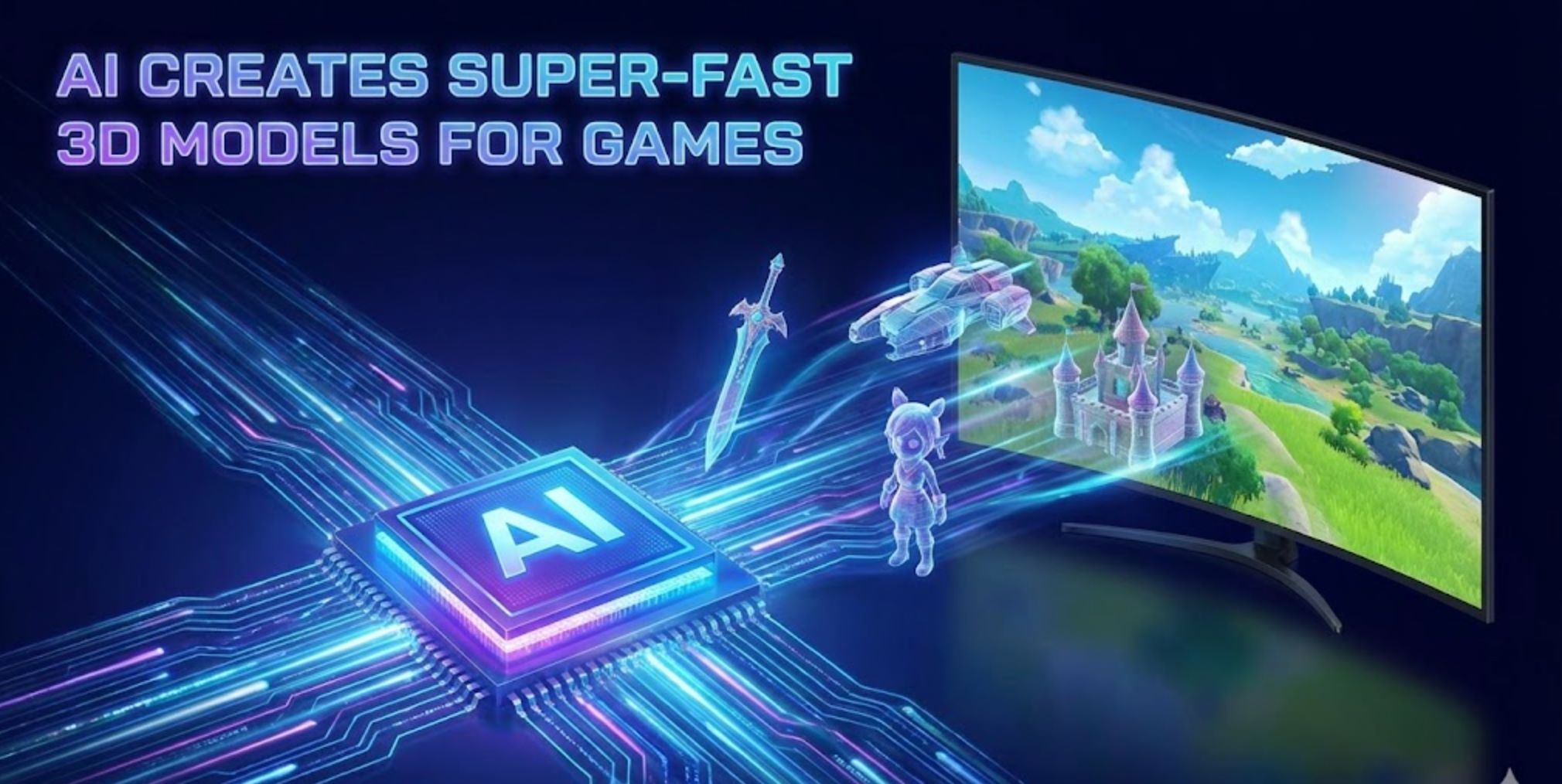
Artificiell intelligens revolutionerar hur spelutvecklare skapar kartor och miljöer. Moderna AI-verktyg kan automatiskt generera detaljerade spelvärldar som tidigare krävde timmar av designarbete från team.
Istället för att handtillverka varje platta eller modell kan utvecklare mata in övergripande instruktioner eller data och låta AI fylla i resten. Till exempel kan Googles DeepMinds nya modell "Genie 3" ta en textbeskrivning (som "dimhöljd bergsby vid soluppgång") och omedelbart skapa en fullt navigerbar 3D-värld.
Branschexperter noterar att verktyg som Recraft nu möjliggör att hela spelmiljöer (texturer, sprites, nivålayouter) genereras från enkla textkommandon. Denna sammansmältning av AI och traditionella procedurmetoder påskyndar utvecklingen avsevärt och öppnar upp oändliga kreativa möjligheter.
Traditionell vs. AI-baserad kartgenerering
Procedurgenerering (PCG)
Tidigare spel använder algoritmiska metoder som Perlin-brus för terräng eller regelbaserad plattläggning för att skapa nivåer och kartor.
- Driver stora slumpmässiga världar (Diablo, No Man's Sky)
- Minskar manuellt arbete avsevärt
- Levererar "ändlöst innehåll genom dynamisk nivåskapande"
- Kan producera repetitiva mönster
- Kräver omfattande finjustering av parametrar
Maskininlärningsgenerering
Generativa modeller (GANs, diffusionsnätverk, transformer "världsmodeller") lär sig från verkliga exempel eller speldata.
- Producerar mer varierade och realistiska miljöer
- Följer kreativa textinstruktioner
- Fångar komplexa rumsliga mönster
- Genererar tillgångar via enkla kommandon
- Imiterar inlärda stilar och teman

Generativa AI-tekniker
AI använder flera avancerade tekniker för att bygga spelmiljöer, var och en med unika styrkor:
GANs (Generative Adversarial Networks)
Neurala nätverk tränade på samlingar av kartor eller terrängbilder som skapar nya kartor med realistiska egenskaper genom att lära sig datastatistik.
- Self-attention GANs förbättrar nivåkoherens
- Fångar långdistansmönster i 2D-nivåer
- Genererar komplexa plattformsspelsscener
- Skapar trovärdig 3D-terräng från exempel
Diffusionsmodeller
AI-system som Stable Diffusion som iterativt förfinar slumpmässigt brus till strukturerade bilder och miljöer.
- Textstyrd generering från instruktioner
- Förvandlar brus till detaljerade landskap
- 3D-diffusion för spelresurser och scener
- Rik textur- och geometriproduktion
Transformer-världsmodeller
Stora transformerbaserade AI:er som genererar hela interaktiva världar, som DeepMinds Genie 3.
- Tolkar textinstruktioner i realtid
- Renderar konsekventa 3D-miljöer
- Förstår spel-lik rumslig logik
- Fungerar som automatiska nivådesigners

Topp AI-verktyg för generering av spelmiljöer

Promethean AI
Applikationsinformation
| Specifikation | Detaljer |
|---|---|
| Utvecklare | Promethean AI — grundat av erfarna spelkonstnärer och tekniska konstproffs dedikerade till att stärka kreativa team med AI-drivna produktionsverktyg. |
| Stödda plattformar | Integreras med 3D-redigerare (Unreal Engine, Unity, Maya, Blender). Skrivbordsapplikationer tillgängliga för Windows och macOS via WebCatalog-wrappers. |
| Tillgänglighet | Globalt tillgänglig utan regionala begränsningar. Gränssnittet stödjer engelska och betjänar internationella kreativa team världen över. |
| Prissättningsmodell | Gratis version för icke-kommersiellt bruk. Företagslicens krävs för kommersiella projekt och avancerade funktioner. |
Vad är Promethean AI?
Promethean AI är en AI-driven assistent designad för kreativa team, spelstudior och digitala konstnärer som arbetar med skapande av virtuella världar, hantering av tillgångar och miljöbyggande. Den automatiserar repetitiva uppgifter och påskyndar produktionsflöden, vilket låter konstnärer fokusera på kreativitet och berättande istället för monotont tekniskt arbete.
Plattformen integreras sömlöst i befintliga konstproduktionspipelines utan att kräva att team byter redigerare eller laddar upp proprietära tillgångar till externa servrar. Detta gör den idealisk för studior som prioriterar datasäkerhet och kontinuitet i arbetsflödet.
Hur Promethean AI fungerar
Promethean AI kopplas direkt in i din befintliga 3D-redigeringsmiljö (Unreal Engine, Unity, Maya, Blender) via API:er eller inbyggda integrationer. Den möjliggör för team att generera intelligenta förslag, automatiskt placera tillgångar och effektivisera sceninredning samtidigt som etablerade arbetsflöden och kreativa preferenser respekteras.
AI:n lär sig av användarbeteende — observerar hur konstnärer placerar objekt, applicerar färgpaletter och komponerar miljöer. Med tiden utvecklas den till en personlig kreativ AI-assistent som lyfter fram relevanta idéer, föreslår passande tillgångar, hanterar repetitiva layoutuppgifter och påskyndar världsskapande processer.
Nyckelfunktioner
Intelligent objektplacering och förslag på miljökomposition som anpassar sig efter din kreativa stil.
Automatisk indexering, taggning och återanvändning av befintliga tillgångar över nya scener med intelligent kategorisering.
Fungerar med din nuvarande 3D-programvara via API:er (C++, C#, Python) — ingen behov av att byta redigerare.
SSO-stöd, företagsklassad dataskydd och anpassningsbara arbetsflöden för studions krav.
Delade anslagstavlor för team att utbyta inspiration, komponenter och kreativa tillgångar i realtid.
Förbättra dramatiskt prototypframställning och sceninredningshastighet, vilket minskar både produktionstid och kostnader.
AI:n anpassar sig över tid till ditt teams unika estetiska preferenser och pipeline-krav.
Behåll proprietära tillgångar privata och lokala — inga tvingade molnuppladdningar eller extern datadelning.
Nedladdnings- eller åtkomstlänk
Kom igång-guide
Promethean AI är företagsfokuserat. Börja med att ansöka om pilotåtkomst eller begära en demo via deras officiella webbplats.
Använd de tillhandahållna SDK:erna eller API:erna (C++, C#, Python) för att koppla Promethean AI till din produktionsmiljö och 3D-redigerare.
Koppla dina lokala tillgångsarkiv. Promethean AI indexerar och kategoriserar dem utan krav på externa uppladdningar.
Anropa intelligenta förslag för objektplacering, scenfyllning och sceninredning. AI:n föreslår miljölayouter baserat på kontext och stil.
Använd samarbetsanslagstavlor för att samla inspiration, återanvända komponenter och möjliggöra att flera teammedlemmar bidrar samtidigt.
Ge feedback på förslag (accepterade eller avvisade) för att hjälpa AI:n att bättre anpassa sig till din kreativa stil och preferenser.
Slutför scener i din redigerare som vanligt. Promethean AI låser dig inte till proprietära format — behåll full kreativ kontroll.
Viktiga överväganden
- Gratisversionen erbjuder begränsad funktionalitet jämfört med full företagslicensiering — kommersiell användning kräver betald licens.
- Integration kan kräva teknisk expertis (API-konfiguration, pipeline-anpassning) — inte helt plug-and-play för icke-tekniska användare.
- Vissa användare rapporterar ibland kompatibilitets- eller exportutmaningar med specifika kreativa mjukvarukonfigurationer.
- AI-förslag stämmer inte alltid perfekt överens med konstnärlig vision — manuella överstyrningar och justeringar är ibland nödvändiga.
- Team måste verifiera att Promethean AIs säkerhetsfunktioner uppfyller deras interna dataskyddspolicys.
- Stark hårdvara och nätverksprestanda rekommenderas, särskilt vid indexering eller hantering av stora tillgångsbibliotek.
- Som en produkt under utveckling kan vissa funktioner fortfarande vara i pilot- eller betafas med pågående utveckling.
Vanliga frågor
Nej — Promethean AI integreras via API:er för att fungera tillsammans med din nuvarande pipeline. Du kan fortsätta använda Unreal Engine, Unity, Maya, Blender eller andra föredragna verktyg utan att byta redigerare.
Nej — Promethean AI betonar att proprietära tillgångar förblir inom din infrastruktur. Det finns inget krav på att ladda upp tillgångar externt, vilket säkerställer datasäkerhet och skydd av immateriella rättigheter.
Den är anpassad för spelutvecklingsstudior, film- och animationsproduktion, arkitektoniska visualiseringsföretag, outsourcingföretag för tillgångsproduktion och alla kreativa team som bygger virtuella världar eller 3D-miljöer.
Gratisversionen är avsedd endast för icke-kommersiellt bruk. Kommersiella eller professionella projekt kräver företagslicensiering. Kontakta Promethean AI för pris- och licensalternativ.
Prissättning är inte offentligt listad. Du måste kontakta Promethean AI direkt för offert på företagslicenser anpassade efter ditt teamstorlek och dina krav.
Promethean AI erbjuder företagsklassad datasäkerhet, SSO-stöd och anpassningsbara arbetsflöden designade för att möta interna säkerhetskrav. Tillgångar förblir lokala utan tvingade molnuppladdningar.
Nej — uppdraget är att förstärka konstnärer, inte ersätta dem. Promethean AI hanterar repetitiva och tidskrävande uppgifter, vilket frigör konstnärer att fokusera på kreativ vision, berättande och designbeslut på hög nivå.
Ansök via deras webbplats under ”Early Adopter”-program eller kontakta deras försäljnings- och partnerskapsteam för pilotåtkomst och demonstrationer.

BasedLabs.ai / Random
Applikationsinformation
| Utvecklare | BasedLabs.ai utvecklar och underhåller BasedLabs-plattformen, som erbjuder en omfattande svit av AI-drivna verktyg för innehållsskapande och nyttofunktioner. |
| Stödda enheter | Webbaserad plattform tillgänglig på skrivbords- och mobilwebbläsare — ingen installation krävs. |
| Språk & Tillgänglighet | Tillgänglig globalt på engelska. Åtkomlig från vilket land som helst med internetuppkoppling. |
| Prisstruktur | Gratisnivå tillgänglig Grundläggande Slumpgenerator är gratis att använda. Avancerade funktioner och högvolymanvändning kan kräva krediter eller prenumeration. |
Allmän översikt
BasedLabs.ai är en allt-i-ett AI-innehållsskapande plattform som kombinerar AI-bildgenerering, videoverktyg, kreativa hjälpmedel och slumpfunktioner. Plattformens Slumpgenerator gör det möjligt för användare att generera slumpmässiga nummer, namn, ord, lösenord eller hjulsnurr med AI-assisterade algoritmer.
"BasedLabs Random" syftar på Slumpgeneratorverktyget och dess olika slumpningslägen inom BasedLabs-ekosystemet. Det kompletterar andra kreativa erbjudanden (bild, video, röst) genom att erbjuda flexibla slumpningsverktyg för kreativa projekt, spel, beslutsfattande och praktiska tillämpningar.
Detaljerad introduktion
Slumpgenerator-sidan erbjuder flera genereringslägen: Nummer, Namn, Ord, Lösenord och Hjul (snurrande hjul). Användare väljer önskat läge, konfigurerar parametrar (såsom antal och intervall), skriver in en naturlig språkprompt (t.ex. "sex nummer mellan 10 och 500" eller "korta fantasifulla husdjursnamn") och klickar på Generera.
Den AI-drivna motorn, kombinerad med en pseudo-slumpmässig algoritm och AI-filtreringslager, returnerar resultat som du kan granska och kopiera direkt. Verktyget är designat för att vara snabbt, säkert och gratis att börja använda, med obegränsad grundläggande generering i de flesta fall.
Utöver Slumpgeneratorn innehåller BasedLabs en omfattande samling av AI-bild-, video-, röst-, skriv- och kreativa verktyg. Slumpningsverktygen integreras sömlöst med dessa kreativa funktioner som en del av den omfattande plattformen.
Nyckelfunktioner
Flera slumpningsalternativ för olika användningsområden:
- Nummer med anpassade intervall
- Namn för karaktärer eller projekt
- Ord för kreativ inspiration
- Säker lösenordsgenerering
- Hjul att snurra för beslut
Finjustera dina slumpmässiga resultat:
- Ställ in antal och min/max-intervall
- Inmatning av prompt på naturligt språk
- AI-styrda genereringsfilter
- System för att undvika dubbletter
Strömlinjeformad genereringsprocess:
- Generering med ett klick
- Omedelbar visning av resultat
- Kopiera/exportera med ett klick
- Obegränsad grundläggande användning
Omfattande kreativ plattform:
- AI-bildgenerering från text
- Videoproduktion & redigering
- Röst-/ljudgenerering
- AI-skriv- & innehållsverktyg
- Lottning & vinnarurval
Nedladdnings- eller åtkomstlänk
Användarguide
Öppna din webbläsare och gå till basedlabs.ai.
Registrera ett gratis konto eller logga in för att få tillgång till Slumpgeneratorn och andra verktyg.
Från menyn "Appar" eller "Verktyg", välj Slumpgenerator.
Välj önskat läge från rullgardinsmenyn: Nummer, Namn, Ord, Lösenord eller Hjul.
Ange parametrar som antal och intervall, eller skriv in en prompt på naturligt språk för att styra genereringen.
Klicka på Generera-knappen och vänta en stund medan AI:n bearbetar din förfrågan.
Resultaten visas i utmatningspanelen. Kopiera texten eller exportera efter behov för ditt projekt.
Justera din prompt eller parametrar för att generera nya resultat, eller byt till ett annat slumpningsläge.
Använd dina genererade nummer, namn, lösenord eller hjulresultat i projekt, spel, skrivande eller beslutsfattande uppgifter.
Viktiga anteckningar & begränsningar
- Anpassade begränsningar kan vara begränsade — mycket komplexa villkorliga regler stöds kanske inte
- Tjänstens tillgänglighet beror på GPU-leverantörens status — tillfälliga driftstopp kan förekomma vid underhåll eller leverantörsbyten
- Avancerade funktioner och högvolymanvändning kan kräva krediter eller prenumeration utöver gratisnivån
- Endast webbaserad plattform — offline- eller lokal användning stöds inte
- Enskilda verktyg eller appar kan ibland vara otillgängliga under underhållsperioder
Vanliga frågor
Ja — grundläggande slumpgenerering är gratis att börja med. Premiumfunktioner eller högvolymanvändning kan kräva köp av krediter eller prenumeration på en betald plan.
Du kan generera nummer, namn, ord, säkra lösenord eller hjulsnurrresultat med Slumpgeneratorns olika lägen.
Ja — i nummerläget kan du ange egna min- och maxintervall för att styra utdata.
Verktyget använder en pseudo-slumpmotor förstärkt med AI-filter. Även om det är lämpligt för kreativa, underhållande och vardagliga användningar, kanske det inte uppfyller kryptografiska slumpstandarder som krävs för högsäkerhetsapplikationer.
Ja — verktyget erbjuder funktioner för kopiering och export med ett klick för alla genererade resultat.
BasedLabs-appar kan vara tillfälligt otillgängliga vid byte av GPU-leverantör eller under underhåll. Teamet arbetar för att snabbt återställa tjänsten. Kontrollera igen snart om du stöter på driftstopp.
Nej — det är en webbläsarbaserad plattform som kräver aktiv internetanslutning för att fungera.
BasedLabs Random är designat för kreativa, praktiska och underhållande ändamål snarare än strikt säkerhet. För kryptografiska eller mycket säkra tillämpningar, använd en dedikerad säker slumpgenerator.
Absolut — verktyget är väl lämpat för slumpdragningar, namn-/ordgenerering, lösenordsskapande, klassrumsaktiviteter, spelmekanik och vinnarurval vid utlottningar.

Getimg.ai – AI DnD / Fantasy Map Maker
Applikationsinformation
| Utvecklare | Getimg.ai |
| Stödda enheter | Webbaserad plattform tillgänglig på desktop, surfplatta och mobila webbläsare |
| Språk | Tillgänglig globalt; stödjer engelskt gränssnitt |
| Prissättning | Gratisplan med begränsade genereringskrediter och betalda nivåer för avancerad användning |
Vad är Getimg.ai?
Getimg.ai är en omfattande AI-bildgenereringsplattform utformad för att hjälpa användare skapa fantastiska visuella bilder, inklusive DnD- och fantasikartor. Den erbjuder kraftfulla verktyg för att generera, redigera och utöka bilder med artificiell intelligens, vilket gör den idealisk för konstnärer, spelutvecklare och berättare som behöver professionell fantasykonst av hög kvalitet.
Avancerad AI-driven kartskapande
Getimg.ai använder avancerade diffusionsmodeller för att omvandla textinstruktioner till högkvalitativa, fantasifulla bilder. Dess Fantasy Map Maker och DnD-generatorverktyg låter användare designa detaljerade fiktiva världar på sekunder. Oavsett om du skapar en världskarta för ditt bordsspel eller utvecklar fantasy-konst för en roman, effektiviserar Getimg.ai den kreativa processen genom AI-automatisering.
Plattformen integrerar kraftfulla funktioner som AI Canvas för inpainting och outpainting, DreamBooth för finjustering av AI-modeller, och Bildredigerare för att anpassa resultat efter din kreativa vision.
Viktiga funktioner
Skapa realistiska eller stiliserade bilder från textinstruktioner med avancerade diffusionsmodeller.
Generera intrikata kartor för rollspel och fantasyprojekt på sekunder.
Utöka eller modifiera befintliga bilder sömlöst med inpainting- och outpainting-verktyg.
Träna och använd personliga AI-modeller med DreamBooth-teknologi.
Generera flera konstnärliga tolkningar av samma instruktion för kreativ utforskning.
Inga nedladdningar eller installationer behövs—åtkomst från vilken enhet som helst med webbläsare.
Ladda ner eller åtkomstlänk
Hur man använder Getimg.ai
Navigera till den officiella Getimg.ai-webbplatsen med valfri modern webbläsare.
Registrera dig för ett gratis konto eller logga in med befintliga uppgifter för att få åtkomst till plattformen.
Välj ett verktyg som AI-bildgenerator eller Fantasy Map Maker baserat på ditt projekts behov.
Skriv en beskrivande textinstruktion (t.ex. "forntida fantasirike-karta med berg och floder").
Anpassa inställningar som stil, bildförhållande och upplösning för att matcha din kreativa vision.
Klicka på "Generera" för att skapa din karta eller bild med AI-teknologi.
Ladda ner ditt resultat eller förfina det ytterligare med AI Canvas-redigeraren för perfekta resultat.
Viktiga begränsningar
- Gratisanvändare har begränsade genereringskrediter per månad
- Kvaliteten på resultat kan variera beroende på detaljrikedom och specifikation i instruktionen
- Kräver stabil internetuppkoppling för bearbetning och generering
- Avancerade anpassningsalternativ finns endast i betalda planer
Vanliga frågor
Ja, betalda planer inkluderar kommersiella användningsrättigheter, vilket gör att du kan använda genererade bilder i professionella och kommersiella projekt.
Ja, användare kan definiera konstnärliga stilar som akvarell, pergament eller fantasyillustration för att matcha sin kreativa vision.
Nej, Getimg.ai körs helt i din webbläsare. Inga nedladdningar eller installationer krävs.
Absolut. Dess intuitiva gränssnitt gör det enkelt för både nybörjare och proffs att snabbt skapa fantasikartor och bilder utan tidigare erfarenhet.
Plattformen använder avancerade diffusionsbaserade modeller optimerade för bildgenerering och förbättring, vilket säkerställer högkvalitativa resultat.
AI Map Generator
Applikationsinformation
| Utvecklare | Skapad av Elias Bing som ett AI-drivet projekt för att visa kartskapande (presenterad på Devpost) |
| Plattform | Webbaserad plattform — tillgänglig via skrivbords- och mobilwebbläsare utan appinstallation |
| Tillgänglighet | Engelskspråkigt gränssnitt, globalt tillgängligt utan regionsbegränsningar |
| Prisstruktur | Gratis testperiod 3 gratis krediter för nya användare + betalda kreditpaket (Lite, Creator, Professional) med kommersiella användningsrättigheter |
Vad är AI Map Generator?
AI Map Generator är ett AI-drivet verktyg som omvandlar textbeskrivningar till detaljerade, högupplösta kartor i flera konstnärliga stilar, inklusive fantasy, akvarell och sci-fi. Designat för spelledare, RPG-entusiaster, berättare och kreativa yrkespersoner, eliminerar det behovet av manuella designkunskaper samtidigt som det levererar professionella visuella världslayouter på några sekunder.
Plattformen låter dig specificera terrängdetaljer, byggnader och layoutpreferenser via enkla textpromptar, och genererar sedan nedladdningsbara kartor som passar för bordsrollspel, videospel, berättande projekt och kommersiella tillämpningar.
Hur det fungerar
Att komma igång med AI Map Generator är enkelt. Börja med att välja din föredragna kartstil från alternativ som Fantasy, Akvarell, Sci-Fi eller skapa en egen stil. Skriv sedan in en detaljerad textbeskrivning av din tänkta karta — till exempel ”drakens lya med underjordiska tunnlar, lavapölar och gömda skattkammare.” Du kan även ladda upp en referensbild för att styra den visuella stilen och kompositionen.
Klicka på ”Generera karta” och AI:n bearbetar din prompt på bara 3–5 sekunder. Din anpassade karta visas omedelbart, redo att laddas ner i hög upplösning (2048×2048 px) med full kommersiell licens inkluderad. Plattformen sparar en historiklogg över alla genererade kartor, så att du kan återvända och ladda ner tidigare skapelser när som helst.
Systemet använder en kreditbaserad modell (1 kredit per karta) med krediter som aldrig går ut och flera prisnivåer för att passa olika användarbehov.
Viktiga funktioner
Välj mellan Fantasy, Akvarell, Sci-Fi eller definiera egna stilar för att matcha din kreativa vision.
Generera detaljerade kartor på under 5 sekunder med optimerad AI-bearbetning.
Ladda upp bilder (PNG/JPG/WEBP, upp till 5 MB) för att styra stil och layoutkomposition.
Omedelbar nedladdning av kartor i 2048×2048 px, lämpliga för tryck och digital användning.
Åtkomst till och nedladdning av alla tidigare genererade kartor från din personliga historiklogg.
Använd genererade kartor i kommersiella projekt med fullständiga licensrättigheter inkluderade.
- Text-till-karta AI-generering från detaljerade beskrivningar
- Krediter som aldrig går ut (Lite, Creator, Professional nivåer)
- 3 gratis testkrediter för nya användare
Nedladdning eller åtkomstlänk
Steg-för-steg användarguide
Öppna din webbläsare och gå till aimapgen.pro.
Autentisera dig med Google OAuth (Google-konto krävs för inloggning).
Välj mellan Fantasy, Akvarell, Sci-Fi eller skapa en egen stil.
Skriv in detaljerad text som beskriver layout, terräng, landmärken och byggnader. Ladda eventuellt upp en referensbild (PNG/JPG/WEBP, ≤ 5 MB) för att styra den visuella stilen.
Klicka på ”Generera karta” och vänta 3–5 sekunder medan AI:n bearbetar.
Förhandsgranska din genererade karta och ladda ner den som en högupplöst PNG-fil.
Åtkomst till tidigare genererade kartor via historiksektionen för nedladdning igen.
När gratis krediter är slut, köp ett kreditpaket (Lite, Creator eller Professional) för att fortsätta generera kartor.
Viktiga anmärkningar & begränsningar
- Kartkvalitet beror på tydligheten i prompten — vaga beskrivningar kan ge mindre sammanhängande resultat
- Referensbilder begränsade till max 5 MB filstorlek
- Krediter är ej återbetalningsbara och kan inte överföras
- AI kan misstolka komplexa eller motsägelsefulla instruktioner
- Tjänstens tillgänglighet garanteras inte — periodiskt underhåll eller driftstopp kan förekomma
- Genererade kartor lagras temporärt och raderas efter 30 dagar
Vanliga frågor
Nya användare får 3 gratis testkrediter för att prova plattformen innan köp av ytterligare krediter.
Lite-paket: 5 krediter för 19,99 kr
Creator-paket: 15 krediter för 49,99 kr
Professional-paket: 30 krediter för 89,99 kr
Ja — alla kartor (både test- och betalversioner) inkluderar kommersiella licensrättigheter, vilket tillåter användning i kommersiella projekt utan extra avgifter.
Ja — tjänsten sparar en historiklogg över alla genererade kartor, tillgänglig via ditt kontos instrumentpanel.
Nej — krediter går aldrig ut efter köp, så du kan använda dem i din egen takt.
Stödda format: PNG, JPG eller WEBP med max filstorlek på 5 MB.
Plattformen har innehållsfilter för säkerhet. Olämpliga eller osäkra förfrågningar kan avvisas utan återbetalning av krediter.
Kartor lagras temporärt och raderas automatiskt efter 30 dagar. Ladda ner viktiga kartor snabbt för permanent lagring.
Krediter är i regel ej återbetalningsbara. Återbetalningar kan övervägas endast vid tekniska problem som hindrar åtkomst till tjänsten.

DeepMind’s Genie 3
Applikationsinformation
| Utvecklare | Utvecklad av DeepMind, Googles avancerade AI-forskningsavdelning |
| Plattform | Experimentell världsmodell som körs på AI-infrastruktur (inte en konsumentapp) |
| Tillgänglighet | Global forskningsförhandsvisning utan regionala begränsningar |
| Prissättning | Forskningsförhandsvisning — tillgänglig endast för utvalda forskare och skapare (ännu ej kommersiell) |
Vad är Genie 3?
DeepMinds Genie 3 är ett banbrytande AI-system med en "världsmodell" som omvandlar text- eller bildkommandon till interaktiva, utforskningsbara 3D-miljöer i realtid. Till skillnad från traditionella generativa modeller som producerar statiska bilder eller korta videor skapar Genie 3 bestående världar som du kan navigera, manipulera och ändra direkt.
Detta representerar en stor utveckling från tidigare versioner och levererar minuter av konsekvent interaktivitet, miljöminne och dynamiska "promptbara världshändelser" som svarar på dina kommandon.
Hur fungerar Genie 3
Genie 3 börjar med ett textkommando eller en bild som beskriver din önskade värld—som "en urgammal skog under stormiga skyar" eller "ökenkanjon med rinnande vatten." Modellen genererar sedan en miljö i realtid med 24 bilder per sekund i 720p-upplösning som du kan utforska ur ett förstapersonsperspektiv.
Det som skiljer Genie 3 åt är dess minne och konsistens: när du lämnar en plats och återvänder finns objekt och förändringar kvar—väggar du målat, möbler du flyttat, allt består. Systemet stödjer också promptbara världshändelser, vilket gör att du kan ge nya instruktioner under utforskningen (som "få det att regna" eller "lägg till en grottöppning") och se miljön anpassa sig dynamiskt.
Byggt på avancerad världsmodellforskning simulerar Genie 3 miljöer, fysik, objektinteraktioner och agentbeteende. Det kopplas till DeepMinds bredare arbete inom generativ video (Veo-serien) och AI-agentträning.
Nyckelfunktioner
Förvandla textkommandon till fullt utforskningsbara 3D-miljöer omedelbart
Jämn uppspelning med 24 fps i 720p-upplösning med videolik kvalitet
Miljön behåller objektplacering och förändringar över flera besök
Ändra väder, infoga objekt eller ändra förhållanden under utforskning
Skapa fotorealistiska miljöer eller fantasifulla världar
Utforska i flera minuter med stabil koherens (jämfört med 10-20 sekunder i Genie 2)
Ladda ner eller åtkomstlänk
Användarguide
Genie 3 är för närvarande i begränsad forskningsförhandsvisning. Ansök eller vänta på inbjudan som forskare eller skapare.
Ange ett beskrivande textkommando eller referensbild för att styra världsgenereringen (t.ex. "urgammal skog under stormiga skyar").
Modellen bygger din värld i realtid med 24 fps, 720p-upplösning.
Rör dig genom miljön, titta runt och interagera med objekt ur förstapersonsperspektiv.
Ge nya kommandon för att anpassa scenen dynamiskt—ändra väder, lägg till strukturer eller modifiera terräng.
Lämna en plats och återvänd för att verifiera att objekt och ändringar finns kvar.
Spela in eller fånga bilder under utforskning (tillgänglighet beror på förhandsvisningsgränssnitt).
Viktiga begränsningar
- Tidsbegränsningar: Miljöerna förblir stabila endast i några minuter innan koherensen försämras
- Inga verkliga platser: Kan inte simulera exakta geografiska platser—all världar är fiktiva och generativa
- Visuella artefakter: Genererade element kan hallucineras eller få fel; objekt kan se onaturliga ut, människor kan röra sig konstigt
- Problem med textrendering: Text i scenen (skyltar, etiketter) tenderar att bli osammanhängande om det inte uttryckligen anges i kommandon
- Begränsat stöd för multi-agent: Flera AI-agenter som interagerar i samma värld är fortfarande under forskning
- Forskningsverktygsstatus: Prestanda, gränssnitt och tillgänglighet kan förändras när DeepMind fortsätter utvecklingen
Vanliga frågor
Genie 3 är DeepMinds senaste interaktiva världsmodell som omvandlar text- eller bildkommandon till utforskningsbara 3D-miljöer med bestående minne och interaktivitet i realtid.
Inte än. Genie 3 är för närvarande begränsad till en liten grupp forskare, konstnärer och skapare i en förhandsvisningsfas. Offentlig åtkomst har inte meddelats.
Genie 3 upprätthåller världens koherens i flera minuter—en betydande förbättring jämfört med tidigare modeller som varade endast 10-20 sekunder.
Ja. Genie 3 har bestående minne—objekt du ändrar, flyttar eller lägger till finns kvar när du lämnar och återvänder till en plats.
Ja. Genom "promptbara världshändelser" kan du ge nya instruktioner mitt under utforskningen (ändra väder, lägg till objekt, modifiera terräng) och miljön svarar dynamiskt.
Genie 3 renderar miljöer i 720p-upplösning med 24 bilder per sekund för jämn, videolik uppspelning.
Inte för närvarande. Genie 3 genererar fiktiva världar baserade på kommandon, inte verkliga geografiska återgivningar eller platsbaserade simuleringar.
Användningsområden inkluderar spelprototypning, AI-agentträning, virtuell simulering, kreativ konceptdesign och vetenskaplig forskning mot artificiell generell intelligens (AGI).
DeepMind har inte bekräftat någon tidsplan för konsumentlansering. För tillfället förblir Genie 3 en forskningsresurs för utvalda användare.

Ludus AI (Unreal Engine Plugin)
Applikationsinformation
| Specifikation | Detaljer |
|---|---|
| Utvecklare | Utvecklat av LudusEngine, specialiserade på AI-drivna verktyg för Unreal Engine-utveckling |
| Plattform | Plugin för Unreal Engine 5 (versioner 5.1–5.6) med Visual Studio-integration |
| Tillgänglighet | Global tillgång via plugin-nedladdning och webbapp med engelskt användargränssnitt |
| Prissättning | Gratis provperiod tillgänglig med kreditbaserade betalplaner för avancerade funktioner |
Vad är Ludus AI?
Ludus AI är en intelligent verktygssats speciellt utformad för Unreal Engine-utvecklare, som levererar C++-kodgenerering, Blueprint-hjälp, scen-skapande och naturliga språkkommandon direkt i Unreal-editorn. Denna AI-drivna assistent effektiviserar utvecklingsflöden, eliminerar repetitiva standarduppgifter och fungerar som din inbyggda kodningskompis i motorn.
Hur Ludus AI fungerar
Efter installation integreras Ludus AI sömlöst i Unreal Engine via intuitiva menyalternativ. Utvecklare kan använda dess funktioner för att:
- Ställa motor-specifika frågor och få omedelbara svar via LudusDocs
- Generera eller modifiera Unreal-optimerad C++-kod med LudusCode
- Analysera, kommentera och förbättra Blueprints med LudusBlueprint
- Utföra naturliga språkkommandon via LudusChat (t.ex. "skapa ett riktat ljus ovanför denna aktör") som automatiskt översätts till scenmodifieringar eller tillgångsskapande
Ludus AI förstår ditt projektkontext och genererar relevanta, anpassade resultat baserat på ditt aktuella arbete. Pluginet kräver aktivering i Unreal-editorn och autentisering via ditt LudusEngine-konto.
Kärnfunktioner
Generera Unreal-specifika funktioner, klasser och kodstrukturer anpassade efter ditt projekts behov.
Analysera, kommentera, föreslå förbättringar och generera kod för Blueprint-grafer med AI-assistans.
Använd LudusChat för att placera objekt, modifiera scener och skapa tillgångar genom konversationella kommandon.
LudusDocs ger omedelbara motorspråkfrågor, förklaringar och kontextuell dokumentationsstöd.
Ta in Unreal-medveten AI-assistans direkt i din IDE för ett sömlöst utvecklingsflöde.
Börja med gratis krediter och köp tilläggspaket för avancerade operationer vid behov.
Nedladdning eller åtkomstlänk
Installations- och uppsättningsguide
Navigera till app.ludusengine.com och logga in med din föredragna autentiseringsmetod (GitHub, Google eller Discord).
Från portalens instrumentpanel, välj din Unreal Engine-version (5.1–5.6) och ladda ner motsvarande plugin-paket.
- Packa upp det nedladdade plugin-paketet
- Flytta plugin-mappen till din Unreal Engines Plugins/Marketplace-katalog
- Starta Unreal Engine och gå till Redigera → Plugins
- Sök efter Ludus AI, aktivera det och starta om editorn
Öppna pluginpanelen via Verktyg → Ludus AI i Unreal Engines menyrad.
Ange dina Ludus-uppgifter i pluginpanelen för att autentisera och låsa upp alla funktioner.
- Fråga motordokumentation med LudusDocs
- Generera C++-kod eller Blueprint-snippets
- Utfärda naturliga språkkommandon för scenmodifieringar
- Iterera, förfina resultat och integrera kod i ditt projekt
Följ din kreditkonsumtion i instrumentpanelen, köp fler kreditpaket vid behov och optimera dina prompts för maximal effektivitet.
Viktiga begränsningar och överväganden
- Blueprint-förslag kan ibland vara vaga eller kräva omfattande förfining
- AI kan ibland hallucinerar eller generera icke-fungerande kod
- Kreditförbrukningen kan vara betydande för komplexa eller upprepade prompts
- Plugin-kompatibilitet begränsad till Unreal Engine versioner 5.1–5.6
- Äldre versioner (UE4) och framtida versioner efter 5.6 stöds inte
- Molnbaserad inferens kan medföra fördröjning eller tillfälliga tjänsteavbrott
- Avancerade funktioner kräver betalade kreditpaket utöver gratisnivån
- Dokumentation och community-resurser utvecklas fortfarande i takt med plattformens mognad
Vanliga frågor
Ludus AI stöder Unreal Engine-versionerna 5.1 till 5.6. Kompatibilitet med äldre versioner (UE4) eller framtida releaser är inte garanterad.
Du kan börja med en gratis provperiod och kostnadsfria krediter. Avancerade funktioner och omfattande användning kräver köp av ytterligare kreditpaket via betalplaner.
Nej. Ludus AI hjälper utvecklare genom att påskynda arbetsflöden och minska standardkod, men komplexa spelsystem, optimering och felsökning kräver fortfarande mänsklig expertis och övervakning.
Ja. AI-funktionaliteten levereras via ett plugin som måste installeras och aktiveras i Unreal Engine för att få tillgång till alla funktioner.
Ja. Ludus AI erbjuder ett Visual Studio-tillägg som ger Unreal-medveten AI-assistans direkt i din IDE för ett sömlöst utvecklingsflöde.
Ja. LudusBlueprint kan analysera befintliga Blueprint-grafer och föreslå förbättringar, även om kvaliteten och tillämpligheten av förslag kan variera beroende på komplexitet.
LudusDocs är en AI-driven dokumentationsassistent som besvarar motor-specifika frågor och ger omedelbara, kontextuella förklaringar om Unreal Engine-funktioner och API:er.
Granska, felsök och justera koden manuellt. AI-genererade resultat fungerar som startpunkter och kräver mänsklig validering—de är inte garanterat produktionsfärdiga.
Besök Ludus Academy och den officiella dokumentationssidan för omfattande handledningar, användningsexempel och guider för prompt-engineering för att maximera din produktivitet.
Dessutom finns många andra AI-verktyg och applikationer som formar processen att skapa världar i spel, såsom:
Recraft (AI Asset Generator)
Utvecklare kan "generera spelresurser – sprites, texturer, miljöer – genom enkla textinstruktioner" och importera dem till motorer som Unity eller Godot.
- Skriv beskrivningar som "forntida tempelruiner"
- Få omedelbart texturer och 3D-modeller
- Direkt integration med spelmotorer
- Kompletta nivålayouter från text
Promethean AI
Ett AI-drivet verktyg för scenmontering som automatiskt arrangerar rekvisita, belysning och terräng till sammanhängande 3D-scener enligt stilriktlinjer.
- Sparar otaliga timmar i 3D-designarbete
- Genererar stadsplatser och fängelsehålor
- Automatisk placering av rekvisita och belysning
- Ingen manuell modellering krävs
Microsofts Muse (WHAM)
Microsoft Researchs World and Human Action Model är en generativ spelmodell som producerar fullständiga spelsekvenser och visuella element.
- Transformerbaserad världsmodell
- Fångar spel-nivå geometri och dynamik
- Lär sig strukturen i spelvärldar
- Genererar konsekvent världsinnehåll
NVIDIA Omniverse & Cosmos
NVIDIAs plattform inkluderar generativa AI-funktioner för miljöskapande med textinstruktioner för att hämta eller generera 3D-tillgångar.
- Skapa "otroliga syntetiska virtuella miljöer"
- Omniverse NIM-tjänster för tillgångsgenerering
- Träna Cosmos världsmodeller
- Påskyndar storskalig världsskapande
Viktiga fördelar och tillämpningar
AI-genererade kartor och miljöer erbjuder flera praktiska fördelar som förändrar spelutvecklingen:
Hastighet och skala
AI kan producera enorma, detaljerade världar på sekunder. Ludus AI genererar komplexa 3D-tillgångar "inom sekunder", medan manuell modellering skulle ta timmar.
Variation och mångfald
Maskininlärningsmodeller introducerar oändlig variation. AI tar procedurgenerering längre genom att blanda stilar, teman och berättelseelement på nya sätt.
Oändliga planeter Unika kartor Ingen upprepning
Effektivitet
Automatisering av kartskapande minskar arbetsbördan och kostnaderna. Små indie-team och stora studior kan överlåta rutinmässig nivådesign till AI och fokusera på spelmekanik och berättande.
- Sparar otaliga timmar i 3D-designarbete
- Minskar utvecklingskostnader
- Förbättrar produktivitet och kreativitet
Dynamiska och adaptiva världar
Avancerad AI kan anpassa miljöer i realtid, generera nya layouter på direkten eller omforma terräng efter berättelsens utveckling.
- Generera nya fängelsehålor vid varje besök
- Reagera på spelarens handlingar
- Mer komplexa än enkla procedurknep
- Mer sammanhängande "levande" världar

Utmaningar och framtida riktningar
Trots löftena står AI-driven kartgenerering inför flera viktiga utmaningar som utvecklare måste hantera:
Utmaningar med träningsdata
Högkvalitativ generativ AI kräver enorma mängder träningsdata, och spel-specifika dataset är ofta knapphändiga. Att bygga "högpresterande generativ AI kräver stora mängder träningsdata," vilket är svårt att samla för nischade spelgenrer.
Konsistens och spelbarhet
En AI kan generera vacker terräng som är rolig att titta på men innehåller otillgängliga områden eller saknade mål. Mänsklig översyn är fortfarande viktig för att säkerställa kvalitativ spelupplevelse.
- Visuell attraktionskraft garanterar inte spelbarhet
- Otillgängliga områden kan genereras
- Saknade mål eller spel-logik
- Fullt automatiserat utan granskning
Juridiska och etiska frågor
Juridiska och etiska frågor uppstår i takt med att AI blir vanligare inom spelutveckling:
- Plattformar kräver nu att utvecklare redovisar AI-användning
- Upphovsrättsfrågor: Vad händer om AI lärde sig från upphovsrättsskyddade kartor?
- Debatter om äganderätt till immateriella tillgångar
- Transparens- och attribueringskrav

Slutsats: Framtiden för AI-genererade spelvärldar
AI-genererade spelkartor och miljöer omformar redan spelutvecklingen. Ledande teknikprojekt – från Google DeepMinds Genie till NVIDIAs Omniverse – visar att hela världar kan "drömmas fram" av AI från enkla beskrivningar.
Denna teknik lovar snabbare skapande av uppslukande världar med enastående mångfald. När AI-modeller fortsätter att förbättras kan vi förvänta oss ännu mer levande och interaktiva virtuella landskap skapade i realtid.
— Branschanalys, 2024
För både spelare och designers väntar rikare spelvärldar byggda av intelligenta algoritmer, så länge vi använder tekniken klokt och kreativt.

No comments yet. Be the first to comment!