


































Ang AI ay awtomatikong lumilikha ng mga mapa at kapaligiran ng laro
Hindi lamang nakakatipid ng oras sa pag-develop ang AI kundi nagdadala rin ito ng walang katapusang kakaiba, malikhaing, at detalyadong mga virtual na mundo—na nagbubukas ng daan para sa hinaharap kung saan ang mga mapa at kapaligiran ng laro ay ganap na awtomatiko.
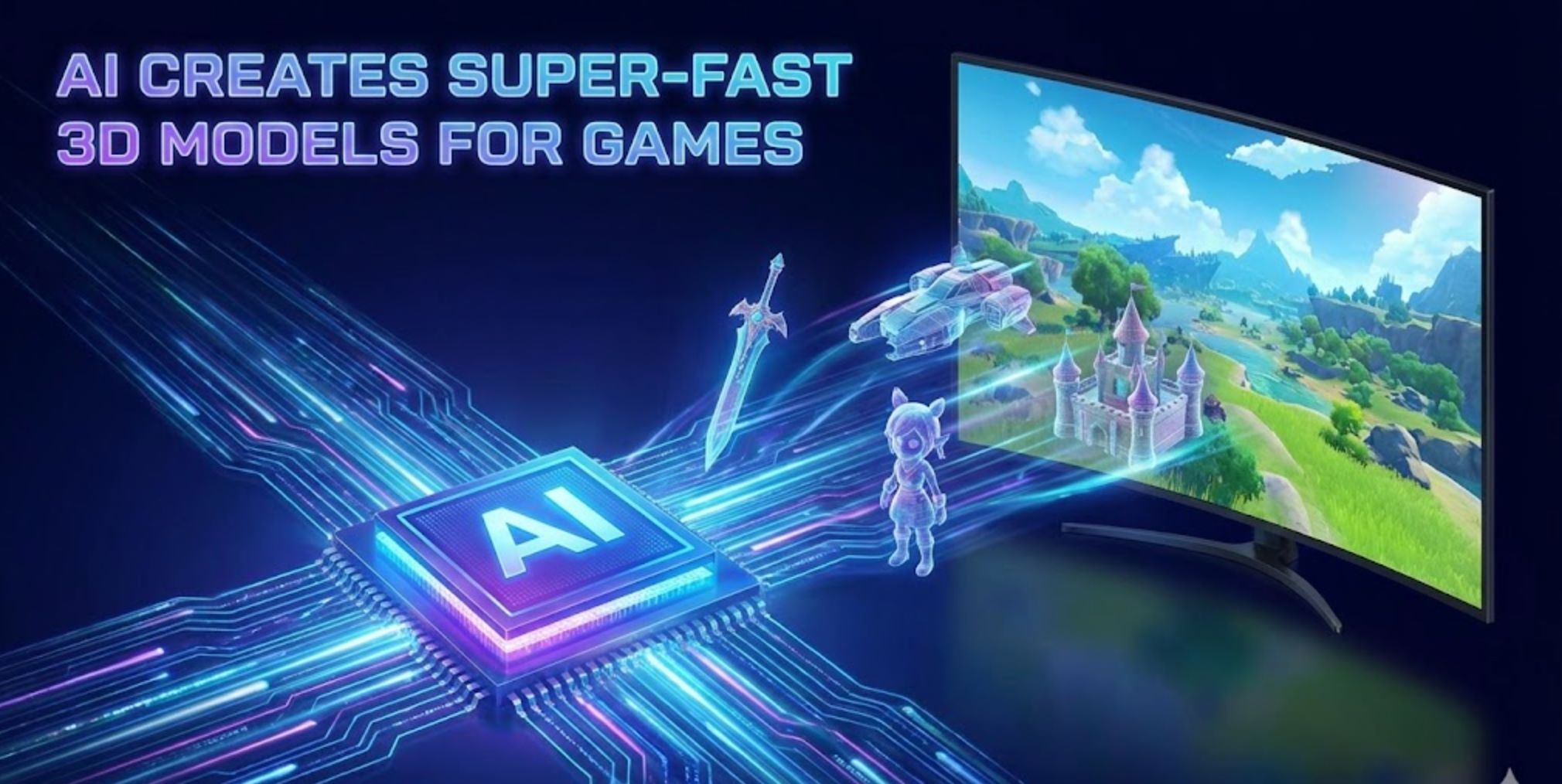
Binabago ng artificial intelligence kung paano lumilikha ang mga developer ng laro ng mga mapa at kapaligiran. Ang mga makabagong AI tool ay kayang awtomatikong bumuo ng detalyadong mga mundo ng laro na dati ay nangangailangan ng oras ng mga koponan para sa disenyo.
Sa halip na mano-manong gawin ang bawat tile o modelo, maaaring mag-input ang mga developer ng mataas na antas ng mga prompt o datos at hayaang punan ito ng AI. Halimbawa, ang bagong "Genie 3" na modelo ng Google DeepMind ay kayang kumuha ng paglalarawan sa teksto (tulad ng "maalinsangang nayon sa bundok sa pagsikat ng araw") at agad na makabuo ng ganap na nabibigyang-galaw na 3D na mundo.
Napapansin ng mga eksperto sa industriya na ang mga tool tulad ng Recraft ay nagpapahintulot na ngayong mabuo ang buong kapaligiran ng laro (mga texture, sprite, layout ng antas) mula sa simpleng mga utos sa teksto. Ang pagsasanib ng AI sa tradisyunal na mga pamamaraan ay nagpapabilis nang malaki sa pag-develop at nagbubukas ng walang katapusang malikhaing posibilidad.
Tradisyunal vs. AI-Based na Pagbuo ng Mapa
Procedural Generation (PCG)
Ginagamit ng mga naunang laro ang mga algorithmic na pamamaraan tulad ng Perlin noise para sa terrain o mga patakaran sa paglalagay ng tile upang lumikha ng mga antas at mapa.
- Pinapagana ang malawak na mga random na mundo (Diablo, No Man's Sky)
- Malaki ang nababawasan sa mano-manong trabaho
- Nagbibigay ng "walang katapusang nilalaman sa pamamagitan ng dinamiko na paglikha ng mga antas"
- Maaaring makabuo ng paulit-ulit na mga pattern
- Nangangailangan ng masusing pag-aayos ng mga parameter
Machine Learning Generation
Ang mga generative na modelo (GANs, diffusion networks, transformer "world models") ay natututo mula sa mga totoong halimbawa o datos ng gameplay.
- Nakakalikha ng mas sari-sari at makatotohanang mga kapaligiran
- Sinasunod ang malikhaing mga prompt sa teksto
- Na-capture ang kumplikadong mga spatial na pattern
- Nakabubuo ng mga asset gamit ang simpleng mga utos
- Ginagaya ang mga natutunang estilo at tema

Mga Teknik sa Generative AI
Gumagamit ang AI ng ilang mga advanced na teknik upang bumuo ng mga kapaligiran ng laro, bawat isa ay may natatanging lakas:
GANs (Generative Adversarial Networks)
Mga neural network na sinanay sa mga koleksyon ng mga mapa o larawan ng terrain na lumilikha ng mga bagong mapa na may makatotohanang mga tampok sa pamamagitan ng pag-aaral ng estadistika ng datos.
- Pinapabuti ng self-attention GANs ang pagkakaugnay-ugnay ng antas
- Na-capture ang mga pangmatagalang pattern sa 2D na mga antas
- Nakabubuo ng kumplikadong mga stage ng platformer
- Lumikha ng makatotohanang 3D terrain mula sa mga halimbawa
Diffusion Models
Mga AI system tulad ng Stable Diffusion na paulit-ulit na pinapaganda ang random noise upang maging mga istrukturadong larawan at kapaligiran.
- Pagbuo na naka-condition sa teksto mula sa mga prompt
- Pagbabago ng ingay sa detalyadong mga tanawin
- 3D diffusion para sa mga asset at eksena ng laro
- Mayaman sa texture at output ng geometry
Transformer World Models
Malalaking transformer-based AI na lumilikha ng buong interactive na mga mundo, tulad ng Genie 3 ng DeepMind.
- Nag-iinterpret ng mga prompt sa teksto nang real time
- Nagre-render ng magkakatugmang 3D na kapaligiran
- Nauunawaan ang spatial na lohika na parang laro
- Gumaganap bilang awtomatikong mga tagadisenyo ng antas

Nangungunang AI Tools para sa Pagbuo ng Kapaligiran ng Laro

Promethean AI
Impormasyon ng Aplikasyon
| Espesipikasyon | Detalye |
|---|---|
| Tagapag-develop | Promethean AI — itinatag ng mga beteranong game artist at mga propesyonal sa technical art na dedikado sa pagbibigay kapangyarihan sa mga malikhaing koponan gamit ang mga AI-driven na kasangkapan sa produksyon. |
| Sinusuportahang Platform | Nag-iintegrate sa mga 3D editor (Unreal Engine, Unity, Maya, Blender). May mga desktop application para sa Windows at macOS sa pamamagitan ng WebCatalog wrappers. |
| Availability | Maaaring ma-access sa buong mundo nang walang mga rehiyonal na limitasyon. Sinusuportahan ng interface ang Ingles at nagsisilbi sa mga internasyonal na malikhaing koponan sa buong mundo. |
| Modelo ng Pagpepresyo | Libreng bersyon para sa hindi-komersyal na paggamit. Kinakailangan ang enterprise licensing para sa mga komersyal na proyekto at advanced na mga tampok. |
Ano ang Promethean AI?
Ang Promethean AI ay isang AI-powered na katulong na idinisenyo para sa mga malikhaing koponan, game studios, at digital na mga artista na nagtatrabaho sa paglikha ng virtual na mundo, pamamahala ng asset, at pagbuo ng kapaligiran. Ina-automate nito ang mga paulit-ulit na gawain at pinapabilis ang mga workflow ng produksyon, na nagbibigay-daan sa mga artista na magpokus sa pagkamalikhain at pagsasalaysay sa halip na sa mga teknikal na gawain.
Ang plataporma ay seamless na nag-iintegrate sa mga umiiral na art production pipeline nang hindi kinakailangang baguhin ng mga koponan ang mga editor o mag-upload ng proprietary assets sa mga panlabas na server. Ginagawa nitong perpekto para sa mga studio na inuuna ang seguridad ng data at pagpapatuloy ng workflow.
Paano Gumagana ang Promethean AI
Direktang nagpi-plug ang Promethean AI sa iyong umiiral na 3D editor environment (Unreal Engine, Unity, Maya, Blender) sa pamamagitan ng APIs o native integrations. Pinapayagan nito ang mga koponan na gumawa ng matatalinong suhestiyon, awtomatikong maglagay ng mga asset, at pasimplehin ang set dressing habang iginagalang ang mga naitatag na workflow at malikhaing kagustuhan.
Natuto ang AI mula sa kilos ng gumagamit — pinagmamasdan kung paano naglalagay ng mga bagay ang mga artista, nag-aaplay ng mga color palette, at nagko-compose ng mga kapaligiran. Sa paglipas ng panahon, nagiging isang personalized na creative AI assistant ito na nagpapakita ng mga kaugnay na ideya, nagmumungkahi ng angkop na mga asset, humahawak ng mga paulit-ulit na gawain sa layout, at pinapabilis ang mga proseso ng pagbuo ng mundo.
Pangunahing Mga Tampok
Matalinong paglalagay ng mga bagay at mga suhestiyon sa komposisyon ng kapaligiran na umaangkop sa iyong malikhaing estilo.
Awtomatikong ini-index, tinatag, at muling ginagamit ang mga umiiral na asset sa mga bagong eksena gamit ang matalinong kategorizasyon.
Gumagana sa iyong kasalukuyang 3D software sa pamamagitan ng APIs (C++, C#, Python) — hindi kailangang palitan ang mga editor.
Suporta sa SSO, enterprise-grade na proteksyon ng data, at nako-customize na mga workflow para sa mga pangangailangan ng studio.
Mga shared board para sa mga koponan upang magpalitan ng inspirasyon, mga bahagi, at malikhaing asset nang real-time.
Malaking pagpapabuti sa bilis ng prototyping at set dressing, na nagpapababa ng oras at gastos sa produksyon.
Inaangkop ng AI ang natatanging estetika at mga pangangailangan ng pipeline ng iyong koponan sa paglipas ng panahon.
Panatilihing pribado at lokal ang mga proprietary asset — walang sapilitang cloud uploads o pagbabahagi ng data sa labas.
Link para sa Pag-download o Pag-access
Gabay sa Pagsisimula
Nakatuon ang Promethean AI sa enterprise. Magsimula sa pamamagitan ng pag-aplay para sa pilot access o paghingi ng demo sa kanilang opisyal na website.
Gamitin ang mga ibinigay na SDK o APIs (C++, C#, Python) upang ikonekta ang Promethean AI sa iyong production environment at mga 3D editor.
I-link ang iyong lokal na mga repositoryo ng asset. Ini-index at kinokategorya ng Promethean AI ang mga ito nang hindi nangangailangan ng panlabas na pag-upload.
Gamitin ang matatalinong suhestiyon para sa paglalagay ng mga bagay, pagpuno ng eksena, at set dressing. Nagmumungkahi ang AI ng mga layout ng kapaligiran batay sa konteksto at estilo.
Gamitin ang mga collaboration board upang mangalap ng inspirasyon, muling gamitin ang mga bahagi, at payagan ang maraming miyembro ng koponan na mag-ambag nang sabay-sabay.
Magbigay ng feedback sa mga suhestiyon (tinanggap o tinanggihan) upang matulungan ang AI na mas umayon sa iyong malikhaing estilo at mga kagustuhan.
Tapusin ang mga eksena sa iyong editor gaya ng dati. Hindi kinukulong ng Promethean AI ang iyong mga proyekto sa proprietary na mga format — panatilihin ang buong kontrol sa pagkamalikhain.
Mahahalagang Pagsasaalang-alang
- Ang libreng bersyon ay nag-aalok ng limitadong functionality kumpara sa buong enterprise licensing — nangangailangan ng bayad na lisensya para sa komersyal na paggamit.
- Maaaring kailanganin ang teknikal na kasanayan para sa integrasyon (pagsasaayos ng API, pag-aangkop ng pipeline) — hindi ganap na plug-and-play para sa mga hindi teknikal na gumagamit.
- Ilang gumagamit ang nag-ulat ng paminsang hamon sa compatibility o export sa partikular na mga configuration ng malikhaing software.
- Hindi palaging perpekto ang mga suhestiyon ng AI sa artistikong bisyon — minsan kailangan ng manu-manong override at pagsasaayos.
- Dapat tiyakin ng mga koponan na ang mga tampok sa seguridad ng Promethean AI ay sumusunod sa kanilang mga panloob na patakaran sa proteksyon ng data.
- Inirerekomenda ang malakas na hardware at network performance, lalo na kapag nag-iindex o namamahala ng malalaking asset library.
- Bilang isang umuunlad na produkto, ang ilang mga tampok ay maaaring nasa pilot o beta phase pa na may patuloy na pag-develop.
Madalas Itanong
Hindi — nag-iintegrate ang Promethean AI sa pamamagitan ng APIs upang gumana kasabay ng iyong kasalukuyang pipeline. Maaari mong ipagpatuloy ang paggamit ng Unreal Engine, Unity, Maya, Blender, o iba pang mga paboritong tool nang hindi nagpapalit ng editor.
Hindi — binibigyang-diin ng Promethean AI na nananatili ang mga proprietary asset sa loob ng iyong imprastraktura. Walang kinakailangang pag-upload ng mga asset sa labas, na tinitiyak ang seguridad ng data at proteksyon ng intelektwal na ari-arian.
Ito ay iniakma para sa mga game development studio, produksyon ng pelikula at animasyon, mga kumpanya ng architectural visualization, mga kumpanya ng outsourcing ng produksyon ng asset, at anumang malikhaing koponan na bumubuo ng mga virtual na mundo o 3D na kapaligiran.
Ang libreng bersyon ay inilaan lamang para sa hindi-komersyal na paggamit. Kinakailangan ang enterprise licensing para sa mga komersyal o propesyonal na proyekto. Makipag-ugnayan sa Promethean AI para sa mga opsyon sa pagpepresyo at lisensya.
Hindi ito nakalista nang publiko. Kailangan mong direktang makipag-ugnayan sa Promethean AI para sa mga quote ng enterprise licensing na nakaangkop sa laki ng iyong koponan at mga pangangailangan.
Nagbibigay ang Promethean AI ng enterprise-grade na seguridad ng data, suporta sa SSO, at nako-customize na mga workflow na idinisenyo upang matugunan ang mga panloob na pangangailangan sa seguridad. Nanatili ang mga asset lokal nang walang sapilitang cloud uploads.
Hindi — ang misyon ay palakasin ang mga artista, hindi palitan sila. Hinahawakan ng Promethean AI ang mga paulit-ulit at matagal na gawain, na nagbibigay-laya sa mga artista upang magpokus sa malikhaing bisyon, pagsasalaysay, at mga desisyon sa mataas na antas ng disenyo.
Mag-aplay sa kanilang website sa ilalim ng mga programang "Early Adopter" o makipag-ugnayan sa kanilang sales at partnership team para sa pilot access at mga demonstrasyon.

BasedLabs.ai / Random
Impormasyon ng Aplikasyon
| Developer | Ang BasedLabs.ai ang nagde-develop at nagpapanatili ng BasedLabs platform, na nag-aalok ng komprehensibong suite ng mga AI-powered na kasangkapan para sa paglikha ng nilalaman at mga utility function. |
| Sinusuportahang Mga Device | Web-based na platform na maa-access sa desktop at mobile browsers — walang kinakailangang pag-install. |
| Mga Wika at Availability | Available sa buong mundo sa Ingles. Maa-access mula sa anumang bansa na may koneksyon sa internet. |
| Modelo ng Pagpepresyo | May Libreng Tier Ang pangunahing Random Generator tool ay libre gamitin. Maaaring kailanganin ang credits o subscription para sa mga advanced na tampok at mataas na volume ng paggamit. |
Pangkalahatang Pagsusuri
Ang BasedLabs.ai ay isang all-in-one na AI content creation platform na pinagsasama ang AI image generation, video tools, creative utilities, at randomization functions. Ang Random Generator tool ng platform ay nagbibigay-daan sa mga gumagamit na makabuo ng mga random na numero, pangalan, salita, password, o resulta ng spin-the-wheel gamit ang AI-assisted algorithms.
Ang "BasedLabs Random" ay tumutukoy sa Random Generator tool at sa iba't ibang mga mode ng randomization sa loob ng ekosistema ng BasedLabs. Pinapalawak nito ang iba pang mga malikhaing alok (larawan, video, boses) sa pamamagitan ng pagbibigay ng mga flexible na utility ng randomization para sa mga malikhaing proyekto, laro, paggawa ng desisyon, at praktikal na aplikasyon.
Detalyadong Panimula
Ang pahina ng Random Generator ay nag-aalok ng maraming mode ng pagbuo: Mga Numero, Pangalan, Salita, Password, at Wheel (paikutin ang gulong). Pinipili ng mga gumagamit ang nais na mode, inaayos ang mga parameter (tulad ng bilang at saklaw), naglalagay ng prompt sa natural na wika (hal., "anim na numero mula 10 hanggang 500" o "maikling malikhain na pangalan ng alagang hayop"), at i-click ang Generate.
Ang AI-powered na engine, na pinagsama sa pseudo-random algorithm at AI filtering layer, ay nagbabalik ng mga resulta na maaari mong agad suriin at kopyahin. Dinisenyo ang kasangkapan upang maging mabilis, ligtas, at libre sa pagsisimula, na nag-aalok ng walang limitasyong pangunahing mga henerasyon sa karamihan ng mga kaso.
Higit pa sa Random Generator, kasama sa BasedLabs ang malawak na koleksyon ng AI image, video, voice, writing, at creative tools. Ang mga utility ng randomization ay seamless na nakikipag-integrate sa mga malikhaing tampok na ito bilang bahagi ng komprehensibong platform.
Pangunahing Mga Tampok
Maraming opsyon sa randomization para sa iba't ibang gamit:
- Mga numero na may pasadyang saklaw
- Mga pangalan para sa mga karakter o proyekto
- Mga salita para sa malikhaing inspirasyon
- Ligtas na pagbuo ng password
- Wheel spinner para sa paggawa ng desisyon
Pinuhin ang iyong mga random na output:
- I-set ang bilang at min/max na saklaw
- Input ng prompt sa natural na wika
- AI-guided na mga filter sa pagbuo
- Sistema para maiwasan ang duplicate
Pinadaling proseso ng pagbuo:
- Isang click lang para makabuo
- Agad na pagpapakita ng resulta
- Kopyahin/i-export gamit ang isang click
- Walang limitasyong pangunahing paggamit
Komprehensibong malikhaing platform:
- AI image generation mula sa teksto
- Paglikha at pag-edit ng video
- Pagbuo ng boses/audio
- AI writing at mga kasangkapan sa nilalaman
- Raffle at pagpili ng nanalo
Link para I-download o I-access
Gabay ng Gumagamit
Buksan ang iyong browser at pumunta sa basedlabs.ai.
Mag-sign up para sa libreng account o mag-log in upang ma-access ang Random Generator at iba pang mga kasangkapan.
Mula sa menu na "Apps" o "Tools", piliin ang Random Generator.
Piliin ang nais mong mode mula sa dropdown: Mga Numero, Pangalan, Salita, Password, o Wheel.
I-set ang mga parameter tulad ng bilang at saklaw, o maglagay ng prompt sa natural na wika upang gabayan ang pagbuo.
I-click ang Generate na button at maghintay ng sandali para iproseso ng AI ang iyong kahilingan.
Lilitaw ang mga resulta sa output panel. Kopyahin ang teksto o i-export ayon sa pangangailangan para sa iyong proyekto.
I-adjust ang iyong prompt o mga parameter upang makabuo ng bagong mga resulta, o lumipat sa ibang mode ng randomization.
Gamitin ang iyong mga nabuo na numero, pangalan, password, o resulta ng wheel sa mga proyekto, laro, pagsusulat, o mga gawain sa paggawa ng desisyon.
Mahahalagang Tala at Limitasyon
- Maaaring limitado ang mga pasadyang kondisyon — maaaring hindi suportado ang mga napaka-komplikadong patakaran
- Ang availability ng serbisyo ay nakadepende sa status ng GPU provider — maaaring magkaroon ng pansamantalang downtime sa panahon ng maintenance o pagpapalit ng provider
- Maaaring kailanganin ang credits o subscription para sa mga advanced na tampok at mataas na volume ng paggamit lampas sa libreng tier
- Web-based platform lamang — hindi sinusuportahan ang offline o lokal na paggamit
- Maaaring pansamantalang hindi magamit ang ilang mga kasangkapan o apps sa panahon ng maintenance
Madalas Itanong
Oo — ang pangunahing random generation ay libre sa pagsisimula. Maaaring kailanganin ang pagbili ng credits o pag-subscribe sa bayad na plano para sa premium na mga tampok o mataas na volume ng paggamit.
Maaari kang makabuo ng mga numero, pangalan, salita, ligtas na password, o resulta ng spin-the-wheel gamit ang iba't ibang mode ng Random Generator.
Oo — sa mode ng numero, maaari kang maglagay ng pasadyang minimum at maximum na saklaw upang kontrolin ang mga output na halaga.
Gumagamit ang kasangkapan ng pseudo-random engine na pinahusay ng AI filters. Bagaman angkop para sa malikhaing, libangan, at pang-araw-araw na gamit, maaaring hindi ito umabot sa mga pamantayan ng cryptographic randomness na kinakailangan para sa mataas na seguridad.
Oo — nagbibigay ang kasangkapan ng one-click na pag-kopya at pag-export para sa lahat ng mga nabuo na resulta.
Maaaring pansamantalang hindi magamit ang mga app ng BasedLabs kapag nagpapalit ng GPU provider o sa panahon ng maintenance. Nagsusumikap ang koponan na maibalik agad ang serbisyo. Subukang bumalik muli kung makaranas ng downtime.
Hindi — ito ay isang browser-based na platform na nangangailangan ng aktibong koneksyon sa internet upang gumana.
Dinisenyo ang BasedLabs Random para sa malikhaing, praktikal, at libangan na mga layunin kaysa sa mahigpit na pangangailangan sa seguridad. Para sa cryptographic o napakataas na secure na aplikasyon, gumamit ng dedikadong secure random number generator.
Siyempre — ang kasangkapan ay angkop para sa mga random na draw, pagbuo ng pangalan/salita, paggawa ng password, mga aktibidad sa klase, mekanika ng laro, at pagpili ng nanalo sa giveaway.

Getimg.ai – AI DnD / Fantasy Map Maker
Impormasyon ng Aplikasyon
| Tagapag-develop | Getimg.ai |
| Sinusuportahang Mga Device | Platform na web-based na maa-access sa desktop, tablet, at mga browser ng mobile |
| Mga Wika | Available sa buong mundo; sumusuporta sa interface na Ingles |
| Presyo | Libreng plano na may limitadong generation credits at mga bayad na tier para sa advanced na paggamit |
Ano ang Getimg.ai?
Ang Getimg.ai ay isang komprehensibong AI image-generation platform na idinisenyo upang tulungan ang mga gumagamit na lumikha ng mga kahanga-hangang visual, kabilang ang mga DnD at mapa ng pantasya. Nagbibigay ito ng makapangyarihang mga kasangkapan para sa paggawa, pag-edit, at pagpapalawak ng mga larawan gamit ang artipisyal na intelihensiya, na ginagawang perpekto para sa mga artista, developer ng laro, at mga tagapagsalaysay na nangangailangan ng propesyonal na kalidad ng sining ng pantasya.
Advanced na AI-Powered na Paglikha ng Mapa
Gumagamit ang Getimg.ai ng mga advanced diffusion model upang gawing mga mataas na kalidad at malikhaing larawan ang mga text prompt. Pinapayagan ng Fantasy Map Maker at DnD generator nito ang mga gumagamit na magdisenyo ng detalyadong mga kathang-isip na mundo sa loob ng ilang segundo. Kung gumagawa ka man ng mapa ng mundo para sa iyong tabletop RPG campaign o nagde-develop ng sining ng pantasya para sa isang nobela, pinapadali ng Getimg.ai ang proseso ng paglikha sa pamamagitan ng AI automation.
Pinagsasama ng platform ang makapangyarihang mga tampok tulad ng AI Canvas para sa inpainting at outpainting, DreamBooth para sa fine-tuning ng mga AI model, at Image Editor para sa pag-customize ng mga output upang tumugma sa iyong malikhaing bisyon.
Pangunahing Mga Tampok
Lumikha ng makatotohanan o estilong mga larawan mula sa mga text prompt gamit ang advanced diffusion models.
Gumawa ng masalimuot na mga mapa para sa mga role-playing game at mga proyekto ng pantasya sa loob ng ilang segundo.
Palawakin o baguhin ang mga umiiral na larawan nang tuloy-tuloy gamit ang mga kasangkapan sa inpainting at outpainting.
Sanayin at i-deploy ang mga personalisadong AI model gamit ang teknolohiyang DreamBooth.
Gumawa ng maraming artistikong interpretasyon ng parehong prompt para sa malikhaing eksplorasyon.
Hindi kailangan ng pag-download o pag-install—maa-access mula sa anumang device na may browser.
Link para sa Pag-download o Pag-access
Paano Gamitin ang Getimg.ai
Pumunta sa opisyal na website ng Getimg.ai gamit ang anumang modernong web browser.
Mag-sign up para sa libreng account o mag-sign in gamit ang iyong umiiral na kredensyal upang ma-access ang platform.
Pumili ng kasangkapan tulad ng AI Image Generator o Fantasy Map Maker batay sa pangangailangan ng iyong proyekto.
Mag-type ng isang deskriptibong text prompt (hal., "mapa ng sinaunang kaharian ng pantasya na may mga bundok at ilog").
I-customize ang mga setting tulad ng estilo, aspect ratio, at resolusyon upang tumugma sa iyong malikhaing bisyon.
I-click ang "Generate" upang likhain ang iyong mapa o larawan gamit ang teknolohiyang AI.
I-download ang iyong resulta o pagandahin pa ito gamit ang AI Canvas editor para sa perpektong resulta.
Mahahalagang Limitasyon
- May limitadong generation credits bawat buwan ang mga libreng gumagamit
- Maaaring mag-iba ang kalidad ng output depende sa detalye at espesipikasyon ng prompt
- Nangangailangan ng matatag na koneksyon sa internet para sa pagproseso at paggawa
- Ang mga advanced na opsyon sa pag-customize ay available lamang sa mga bayad na plano
Madalas Itanong
Oo, kasama sa mga bayad na plano ang mga karapatan sa komersyal na paggamit, na nagpapahintulot sa iyo na gamitin ang mga nagawang larawan sa mga propesyonal at komersyal na proyekto.
Oo, maaaring tukuyin ng mga gumagamit ang mga artistikong estilo tulad ng watercolor, parchment, o pantasyang ilustrasyon upang tumugma sa kanilang malikhaing bisyon.
Hindi, ang Getimg.ai ay tumatakbo nang buo sa iyong web browser. Walang kailangang i-download o i-install.
Siyempre. Ang intuitive na interface nito ay nagpapadali para sa parehong mga baguhan at propesyonal na mabilis na makagawa ng mga mapa ng pantasya at mga larawan nang walang karanasan.
Gumagamit ang platform ng mga advanced diffusion-based na modelo na na-optimize para sa paggawa at pagpapahusay ng larawan, na tinitiyak ang mataas na kalidad ng mga output.
AI Map Generator
Impormasyon ng Aplikasyon
| Tagapag-develop | Nilikha ni Elias Bing bilang isang proyekto ng pagpapakita ng AI-driven na paggawa ng mapa (ipinakita sa Devpost) |
| Plataporma | Web-based na plataporma — naa-access sa desktop at mobile browser nang walang pag-install ng app |
| Availability | Interface sa Ingles, naa-access sa buong mundo nang walang rehiyonal na limitasyon |
| Modelo ng Presyo | Libreng Pagsubok 3 libreng kredito para sa mga bagong gumagamit + mga bayad na pakete ng kredito (Lite, Creator, Professional) na may karapatan sa komersyal na paggamit |
Ano ang AI Map Generator?
Ang AI Map Generator ay isang AI-powered na kasangkapan na nagbabago ng mga tekstong paglalarawan sa detalyado, mataas na resolusyon na mga mapa sa iba't ibang artistikong estilo kabilang ang pantasya, watercolor, at sci-fi. Dinisenyo para sa mga game master, mahilig sa RPG, mga tagapagkuwento, at mga malikhaing propesyonal, tinatanggal nito ang pangangailangan ng manwal na kasanayan sa disenyo habang naghahatid ng propesyonal na kalidad ng mga visual na layout ng mundo sa loob ng ilang segundo.
Pinapayagan ng plataporma na tukuyin mo ang mga detalye ng teritoryo, mga istruktura, at mga kagustuhan sa layout sa pamamagitan ng simpleng mga tekstong prompt, pagkatapos ay lumilikha ng mga maida-download na mapa na angkop para sa mga kampanya sa tabletop, video games, mga proyekto ng pagkukuwento, at mga komersyal na aplikasyon.
Paano Ito Gumagana
Madaling magsimula sa AI Map Generator. Una, piliin ang iyong nais na estilo ng mapa mula sa mga opsyon tulad ng Pantasya, Watercolor, Sci-Fi, o gumawa ng Custom na estilo. Sunod, ilagay ang detalyadong tekstong paglalarawan ng iyong naiisip na mapa — halimbawa, "lungga ng dragon na may mga underground tunnel, mga lawa ng lava, at mga nakatagong silid ng kayamanan." Maaari ka ring mag-upload ng larawan bilang sanggunian upang gabayan ang visual na estilo at komposisyon.
I-click ang "Generate Map" at ipoproseso ng AI ang iyong prompt sa loob lamang ng 3–5 segundo. Agad na lalabas ang iyong custom na mapa, handa nang i-download sa mataas na resolusyon (2048×2048 px) na may kasamang buong lisensyang pang-komersyal. Pinapanatili ng plataporma ang history log ng lahat ng nalikhang mapa, na nagbibigay-daan sa iyo na balikan at i-download ang mga nakaraang likha anumang oras.
Ang sistema ay gumagana sa modelo ng kredito (1 kredito bawat mapa) na may mga kredito na hindi nag-e-expire at iba't ibang antas ng presyo upang umangkop sa iba't ibang pangangailangan sa paggamit.
Pangunahing Mga Tampok
Pumili mula sa Pantasya, Watercolor, Sci-Fi, o tukuyin ang mga custom na estilo upang tumugma sa iyong malikhaing bisyon.
Gumawa ng detalyadong mga mapa sa loob ng mas mababa sa 5 segundo gamit ang optimized na AI processing.
Mag-upload ng mga larawan (PNG/JPG/WEBP, hanggang 5 MB) upang gabayan ang estilo at komposisyon ng layout.
Agad na pagda-download ng mga mapa na 2048×2048 px na angkop para sa pag-print at digital na paggamit.
Ma-access at maida-download ang lahat ng mga dating nalikhang mapa mula sa iyong personal na history log.
Gamitin ang mga nalikhang mapa sa mga komersyal na proyekto na may kasamang buong karapatan sa lisensya.
- AI na paggawa ng mapa mula sa detalyadong mga paglalarawan
- Mga pakete ng kredito na hindi nag-e-expire (Lite, Creator, Professional na antas)
- 3 libreng trial na kredito para sa mga bagong gumagamit
Link para sa Pag-download o Pag-access
Gabay ng Gumagamit Hakbang-hakbang
Buksan ang iyong browser at pumunta sa aimapgen.pro.
Mag-authenticate gamit ang Google OAuth (kinakailangan ang Google account login).
Pumili mula sa Pantasya, Watercolor, Sci-Fi, o gumawa ng Custom na estilo.
Ilagay ang detalyadong teksto na naglalarawan ng layout, teritoryo, mga palatandaan, at mga istruktura. Opsyonal na mag-upload ng larawan ng sanggunian (PNG/JPG/WEBP, ≤ 5 MB) upang gabayan ang visual na estilo.
I-click ang "Generate Map" at maghintay ng 3–5 segundo para matapos ang AI processing.
I-preview ang iyong nalikhang mapa at i-download ito bilang mataas na resolusyon na PNG file.
Ma-access ang mga dating nalikhang mapa sa seksyon ng kasaysayan para sa muling pag-download.
Kapag naubos ang libreng kredito, bumili ng pakete ng kredito (Lite, Creator, o Professional) upang magpatuloy sa paggawa ng mga mapa.
Mahahalagang Tala at Limitasyon
- Ang kalidad ng mapa ay nakadepende sa kalinawan ng prompt — ang malabong mga paglalarawan ay maaaring magresulta sa hindi gaanong magkakaugnay na mga resulta
- Ang mga larawan ng sanggunian ay limitado sa maximum na laki ng file na 5 MB
- Ang mga kredito ay hindi nare-refund at hindi maaaring ilipat
- Maaaring maling unawain ng AI ang mga komplikado o salungat na mga tagubilin
- Hindi garantisado ang uptime ng serbisyo — posibleng may pana-panahong maintenance o downtime
- Ang mga nalikhang mapa ay pansamantalang iniimbak at tinatanggal pagkatapos ng 30 araw
Madalas Itanong
Ang mga bagong gumagamit ay tumatanggap ng 3 libreng trial na kredito upang subukan ang plataporma bago bumili ng karagdagang kredito.
Lite Pack: 5 kredito sa halagang $1.99
Creator Pack: 15 kredito sa halagang $4.99
Professional Pack: 30 kredito sa halagang $8.99
Oo — lahat ng mga mapa (parehong trial at bayad) ay may kasamang karapatan sa lisensyang pang-komersyal, na nagpapahintulot ng paggamit sa mga komersyal na proyekto nang walang karagdagang bayad.
Oo — pinapanatili ng serbisyo ang isang history log ng lahat ng nalikhang mapa, na naa-access sa pamamagitan ng iyong account dashboard.
Hindi — ang mga kredito ay hindi kailanman nag-e-expire kapag nabili na, kaya maaari mong gamitin ang mga ito ayon sa iyong sariling bilis.
Sinusuportahang mga format: PNG, JPG, o WEBP na may maximum na laki ng file na 5 MB.
Kasama sa plataporma ang mga filter ng nilalaman para sa kaligtasan. Ang mga hindi angkop o hindi ligtas na kahilingan ay maaaring tanggihan nang walang refund ng kredito.
Ang mga mapa ay pansamantalang iniimbak at awtomatikong tinatanggal pagkatapos ng 30 araw. I-download agad ang mga mahahalagang mapa para sa permanenteng imbakan.
Karaniwan, ang mga kredito ay hindi nare-refund. Maaaring isaalang-alang ang refund lamang sa mga kaso ng teknikal na problema na pumipigil sa pag-access ng serbisyo.

DeepMind’s Genie 3
Application Information
| Developer | Binuo ng DeepMind, ang advanced AI research division ng Google |
| Platform | Experimental na world model na tumatakbo sa AI infrastructure (hindi consumer app) |
| Availability | Global research preview na walang regional restrictions |
| Pricing | Research preview — accessible lamang sa piling mga researcher at creator (hindi pa commercial) |
Ano ang Genie 3?
Ang Genie 3 ng DeepMind ay isang makabagong "world model" AI system na nagko-convert ng text o image prompt sa interactive, explorable 3D environments nang real time. Hindi tulad ng tradisyonal na generative models na gumagawa ng static na larawan o maikling video, lumilikha ang Genie 3 ng mga persistent na mundo na maaari mong galugarin, manipulahin, at baguhin habang ginagamit.
Ito ay isang malaking pag-unlad mula sa mga naunang bersyon, na nagbibigay ng minuto ng consistent na interactivity, memorya ng kapaligiran, at dynamic na "promptable world events" na tumutugon sa iyong mga utos.
Paano Gumagana ang Genie 3
Nagsisimula ang Genie 3 sa isang text prompt o larawan na naglalarawan ng nais mong mundo—halimbawa, "isang sinaunang gubat sa ilalim ng maulang kalangitan" o "disyertong bangin na may dumadaloy na tubig." Pagkatapos ay bumubuo ang modelo ng real-time na kapaligiran sa 24 frames per second sa 720p resolution na maaari mong galugarin mula sa first-person perspective.
Ang nagpapalabas sa Genie 3 ay ang memorya at consistency: kapag umalis ka sa isang lokasyon at bumalik, nananatili ang mga bagay at pagbabago—mga pader na iyong pininturahan, mga kasangkapang inilipat, lahat ay nananatili. Sinusuportahan din ng sistema ang promptable world events, na nagpapahintulot sa iyo na magbigay ng bagong mga utos habang nag-eexplore (tulad ng "pabuhayin ang ulan" o "magdagdag ng lagusan sa kuweba") at makita ang kapaligiran na nag-aadjust nang dinamiko.
Binuo mula sa advanced na pananaliksik sa world model, sinisimulate ng Genie 3 ang mga kapaligiran, pisika, interaksyon ng mga bagay, at pag-uugali ng mga agent. Ito ay konektado sa mas malawak na gawain ng DeepMind sa generative video (Veo series) at AI agent training.
Pangunahing Mga Tampok
I-transform ang mga text prompt sa ganap na explorable na 3D na mga kapaligiran agad-agad
Makinis na 24 fps playback sa 720p resolution na may kalidad na parang video
Pinananatili ng kapaligiran ang paglalagay ng mga bagay at mga pagbabago sa maraming pagbisita
Baguhin ang panahon, magpasok ng mga bagay, o baguhin ang mga kondisyon habang nag-eexplore
Lumikha ng photorealistic na mga setting o mga imahinasyong mundo ng pantasya
Mag-explore nang ilang minuto na may matatag na coherence (kumpara sa 10-20 segundo sa Genie 2)
Download o Access Link
Gabay ng User
Ang Genie 3 ay kasalukuyang nasa limitadong research preview. Mag-apply o maghintay ng imbitasyon bilang researcher o creator.
Magbigay ng detalyadong text prompt o reference image upang gabayan ang pagbuo ng mundo (halimbawa, "sinaunang gubat sa ilalim ng maulang kalangitan").
Binubuo ng modelo ang iyong mundo nang real time sa 24 fps, 720p resolution.
Maglakad sa kapaligiran, tumingin sa paligid, at makipag-ugnayan sa mga bagay mula sa first-person perspective.
Magbigay ng bagong mga prompt upang dinamiko na baguhin ang eksena—baguhin ang panahon, magdagdag ng mga istruktura, o baguhin ang terrain.
Umalis sa isang lokasyon at bumalik upang tiyakin na nananatili ang mga bagay at mga pagbabago.
I-record o i-capture ang mga frame habang nag-eexplore (depende sa preview interface ang availability).
Mahahalagang Limitasyon
- Limitasyon sa tagal: Nanatiling matatag ang mga kapaligiran lamang ng ilang minuto bago bumaba ang coherence
- Walang totoong lokasyon: Hindi makapag-simulate ng eksaktong geographic na lokasyon—lahat ng mundo ay kathang-isip at generative
- Visual artifacts: Maaaring magkaroon ng hallucination o glitch ang mga generated na elemento; maaaring magmukhang hindi natural ang mga bagay, kakaiba ang galaw ng mga tao
- Problema sa text rendering: Ang teksto sa eksena (mga palatandaan, label) ay madalas magulo maliban kung tahasang tinukoy sa mga prompt
- Limitadong suporta sa multi-agent: Ang interaksyon ng maraming AI agent sa parehong mundo ay nasa ilalim pa ng pananaliksik
- Status bilang research tool: Maaaring magbago ang performance, interface, at availability habang nagpapatuloy ang development ng DeepMind
Madalas Itanong
Ang Genie 3 ang pinakabagong interactive world model ng DeepMind na nagko-convert ng text o image prompt sa explorable na 3D na mga kapaligiran na may persistent memory at real-time na interaksyon.
Hindi pa. Ang Genie 3 ay kasalukuyang limitado lamang sa maliit na grupo ng mga researcher, artist, at creator sa preview stage. Hindi pa inia-anunsyo ang pampublikong access.
Pinananatili ng Genie 3 ang consistency ng mundo sa loob ng ilang minuto—isang malaking pag-unlad kumpara sa mga naunang modelo na tumatagal lamang ng 10-20 segundo.
Oo. May persistent memory ang Genie 3—ang mga bagay na binago, inilipat, o idinagdag mo ay nananatili kapag umalis ka at bumalik sa isang lokasyon.
Oo. Sa pamamagitan ng "promptable world events," maaari kang magbigay ng bagong mga utos habang nag-eexplore (baguhin ang panahon, magdagdag ng mga bagay, baguhin ang terrain) at ang kapaligiran ay tutugon nang dinamiko.
Ang Genie 3 ay nagre-render ng mga kapaligiran sa 720p resolution na may 24 frames per second para sa makinis at parang video na playback.
Hindi pa. Ang Genie 3 ay lumilikha ng mga kathang-isip na mundo base sa mga prompt, hindi mga tumpak na geographic na rekonstruksyon o simulation na nakabase sa lokasyon.
Kabilang sa mga aplikasyon ang game prototyping, AI agent training, virtual simulation, creative concept design, at siyentipikong pananaliksik patungo sa artificial general intelligence (AGI).
Hindi pa kinukumpirma ng DeepMind ang timeline para sa consumer release. Sa ngayon, nananatili ang Genie 3 bilang research resource para sa piling mga user.

Ludus AI (Unreal Engine Plugin)
Impormasyon ng Aplikasyon
| Espesipikasyon | Detalye |
|---|---|
| Developer | Ginawa ng LudusEngine, na dalubhasa sa mga AI-powered na tool para sa pag-develop ng Unreal Engine |
| Platform | Plugin para sa Unreal Engine 5 (mga bersyon 5.1–5.6) na may integrasyon sa Visual Studio |
| Availability | Global na access sa pamamagitan ng pag-download ng plugin at web app na may English UI |
| Presyo | Libreng Pagsubok na available na may mga credit-based na bayad na plano para sa mga advanced na tampok |
Ano ang Ludus AI?
Ang Ludus AI ay isang matalinong toolkit na partikular na idinisenyo para sa mga developer ng Unreal Engine, na naghahatid ng pagbuo ng C++ code, tulong sa Blueprint, paglikha ng eksena, at mga utos gamit ang natural na wika nang direkta sa loob ng Unreal editor. Ang AI-powered na katulong na ito ay nagpapadali sa mga workflow ng pag-develop, inaalis ang paulit-ulit na mga gawain, at nagsisilbing iyong katuwang sa pag-coding sa loob ng engine.
Paano Gumagana ang Ludus AI
Pagkatapos ng pag-install, ang Ludus AI ay seamless na nag-iintegrate sa Unreal Engine sa pamamagitan ng mga intuitive na menu tools. Maaaring gamitin ng mga developer ang mga kakayahan nito upang:
- Magtanong ng mga tanong na partikular sa engine at makatanggap ng agarang sagot gamit ang LudusDocs
- Gumawa o baguhin ang Unreal-optimized na C++ code gamit ang LudusCode
- Suriin, magkomento, at pagandahin ang mga Blueprint gamit ang LudusBlueprint
- Magpatupad ng mga utos gamit ang natural na wika sa pamamagitan ng LudusChat (hal., "gumawa ng directional light sa itaas ng actor na ito") na awtomatikong isinasalin sa mga pagbabago sa eksena o paglikha ng asset
Naunawaan ng Ludus AI ang konteksto ng iyong proyekto at bumubuo ng mga kaugnay at angkop na output base sa iyong kasalukuyang trabaho. Kinakailangan ang activation ng plugin sa Unreal editor at authentication gamit ang iyong LudusEngine account.
Pangunahing Mga Tampok
Gumawa ng mga Unreal-specific na function, klase, at istruktura ng code na iniangkop sa pangangailangan ng iyong proyekto.
Suriin, magkomento, magmungkahi ng mga pagpapabuti, at bumuo ng code para sa mga Blueprint graph gamit ang tulong ng AI.
Gamitin ang LudusChat upang maglagay ng mga bagay, baguhin ang mga eksena, at gumawa ng mga asset sa pamamagitan ng mga usapang utos.
LudusDocs ay nagbibigay ng agarang mga tanong sa engine, paliwanag, at suporta sa dokumentasyon sa konteksto.
Dalhin ang Unreal-aware na tulong ng AI nang direkta sa iyong IDE para sa tuloy-tuloy na workflow ng pag-develop.
Magsimula gamit ang libreng credits at bumili ng karagdagang mga pakete para sa mga advanced na operasyon kung kinakailangan.
Link para sa Download o Access
Gabay sa Pag-install at Setup
Pumunta sa app.ludusengine.com at mag-login gamit ang iyong nais na paraan ng authentication (GitHub, Google, o Discord).
Mula sa dashboard ng portal, piliin ang bersyon ng Unreal Engine (5.1–5.6) at i-download ang kaukulang plugin package.
- I-extract ang na-download na plugin package
- Ilipat ang plugin folder sa Plugins/Marketplace directory ng iyong Unreal Engine
- Buksan ang Unreal Engine at pumunta sa Edit → Plugins
- Hanapin ang Ludus AI, i-enable ito, at i-restart ang editor
Access ang plugin panel sa pamamagitan ng Tools → Ludus AI sa menu bar ng Unreal Engine.
Ilagay ang iyong Ludus credentials sa loob ng plugin panel upang mag-authenticate at ma-unlock ang lahat ng mga tampok.
- Mag-query ng dokumentasyon ng engine gamit ang LudusDocs
- Gumawa ng C++ code o mga snippet ng Blueprint
- Magbigay ng mga utos gamit ang natural na wika para sa mga pagbabago sa eksena
- Ulitin, pinuhin ang mga output, at isama ang code sa iyong proyekto
Subaybayan ang konsumo ng iyong credit sa dashboard, bumili ng karagdagang credit packs kung kinakailangan, at i-optimize ang mga prompt upang makamit ang pinakamataas na kahusayan.
Mahahalagang Limitasyon at Mga Dapat Isaalang-alang
- Ang mga mungkahi sa Blueprint ay maaaring minsan malabo o nangangailangan ng malaking pag-aayos
- Minsan ay maaaring mag-hallucinate o gumawa ng hindi gumaganang code ang AI
- Malaki ang konsumo ng credit para sa mga kumplikado o paulit-ulit na mga prompt
- Limitado ang compatibility ng plugin sa Unreal Engine bersyon 5.1–5.6
- Hindi sinusuportahan ang mga lumang bersyon (UE4) at mga susunod na release lampas sa 5.6
- Maaaring magdulot ng latency o paminsang pagkaantala ang cloud-based inference
- Kinakailangan ang mga bayad na credit pack para sa mga advanced na tampok lampas sa libreng tier
- Patuloy pang lumalawak ang dokumentasyon at mga community resources habang umuunlad ang platform
Madalas Itanong
Sinusuportahan ng Ludus AI ang mga bersyon ng Unreal Engine mula 5.1 hanggang 5.6. Hindi garantisado ang compatibility sa mga lumang bersyon (UE4) o mga susunod na release.
Maaari kang magsimula gamit ang libreng pagsubok at mga libreng credit. Ang mga advanced na tampok at mabigat na paggamit ay nangangailangan ng pagbili ng karagdagang credit packs sa pamamagitan ng mga bayad na plano.
Hindi. Tinutulungan ng Ludus AI ang mga developer sa pagpapabilis ng workflow at pagbabawas ng boilerplate code, ngunit ang mga kumplikadong sistema ng laro, pag-optimize, at debugging ay nangangailangan pa rin ng kaalaman at pangangalaga ng tao.
Oo. Ang functionality ng AI ay ibinibigay sa pamamagitan ng plugin na kailangang i-install at i-enable sa loob ng Unreal Engine upang ma-access ang lahat ng mga tampok.
Oo. Nag-aalok ang Ludus AI ng extension para sa Visual Studio na nagbibigay ng Unreal-aware na tulong ng AI nang direkta sa iyong IDE para sa tuloy-tuloy na pag-develop.
Oo. Kayang suriin ng LudusBlueprint ang mga umiiral na Blueprint graph at magmungkahi ng mga pagpapabuti, bagaman maaaring mag-iba ang kalidad at angkop ng mga mungkahi depende sa kumplikasyon.
Ang LudusDocs ay isang AI-powered na katulong sa dokumentasyon na sumasagot sa mga tanong na partikular sa engine at nagbibigay ng agarang, kontekstwal na paliwanag tungkol sa mga tampok at API ng Unreal Engine.
Suriin, i-debug, at ayusin ang code nang manu-mano. Ang mga output na ginawa ng AI ay panimulang punto lamang at nangangailangan ng human validation—hindi garantisadong handa na para sa produksyon.
Bisitahin ang Ludus Academy at opisyal na site ng dokumentasyon para sa komprehensibong mga tutorial, mga halimbawa ng paggamit, at mga gabay sa prompt engineering upang mapataas ang iyong produktibidad.
Bukod dito, maraming iba pang mga AI tool at aplikasyon ang humuhubog sa proseso ng paglikha ng mga mundo sa laro, tulad ng:
Recraft (AI Asset Generator)
Maaaring "gumawa ang mga developer ng mga asset ng laro – sprites, texture, kapaligiran – gamit ang simpleng mga prompt sa teksto" at i-import ang mga ito sa mga engine tulad ng Unity o Godot.
- Mag-type ng mga paglalarawan tulad ng "mga guho ng sinaunang templo"
- Agad na makakuha ng mga texture at 3D na modelo
- Direktang integrasyon sa mga game engine
- Kompletong layout ng antas mula sa teksto
Promethean AI
Isang AI-powered na tool sa pag-aayos ng eksena na awtomatikong inaayos ang mga props, ilaw, at terrain sa magkakaugnay na 3D na mga eksena ayon sa mga patnubay sa estilo.
- Nakakatipid ng napakaraming oras sa 3D na disenyo
- Nakabubuo ng mga plaza ng lungsod at mga silid ng dungeon
- Awtomatikong paglalagay ng props at ilaw
- Hindi kailangan ng mano-manong pagmomodelo
Microsoft's Muse (WHAM)
Ang World and Human Action Model ng Microsoft Research ay isang generative na modelo ng laro na lumilikha ng buong mga sequence ng gameplay at mga visual.
- Transformer-based na modelo ng mundo
- Na-capture ang geometry at dynamics ng antas ng laro
- Natututo ng istruktura ng mga mundo ng laro
- Nakabubuo ng magkakatugmang nilalaman ng mundo
NVIDIA Omniverse & Cosmos
Kasama sa platform ng NVIDIA ang mga generative AI feature para sa paglikha ng kapaligiran gamit ang mga prompt sa teksto upang kumuha o lumikha ng mga 3D asset.
- Lumikha ng "walang katapusang synthetic na mga virtual na kapaligiran"
- Omniverse NIM services para sa pagbuo ng asset
- Sanayin ang mga Cosmos world model
- Pinapabilis ang malawakang pagbuo ng mundo
Pangunahing Benepisyo at Aplikasyon
Ang mga AI-generated na mapa at kapaligiran ay nag-aalok ng ilang praktikal na benepisyo na binabago ang pag-develop ng laro:
Bilis at Sukat
Kayang gumawa ng AI ng malalawak at detalyadong mundo sa loob ng ilang segundo. Lumilikha ang Ludus AI ng kumplikadong 3D asset "sa loob ng ilang segundo," samantalang ang mano-manong pagmomodelo ay aabutin ng oras.
Iba't Ibang Uri at Pagkakaiba-iba
Nagpapakilala ang mga machine learning model ng walang katapusang pagkakaiba-iba. Pinapalawak ng AI ang procedural generation sa pamamagitan ng pagsasama-sama ng mga estilo, tema, at elemento ng kwento sa mga bagong paraan.
Walang Hanggang mga Planeta Natatanging mga Mapa Walang Pag-uulit
Kahusayan
Ang awtomatikong paglikha ng mapa ay nagpapababa ng trabaho at gastos. Maaaring ipasa ng maliliit na indie team at malalaking studio ang rutinang disenyo ng antas sa AI at magpokus sa gameplay at kwento.
- Nakakatipid ng napakaraming oras sa 3D na disenyo
- Pinabababa ang gastos sa pag-develop
- Pinapabuti ang produktibidad at pagkamalikhain
Dynamic at Adaptive na mga Mundo
Kayang i-adapt ng advanced AI ang mga kapaligiran nang real time, lumilikha ng mga bagong layout habang tumatakbo o binabago ang terrain ayon sa progreso ng kwento.
- Lumikha ng bagong mga dungeon sa bawat pagbisita
- Tumugon sa mga aksyon ng manlalaro
- Mas mayaman kaysa sa simpleng mga procedural na pamamaraan
- Mas magkakaugnay na "mga buhay na" mundo

Mga Hamon at Hinaharap na Direksyon
Sa kabila ng pangako, may ilang mahahalagang hamon ang pagbuo ng mapa gamit ang AI na kailangang harapin ng mga developer:
Mga Hamon sa Training Data
Ang mataas na kalidad na generative AI ay nangangailangan ng napakalaking dami ng training data, at madalang ang mga dataset na partikular sa laro. Ang pagbuo ng "high-performance generative AI ay nangangailangan ng napakalaking dami ng training data," na mahirap kolektahin para sa mga niche na genre ng laro.
Konsistensi at Playability
Maaaring makabuo ang AI ng magandang terrain na kaaya-ayang tingnan ngunit may mga lugar na hindi mararating o kulang sa mga layunin. Mahalaga pa rin ang pangangalaga ng tao upang matiyak ang kalidad ng gameplay.
- Hindi garantiya ang visual appeal sa playability
- Maaaring makabuo ng mga lugar na hindi mararating
- Kulang sa mga layunin o lohika ng laro
- Ganap na awtomatiko nang walang pagsusuri
Mga Legal at Etikal na Isyu
Lumilitaw ang mga legal at etikal na isyu habang mas laganap ang AI sa pag-develop ng laro:
- Kinakailangan na ngayong ipahayag ng mga developer ang paggamit ng AI sa mga platform
- Mga tanong sa copyright: Paano kung ang AI ay natuto mula sa mga copyrighted na mapa?
- Mga debate sa pagmamay-ari ng intellectual property
- Mga kinakailangan sa transparency at attribution

Konklusyon: Ang Hinaharap ng AI-Generated na Mundo ng Laro
Ang mga AI-generated na mapa at kapaligiran ng laro ay muling hinuhubog na ang pag-develop ng laro. Pinatutunayan ng mga nangungunang proyekto sa teknolohiya—mula sa Genie ng Google DeepMind hanggang sa NVIDIA Omniverse—na maaaring "pangarapin" ng AI ang buong mga mundo mula sa simpleng mga paglalarawan.
Ipinapangako ng teknolohiyang ito ang mas mabilis na paglikha ng mga nakaka-engganyong mundo na may walang kapantay na pagkakaiba-iba. Habang patuloy na umuunlad ang mga modelo ng AI, inaasahan natin ang mas makatotohanan at interactive na mga virtual na tanawin na nililikha nang mabilis.
— Pagsusuri ng Industriya, 2024
Para sa mga manlalaro at designer, naghahandog ang hinaharap ng mas mayamang mga mundo ng laro na binuo ng matatalinong algorithm, basta't ginagamit natin nang matalino at malikhaing ang teknolohiya.

No comments yet. Be the first to comment!