


































Az MI automatikusan generál térképeket és játékkörnyezeteket
Az MI nemcsak fejlesztési időt takarít meg, hanem végtelen egyedi, kreatív és részletes virtuális világokat is hoz létre – megnyitva az utat egy olyan jövő felé, ahol a térképek és játékkörnyezetek teljesen automatizáltak.
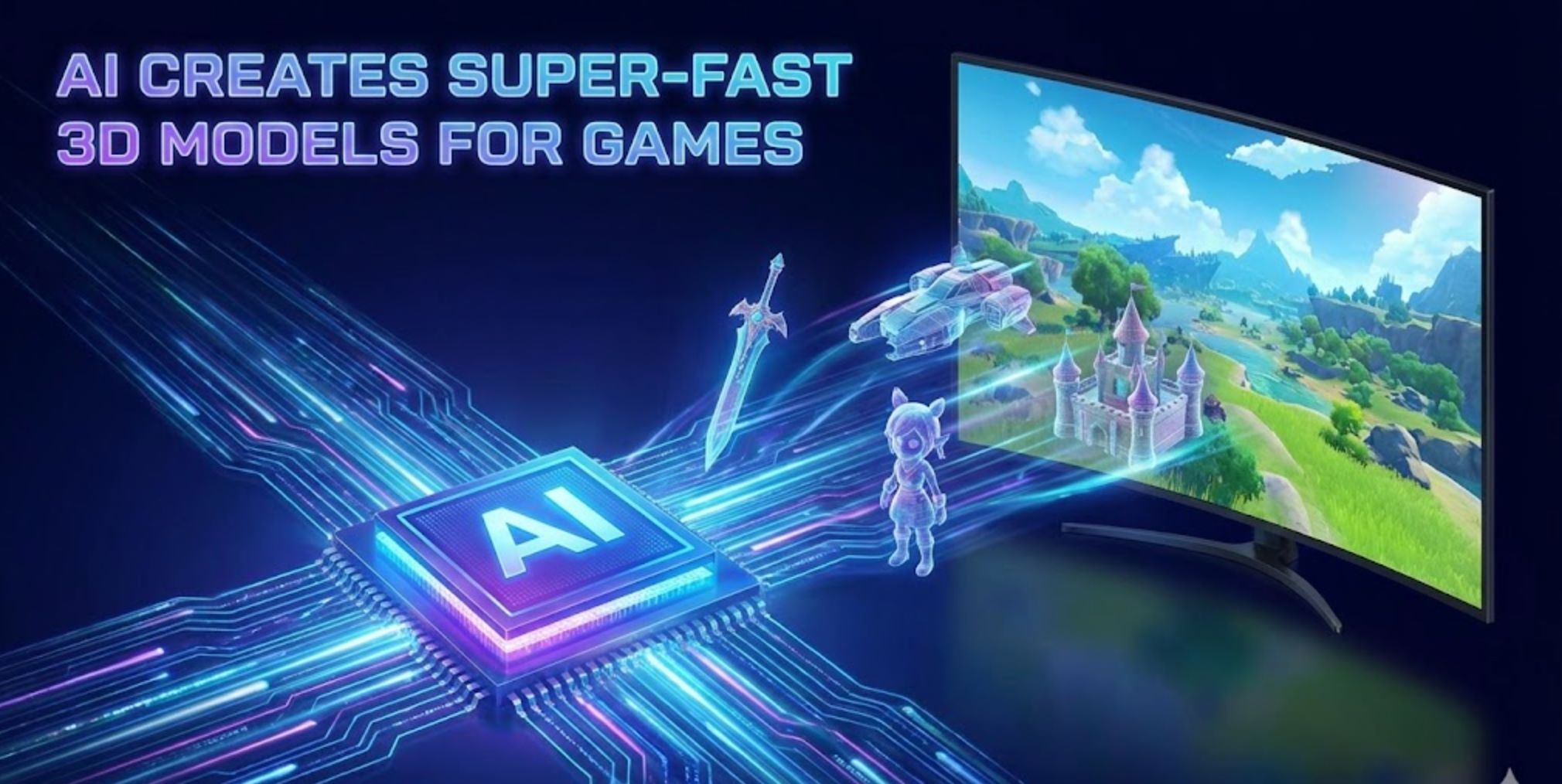
A mesterséges intelligencia forradalmasítja, hogyan készítenek a játékfejlesztők térképeket és környezeteket. A modern MI-eszközök automatikusan képesek részletes játékvilágokat generálni, amelyek korábban órákig tartó tervezést igényeltek csapatoktól.
Ahelyett, hogy minden csempét vagy modellt kézzel készítenének, a fejlesztők magas szintű utasításokat vagy adatokat adhatnak meg, és az MI kitölti a többit. Például a Google DeepMind új "Genie 3" modellje képes egy szöveges leírásból (például "ködös hegyi falu napfelkeltekor") azonnal egy teljesen bejárható 3D világot létrehozni.
Az iparági szakértők megjegyzik, hogy olyan eszközök, mint a Recraft, már lehetővé teszik egész játékkörnyezetek (textúrák, sprite-ok, pályarendezések) generálását egyszerű szöveges parancsokból. Ez az MI és a hagyományos eljárásos módszerek ötvözése jelentősen felgyorsítja a fejlesztést és végtelen kreatív lehetőségeket nyit meg.
Hagyományos vs. MI-alapú térképgenerálás
Eljárásos generálás (PCG)
A korábbi játékok algoritmikus módszereket használnak, mint a Perlin-zaj a terephez vagy szabályalapú csempeelhelyezés a pályák és térképek létrehozásához.
- Hatalmas véletlenszerű világokat működtet (Diablo, No Man's Sky)
- Jelentősen csökkenti a kézi munkát
- "Végtelen tartalmat biztosít dinamikusan létrehozott pályákkal"
- Ismétlődő mintákat eredményezhet
- Kiterjedt paraméterhangolást igényel
Gépi tanulás alapú generálás
Generatív modellek (GAN-ok, diffúziós hálózatok, transzformer "világmodellek") valós példákból vagy játékmenet-adatokból tanulnak.
- Változatosabb és élethűbb környezeteket hoz létre
- Kreatív szöveges utasításokat követ
- Komplex térbeli mintákat ragad meg
- Egyszerű parancsokkal generál eszközöket
- Utánozza a tanult stílusokat és témákat

Generatív MI technikák
Az MI több fejlett technikát használ játékkörnyezetek építésére, mindegyik egyedi erősségekkel:
GAN-ok (Generatív Ellenséges Hálózatok)
Olyan neurális hálózatok, amelyeket térképek vagy terepképek gyűjteményén képeztek ki, és amelyek valósághű jellemzőkkel rendelkező új térképeket hoznak létre az adatok statisztikáinak megtanulásával.
- Önfigyelő GAN-ok javítják a pályák koherenciáját
- Hosszútávú mintákat ragadnak meg 2D pályákon
- Komplex platformer szinteket generálnak
- Példák alapján valószínű terepet hoznak létre 3D-ben
Diffúziós modellek
Olyan MI rendszerek, mint a Stable Diffusion, amelyek iteratívan finomítják a véletlenszerű zajt strukturált képekké és környezetekké.
- Szöveghez kötött generálás utasításokból
- Zajt alakítanak részletes tájakká
- 3D diffúzió játéktárgyakhoz és jelenetekhez
- Gazdag textúrák és geometria kimenet
Transzformer világmodellek
Nagy transzformer alapú MI-k, amelyek teljes interaktív világokat generálnak, mint például a DeepMind Genie 3.
- Valós időben értelmezik a szöveges utasításokat
- Koherens 3D környezeteket renderelnek
- Játékszerű térbeli logikát értenek meg
- Automatizált pályatervezőként működnek

Legjobb MI eszközök játékkörnyezet generáláshoz

Promethean AI
Alkalmazásinformációk
| Műszaki adatok | Részletek |
|---|---|
| Fejlesztő | Promethean AI — tapasztalt játék- és technikai művész szakemberek által alapított cég, amely AI-alapú produkciós eszközökkel támogatja a kreatív csapatokat. |
| Támogatott platformok | Integrálható 3D szerkesztőkkel (Unreal Engine, Unity, Maya, Blender). Asztali alkalmazások Windows és macOS rendszerekre WebCatalog csomagolókon keresztül elérhetők. |
| Elérhetőség | Világszerte elérhető, nincs regionális korlátozás. Az interfész angol nyelvű, és nemzetközi kreatív csapatokat szolgál ki. |
| Árazási modell | Ingyenes verzió nem kereskedelmi használatra. Kereskedelmi projektekhez és fejlett funkciókhoz vállalati licenc szükséges. |
Mi az a Promethean AI?
A Promethean AI egy mesterséges intelligencia által vezérelt asszisztens, amely kreatív csapatok, játékstúdiók és digitális művészek számára készült, akik virtuális világok létrehozásán, eszközkezelésen és környezetépítésen dolgoznak. Automatizálja az ismétlődő feladatokat és felgyorsítja a produkciós munkafolyamatokat, lehetővé téve a művészek számára, hogy a kreativitásra és a történetmesélésre összpontosítsanak ahelyett, hogy unalmas technikai munkával foglalkoznának.
A platform zökkenőmentesen illeszkedik a meglévő művészeti produkciós folyamatokba anélkül, hogy a csapatoknak szerkesztőt kellene váltaniuk vagy tulajdonosi eszközöket kellene külső szerverekre feltölteniük. Ez ideálissá teszi azokat a stúdiókat, amelyek adatbiztonságot és munkafolyamat-folytonosságot helyeznek előtérbe.
Hogyan működik a Promethean AI?
A Promethean AI közvetlenül csatlakozik a meglévő 3D szerkesztő környezetedhez (Unreal Engine, Unity, Maya, Blender) API-kon vagy natív integrációkon keresztül. Lehetővé teszi a csapatok számára, hogy intelligens javaslatokat generáljanak, automatikusan elhelyezzék az eszközöket, és egyszerűsítsék a jelenetberendezést, miközben tiszteletben tartja a meglévő munkafolyamatokat és kreatív preferenciákat.
Az MI tanul a felhasználói viselkedésből — megfigyeli, hogyan helyezik el a művészek az objektumokat, alkalmazzák a színpalettákat és komponálják a környezeteket. Idővel személyre szabott kreatív MI asszisztenssé fejlődik, amely releváns ötleteket hoz fel, megfelelő eszközöket javasol, kezeli az ismétlődő elrendezési feladatokat, és felgyorsítja a világépítési folyamatokat.
Főbb jellemzők
Intelligens objektumelhelyezési és környezetkompozíciós javaslatok, amelyek alkalmazkodnak a kreatív stílusodhoz.
Automatikusan indexeli, címkézi és újrahasznosítja a meglévő eszközöket új jelenetekben intelligens kategorizálással.
Működik a jelenlegi 3D szoftvereddel API-kon keresztül (C++, C#, Python) — nincs szükség szerkesztőváltásra.
SSO támogatás, vállalati szintű adatvédelem és testreszabható munkafolyamatok a stúdió igényeihez.
Megosztott táblák, ahol a csapatok valós időben cserélhetnek inspirációt, komponenseket és kreatív eszközöket.
Jelentősen javítja a prototípus-készítés és jelenetberendezés sebességét, csökkentve a gyártási időt és költségeket.
Az MI idővel alkalmazkodik a csapat egyedi esztétikai preferenciáihoz és munkafolyamat követelményeihez.
A tulajdonosi eszközök privátak és helyben maradnak — nincs kényszerített felhőfeltöltés vagy külső adatmegosztás.
Letöltési vagy hozzáférési link
Kezdő útmutató
A Promethean AI vállalati fókuszú. Kezdd azzal, hogy jelentkezel pilóta hozzáférésre vagy kérsz egy bemutatót a hivatalos weboldalukon keresztül.
Használd a rendelkezésre álló SDK-kat vagy API-kat (C++, C#, Python), hogy összekapcsold a Promethean AI-t a produkciós környezeteddel és 3D szerkesztőiddel.
Kapcsold össze a helyi eszköztáraidat. A Promethean AI indexeli és kategorizálja azokat anélkül, hogy külső feltöltést igényelne.
Használj intelligens javaslatokat objektumelhelyezéshez, jelenettöltéshez és díszítéshez. Az MI a kontextus és stílus alapján javasolja a környezeti elrendezéseket.
Használj együttműködési táblákat inspiráció gyűjtésére, komponensek újrahasznosítására, és több csapattag egyidejű hozzájárulására.
Adj visszajelzést a javaslatokról (elfogadott vagy elutasított), hogy az MI jobban igazodjon a kreatív stílusodhoz és preferenciáidhoz.
Befejezd a jeleneteket a szerkesztődben a szokásos módon. A Promethean AI nem köt be tulajdonosi formátumokba — teljes kreatív kontrollt biztosít.
Fontos megfontolások
- Az ingyenes verzió korlátozott funkcionalitást kínál a teljes vállalati licenchez képest — kereskedelmi használathoz fizetős licenc szükséges.
- Az integráció technikai szakértelmet igényelhet (API beállítás, munkafolyamat adaptáció) — nem teljesen plug-and-play nem technikai felhasználók számára.
- Néhány felhasználó időnként kompatibilitási vagy exportálási kihívásokról számol be bizonyos kreatív szoftverkonfigurációk esetén.
- Az MI javaslatok nem mindig illeszkednek tökéletesen a művészi vízióhoz — néha manuális felülírás és finomhangolás szükséges.
- A csapatoknak ellenőrizniük kell, hogy a Promethean AI biztonsági funkciói megfelelnek-e belső adatvédelmi szabályzataiknak.
- Erős hardver- és hálózati teljesítmény ajánlott, különösen nagy eszköztárak indexelése vagy kezelése esetén.
- Fejlődő termékként egyes funkciók még pilot vagy béta fázisban lehetnek, folyamatos fejlesztés alatt.
Gyakran ismételt kérdések
Nem — a Promethean AI API-kon keresztül integrálódik, így a jelenlegi munkafolyamatod mellett működik. Továbbra is használhatod az Unreal Engine-t, Unity-t, Maya-t, Blender-t vagy más preferált eszközöket szerkesztőváltás nélkül.
Nem — a Promethean AI hangsúlyozza, hogy a tulajdonosi eszközök az infrastruktúrán belül maradnak. Nincs szükség külső feltöltésre, így biztosított az adatvédelem és a szellemi tulajdon védelme.
Játékfejlesztő stúdiók, film- és animációs produkciók, építészeti vizualizációs cégek, eszközgyártó kiszervező vállalatok, valamint bármilyen kreatív csapat számára, amely virtuális világokat vagy 3D környezeteket épít.
Az ingyenes verzió kizárólag nem kereskedelmi használatra készült. Kereskedelmi vagy professzionális projektekhez vállalati licenc szükséges. Árazásért és licencelési lehetőségekért fordulj a Promethean AI-hoz.
Az árak nem nyilvánosak. Közvetlenül a Promethean AI-val kell felvenni a kapcsolatot, hogy a csapat méretéhez és igényeihez igazított vállalati licenc ajánlatot kapj.
A Promethean AI vállalati szintű adatbiztonságot, SSO támogatást és testreszabható munkafolyamatokat kínál, amelyek megfelelnek a belső biztonsági követelményeknek. Az eszközök helyben maradnak, nincs kényszerített felhőfeltöltés.
Nem — a cél a művészek kiegészítése, nem helyettesítése. A Promethean AI kezeli az ismétlődő és időigényes feladatokat, felszabadítva a művészeket, hogy a kreatív vízióra, történetmesélésre és magas szintű tervezési döntésekre koncentráljanak.
Jelentkezz a weboldalukon az „Early Adopter” programok alatt, vagy vedd fel a kapcsolatot az értékesítési és partnerkapcsolati csapatukkal pilóta hozzáférés és bemutatók érdekében.

BasedLabs.ai / Random
Alkalmazás Információk
| Fejlesztő | A BasedLabs.ai fejleszti és üzemelteti a BasedLabs platformot, amely átfogó mesterséges intelligencia alapú eszközkészletet kínál tartalomkészítéshez és hasznos funkciókhoz. |
| Támogatott Eszközök | Webalapú platform, elérhető asztali és mobil böngészőkön – telepítés nem szükséges. |
| Nyelvek és Elérhetőség | Világszerte elérhető angol nyelven. Internetkapcsolattal bármely országból hozzáférhető. |
| Árazási Modell | Ingyenes szint elérhető Az alap Véletlenszám-generátor eszköz ingyenesen használható. Fejlettebb funkciók és nagyobb volumenű használat esetén kreditek vagy előfizetés szükséges lehet. |
Általános Áttekintés
A BasedLabs.ai egy mindent egyben tartalmazó AI tartalomkészítő platform, amely ötvözi a AI képgenerálást, videóeszközöket, kreatív segédleteket és véletlenszerűsítő funkciókat. A platform Véletlenszám-generátor eszköze lehetővé teszi a felhasználók számára, hogy AI által támogatott algoritmusok segítségével véletlenszerű számokat, neveket, szavakat, jelszavakat vagy kerékpörgetés eredményeket generáljanak.
A „BasedLabs Random” a Véletlenszám-generátor eszközre és annak különböző véletlenszerűsítési módjaira utal a BasedLabs ökoszisztémán belül. Kiegészíti a többi kreatív szolgáltatást (kép, videó, hang) azzal, hogy rugalmas véletlenszerűsítő eszközöket biztosít kreatív projektekhez, játékokhoz, döntéshozatalhoz és gyakorlati alkalmazásokhoz.
Részletes Bemutatás
A Véletlenszám-generátor oldalon több generálási mód érhető el: Számok, Nevek, Szavak, Jelszavak és Kerék (pörgetőkerék). A felhasználók kiválasztják a kívánt módot, beállítják a paramétereket (például darabszámot és tartományokat), megadnak egy természetes nyelvű utasítást (pl. „hat szám 10 és 500 között” vagy „rövid, játékos háziállatnevek”), majd rákattintanak a Generálás gombra.
Az AI által vezérelt motor, a pszeudo-véletlenszám-generátor és az AI szűrőréteg kombinációja azonnal visszaadja az eredményeket, amelyeket áttekinthet és másolhat. Az eszköz gyors, biztonságos és ingyenesen használható az alapgenerálások korlátlan mennyiségben.
A Véletlenszám-generátoron túl a BasedLabs egy kiterjedt gyűjteményt kínál AI képgenerálás, videó, hang, írás és kreatív eszközökből. A véletlenszerűsítő funkciók zökkenőmentesen integrálódnak ezekkel a kreatív lehetőségekkel a teljes platform részeként.
Főbb Jellemzők
Többféle véletlenszerűsítési lehetőség különböző felhasználási esetekhez:
- Egyedi tartományú számok
- Nevek karakterekhez vagy projektekhez
- Szavak kreatív inspirációhoz
- Biztonságos jelszógenerálás
- Döntéshozó kerékpörgető
Finomhangolja a véletlenszerű eredményeket:
- Darabszám és minimum/maximum tartomány beállítása
- Természetes nyelvű utasítás megadása
- AI által vezérelt generálási szűrők
- Ismétlődések elkerülését biztosító rendszer
Egyszerűsített generálási folyamat:
- Egykattintásos generálás
- Azonnali eredménymegjelenítés
- Másolás/exportálás egy kattintással
- Korlátlan alaphasználat
Átfogó kreatív platform:
- AI képgenerálás szövegből
- Videókészítés és szerkesztés
- Hang/audio generálás
- AI írás és tartalomkészítő eszközök
- Sorsolás és nyertes kiválasztás
Letöltési vagy Hozzáférési Link
Felhasználói Útmutató
Nyissa meg böngészőjét, és navigáljon a basedlabs.ai oldalra.
Hozzon létre ingyenes fiókot, vagy jelentkezzen be a Véletlenszám-generátor és más eszközök használatához.
Az „Alkalmazások” vagy „Eszközök” menüből válassza a Véletlenszám-generátor opciót.
Válassza ki a kívánt módot a legördülő menüből: Számok, Nevek, Szavak, Jelszó vagy Kerék.
Adja meg a darabszámot és a tartományokat, vagy írjon be természetes nyelvű utasítást a generálás irányításához.
Kattintson a Generálás gombra, és várjon egy pillanatot, amíg az AI feldolgozza a kérést.
Az eredmények megjelennek a kimeneti panelen. Másolja a szöveget vagy exportálja a projektjéhez szükséges formátumban.
Módosítsa az utasítást vagy a paramétereket új eredmények generálásához, vagy válasszon másik véletlenszerűsítési módot.
Használja a generált számokat, neveket, jelszavakat vagy kerék eredményeket projektekben, játékokban, írásban vagy döntéshozatal során.
Fontos Megjegyzések és Korlátozások
- Egyedi feltételek korlátozottak lehetnek – nagyon összetett szabályok nem biztos, hogy támogatottak
- A szolgáltatás elérhetősége a GPU szolgáltató állapotától függ – karbantartás vagy szolgáltatóváltás idején ideiglenes kiesés előfordulhat
- Fejlettebb funkciók és nagyobb volumenű használat esetén kreditek vagy előfizetés szükséges az ingyenes szint felett
- Csak webalapú platform – offline vagy helyi használat nem támogatott
- Egyes eszközök vagy alkalmazások időszakosan karbantartás miatt nem elérhetők
Gyakran Ismételt Kérdések
Igen – az alap véletlenszerű generálás ingyenesen elérhető. Prémium funkciók vagy nagyobb volumenű használat esetén kreditek vásárlása vagy előfizetés szükséges lehet.
Számokat, neveket, szavakat, biztonságos jelszavakat vagy kerékpörgetés eredményeket generálhat a Véletlenszám-generátor különböző módjaival.
Igen – szám mód esetén beállíthat egyedi minimum és maximum tartományokat az eredmények szabályozásához.
Az eszköz pszeudo-véletlenszám-generátort használ AI szűrőkkel kiegészítve. Kreatív, szórakoztató és mindennapi használatra alkalmas, de nem éri el a kriptográfiai véletlenszerűség szintjét, amely magas biztonsági alkalmazásokhoz szükséges.
Igen – az eszköz egykattintásos másolási és exportálási funkciót kínál minden generált eredményhez.
A BasedLabs alkalmazások ideiglenesen nem elérhetők lehetnek GPU szolgáltató váltás vagy karbantartás alatt. A csapat gyorsan dolgozik a szolgáltatás helyreállításán. Ha kiesést tapasztal, kérjük, próbálja meg később újra.
Nem – böngészőalapú platform, amely aktív internetkapcsolatot igényel a működéshez.
A BasedLabs Random kreatív, gyakorlati és szórakoztató célokra készült, nem pedig szigorú biztonsági igényekhez. Kriptográfiai vagy magas biztonságú alkalmazásokhoz dedikált biztonságos véletlenszám-generátor használata javasolt.
Természetesen – az eszköz kiválóan alkalmas véletlenszerű sorsolásokhoz, név/szó generáláshoz, jelszókészítéshez, tantermi tevékenységekhez, játékmenetekhez és nyereményjátékok nyerteseinek kiválasztásához.

Getimg.ai – AI DnD / Fantasy Map Maker
Alkalmazás információk
| Fejlesztő | Getimg.ai |
| Támogatott eszközök | Webalapú platform, elérhető asztali, tablet és mobil böngészőkön |
| Nyelvek | Világszerte elérhető; angol nyelvű felület támogatással |
| Árazás | Ingyenes csomag korlátozott generálási kreditekkel, fizetős szintek haladó használathoz |
Mi az a Getimg.ai?
Getimg.ai egy átfogó AI képgeneráló platform, amely segíti a felhasználókat lenyűgöző vizuális tartalmak létrehozásában, beleértve a DnD és fantáziatérképeket is. Erőteljes eszközöket kínál képek generálására, szerkesztésére és bővítésére mesterséges intelligencia segítségével, ideális művészek, játékfejlesztők és mesélők számára, akik professzionális minőségű fantázia művészetet igényelnek.
Fejlett AI-alapú térképkészítés
A Getimg.ai fejlett diffúziós modelleket használ, hogy szöveges utasításokat magas minőségű, fantáziadús képekké alakítson. Fantáziatérkép-készítő és DnD generátor eszközei lehetővé teszik részletes kitalált világok megtervezését másodpercek alatt. Akár asztali szerepjáték kampányhoz készítesz világtérképet, akár regényhez fantázia művészetet fejlesztesz, a Getimg.ai leegyszerűsíti a kreatív folyamatot AI automatizációval.
A platform olyan erőteljes funkciókat integrál, mint az AI Canvas képkiegészítéshez és bővítéshez, a DreamBooth AI modellek finomhangolásához, valamint a Kép Szerkesztő az eredmények személyre szabásához, hogy megfeleljenek kreatív elképzeléseidnek.
Főbb jellemzők
Valósághű vagy stilizált képek létrehozása szöveges utasításokból fejlett diffúziós modellekkel.
Bonyolult térképek generálása szerepjátékokhoz és fantázia projektekhez másodpercek alatt.
Meglévő képek zökkenőmentes bővítése vagy módosítása képkiegészítő és bővítő eszközökkel.
Személyre szabott AI modellek betanítása és alkalmazása DreamBooth technológiával.
Több művészi értelmezés generálása ugyanarra az utasításra a kreatív felfedezéshez.
Nem szükséges letöltés vagy telepítés – bármely böngészővel rendelkező eszközről elérhető.
Letöltési vagy hozzáférési link
Hogyan használd a Getimg.ai-t
Nyisd meg a hivatalos Getimg.ai weboldalt bármely modern böngészővel.
Regisztrálj ingyenes fiókot, vagy jelentkezz be meglévő adataiddal a platform eléréséhez.
Válassz olyan eszközt, mint az AI képgenerátor vagy a Fantáziatérkép készítő a projekted igényei szerint.
Írj egy leíró szöveges utasítást (pl. „ősi fantáziakirályság térképe hegyekkel és folyókkal”).
Személyre szabhatod a stílust, képarányt és felbontást, hogy megfeleljen kreatív elképzeléseidnek.
Kattints a „Generálás” gombra, hogy AI technológiával elkészítsd a térképed vagy képed.
Töltsd le az eredményt, vagy finomítsd tovább az AI Canvas szerkesztővel a tökéletes végeredményért.
Fontos korlátozások
- Az ingyenes felhasználóknak havi korlátozott generálási kreditjük van
- Az eredmény minősége változhat az utasítás részletességétől és pontosságától függően
- Stabil internetkapcsolat szükséges a feldolgozáshoz és generáláshoz
- Haladó testreszabási lehetőségek csak fizetős csomagokban érhetők el
Gyakran ismételt kérdések
Igen, a fizetős csomagok tartalmazzák a kereskedelmi felhasználási jogokat, így a generált képeket professzionális és kereskedelmi projektekben is használhatod.
Igen, a felhasználók meghatározhatnak művészi stílusokat, például akvarell, pergamen vagy fantázia illusztráció, hogy illeszkedjenek kreatív elképzeléseikhez.
Nem, a Getimg.ai teljes egészében a böngésződben fut. Nem szükséges letöltés vagy telepítés.
Teljes mértékben. Intuitív felülete megkönnyíti kezdők és profik számára egyaránt, hogy gyorsan készítsenek fantáziatérképeket és képeket előzetes tapasztalat nélkül.
A platform fejlett diffúziós alapú modelleket használ, amelyek optimalizáltak képgenerálásra és -javításra, biztosítva a magas minőségű végeredményt.
AI Map Generator
Alkalmazás információk
| Fejlesztő | Elias Bing által készített mesterséges intelligencia alapú térképkészítő bemutató projekt (bemutatva a Devposton) |
| Platform | Webalapú platform — asztali és mobil böngészőkön elérhető, alkalmazás telepítése nélkül |
| Elérhetőség | Angol nyelvű felület, globálisan elérhető, nincs régiókorlátozás |
| Árazási modell | Ingyenes próba 3 ingyenes kredit új felhasználóknak + fizetős kreditcsomagok (Lite, Creator, Professional) kereskedelmi felhasználási jogokkal |
Mi az az AI Map Generator?
Az AI Map Generator egy mesterséges intelligencia által vezérelt eszköz, amely szöveges leírásokat alakít át részletes, nagy felbontású térképekké több művészi stílusban, például fantázia, akvarell és sci-fi. Játékvezetőknek, szerepjáték-rajongóknak, történetmesélőknek és kreatív szakembereknek készült, kiküszöböli a manuális tervezési készségek szükségességét, miközben professzionális minőségű vizuális világterveket biztosít másodpercek alatt.
A platform lehetővé teszi, hogy egyszerű szöveges utasításokkal megadja a terep részleteit, építményeket és elrendezési preferenciákat, majd letölthető térképeket generál, amelyek alkalmasak asztali kampányokhoz, videojátékokhoz, történetmesélési projektekhez és kereskedelmi alkalmazásokhoz.
Hogyan működik?
Az AI Map Generator használata egyszerű. Először válassza ki a kívánt térképstílust olyan opciók közül, mint a Fantázia, Akvarell, Sci-Fi, vagy hozzon létre egy Egyedi stílust. Ezután adjon meg egy részletes szöveges leírást az elképzelt térképről – például „sárkánybarlang föld alatti alagutakkal, lávamedencékkel és rejtett kincstárakkal.” Feltölthet egy referencia képet is, hogy irányítsa a vizuális stílust és kompozíciót.
Kattintson a „Térkép generálása” gombra, és az MI 3–5 másodperc alatt feldolgozza az utasítást. Az egyedi térkép azonnal megjelenik, letölthető nagy felbontásban (2048×2048 px), teljes kereskedelmi licencjogokkal együtt. A platform megőrzi az összes generált térkép előzménynaplóját, így bármikor visszatérhet és letöltheti korábbi alkotásait.
A rendszer kredit alapú modellben működik (1 kredit térképenként), a kreditek nem járnak le, és több árkategória áll rendelkezésre a különböző felhasználási igényekhez.
Főbb jellemzők
Válasszon a Fantázia, Akvarell, Sci-Fi közül, vagy határozzon meg egyedi stílusokat kreatív elképzeléseihez.
Részletes térképek generálása 5 másodpercen belül, optimalizált MI feldolgozással.
Töltsön fel képeket (PNG/JPG/WEBP, max. 5 MB), hogy irányítsa a stílust és az elrendezést.
Azonnali letöltés 2048×2048 px méretű térképekhez, nyomtatáshoz és digitális használathoz egyaránt.
Hozzáférés és letöltés az összes korábban generált térképhez személyes előzménynaplójából.
A generált térképek kereskedelmi projektekben való használata teljes licencjogokkal engedélyezett.
- Szövegből térkép AI generálás részletes leírások alapján
- Lejárat nélküli kreditcsomagok (Lite, Creator, Professional szintek)
- 3 ingyenes próbakredit új felhasználóknak
Letöltési vagy hozzáférési link
Lépésről lépésre felhasználói útmutató
Nyissa meg böngészőjét, és navigáljon a aimapgen.pro oldalra.
Hitelesítés Google OAuth segítségével (Google fiók szükséges).
Válasszon a Fantázia, Akvarell, Sci-Fi közül, vagy hozzon létre egy Egyedi stílust.
Adjon meg részletes szöveges leírást az elrendezésről, terepről, nevezetességekről és építményekről. Opcionálisan töltsön fel referencia képet (PNG/JPG/WEBP, ≤ 5 MB) a vizuális stílus irányításához.
Kattintson a „Térkép generálása” gombra, és várjon 3–5 másodpercet az MI feldolgozás befejezéséig.
Tekintse meg a generált térképet, és töltse le nagy felbontású PNG fájlként.
Hozzáférés a korábban generált térképekhez az előzmény szekcióban újratöltés céljából.
Amikor az ingyenes kreditek elfogynak, vásároljon kreditcsomagot (Lite, Creator vagy Professional), hogy folytathassa a térképgenerálást.
Fontos megjegyzések és korlátozások
- A térkép minősége a leírás pontosságától függ — homályos leírások kevésbé koherens eredményt adhatnak
- Referencia képek maximális fájlmérete 5 MB
- A kreditek nem visszatéríthetők és nem átruházhatók
- Az MI félreértheti a bonyolult vagy ellentmondásos utasításokat
- A szolgáltatás rendelkezésre állása nem garantált — időszakos karbantartás vagy leállás előfordulhat
- A generált térképek ideiglenesen tárolódnak, majd 30 nap után törlődnek
Gyakran ismételt kérdések
Az új felhasználók 3 ingyenes próbakreditet kapnak a platform kipróbálásához, mielőtt további krediteket vásárolnának.
Lite csomag: 5 kredit 1,99 dollárért
Creator csomag: 15 kredit 4,99 dollárért
Professional csomag: 30 kredit 8,99 dollárért
Igen — minden térkép (próba és fizetős egyaránt) tartalmaz kereskedelmi licencjogokat, így további díjak nélkül használható kereskedelmi projektekben.
Igen — a szolgáltatás megőrzi az összes generált térkép előzménynaplóját, amely elérhető a fiók irányítópultján keresztül.
Nem — a kreditek soha nem járnak le a vásárlás után, így saját tempójában használhatja fel őket.
Támogatott formátumok: PNG, JPG vagy WEBP, legfeljebb 5 MB fájlmérettel.
A platform tartalomszűrőket alkalmaz a biztonság érdekében. A nem megfelelő vagy veszélyes kérések elutasításra kerülhetnek kreditvisszatérítés nélkül.
A térképek ideiglenesen tárolódnak, és automatikusan törlődnek 30 nap után. Fontos térképeit töltse le időben a végleges tároláshoz.
A kreditek általában nem visszatéríthetők. Visszatérítés csak technikai problémák esetén, amelyek megakadályozzák a szolgáltatás elérését, mérlegelhető.

DeepMind’s Genie 3
Alkalmazásinformációk
| Fejlesztő | A Google fejlett MI-kutató részlege, a DeepMind fejlesztette |
| Platform | Kísérleti világmodell MI infrastruktúrán fut (nem fogyasztói alkalmazás) |
| Elérhetőség | Globális kutatási előzetes, nincs regionális korlátozás |
| Árazás | Kutatási előzetes — csak kiválasztott kutatók és alkotók számára elérhető (még nem kereskedelmi) |
Mi az a Genie 3?
A DeepMind Genie 3 egy úttörő „világmodell” MI rendszer, amely szöveges vagy képi utasításokat valós időben interaktív, felfedezhető 3D környezetté alakít át. A hagyományos generatív modellektől eltérően, amelyek statikus képeket vagy rövid videókat készítenek, a Genie 3 tartós világokat hoz létre, amelyeket bejárhatsz, manipulálhatsz és módosíthatsz menet közben.
Ez jelentős előrelépés a korábbi verziókhoz képest, mivel percekig tartó konzisztens interaktivitást, környezeti memóriát és dinamikus „utasítható világeseményeket” kínál, amelyek reagálnak a parancsaidra.
Hogyan működik a Genie 3?
A Genie 3 egy szöveges utasítással vagy képpel indul, amely leírja a kívánt világot — például „ősi erdő viharos ég alatt” vagy „sivatagi kanyon folyóvízzel”. A modell ezután egy valós idejű környezetet generál 24 képkocka/másodperc sebességgel, 720p felbontásban, amelyet első személyű nézetből fedezhetsz fel.
A Genie 3 különlegessége a memória és konzisztencia: amikor elhagyod a helyszínt és visszatérsz, a tárgyak és változások megmaradnak — a festett falak, áthelyezett bútorok mind fennállnak. A rendszer támogatja továbbá a utasítható világeseményeket, így felfedezés közben adhatsz új parancsokat (például „eső” vagy „barlangnyílás hozzáadása”), és láthatod, ahogy a környezet dinamikusan alkalmazkodik.
A Genie 3 fejlett világmodell kutatásra épül, szimulálja a környezeteket, fizikát, tárgyak kölcsönhatását és az ügynökök viselkedését. Kapcsolódik a DeepMind generatív videós (Veo sorozat) és MI ügynökképzési munkáihoz.
Főbb jellemzők
Azonnal teljesen felfedezhető 3D környezeteket alakít ki szöveges utasításokból
Simított 24 fps lejátszás 720p felbontásban, videószerű minőségben
A környezet megőrzi a tárgyak elhelyezkedését és változásait többszöri látogatás között
Az időjárás módosítása, tárgyak beszúrása vagy feltételek változtatása felfedezés közben
Fotorealisztikus helyszínek vagy képzeletbeli fantáziavilágok létrehozása
Több percig tartó stabil koherencia (szemben a Genie 2 10-20 másodpercével)
Letöltés vagy Hozzáférési Link
Felhasználói Útmutató
A Genie 3 jelenleg korlátozott kutatási előzetes állapotban van. Jelentkezz vagy várj meghívóra kutatóként vagy alkotóként.
Adj meg egy leíró szöveges utasítást vagy referencia képet a világ generálásához (pl. „ősi erdő viharos ég alatt”).
A modell valós időben építi fel a világodat 24 fps, 720p felbontásban.
Járj körbe a környezetben, nézz szét, és lépj interakcióba tárgyakkal első személyű nézetből.
Adj új utasításokat a jelenet dinamikus alakításához — változtasd meg az időjárást, adj hozzá építményeket vagy módosítsd a terepet.
Hagyd el a helyszínt, majd térj vissza, hogy ellenőrizd, a tárgyak és szerkesztések megmaradtak-e.
Rögzíts vagy készíts képkockákat a felfedezés során (elérhetőség a preview felülettől függ).
Fontos Korlátozások
- Időtartam-korlátozások: A környezetek csak néhány percig maradnak stabilak, mielőtt a koherencia romlik
- Nincsenek valós helyszínek: Nem képes pontos földrajzi helyszínek szimulálására — minden világ fiktív és generatív
- Vizuális hibák: A generált elemek torzulhatnak vagy hibásak lehetnek; a tárgyak természetellenesek lehetnek, az emberek furcsán mozoghatnak
- Szöveg megjelenítési problémák: A jelenetben lévő szövegek (táblák, feliratok) általában összevisszák, kivéve ha kifejezetten megadottak az utasításokban
- Korlátozott többügynökös támogatás: Több MI ügynök egyidejű interakciója ugyanabban a világban még kutatás alatt áll
- Kutatási eszköz státusz: A teljesítmény, felület és elérhetőség változhat, ahogy a DeepMind folytatja a fejlesztést
Gyakran Ismételt Kérdések
A Genie 3 a DeepMind legújabb interaktív világmodellje, amely szöveges vagy képi utasításokat alakít felfedezhető 3D környezetté, tartós memóriával és valós idejű interaktivitással.
Még nem. A Genie 3 jelenleg egy szűk kutatói, művészi és alkotói csoport számára elérhető előzetes verzióban. A nyilvános hozzáférés még nincs bejelentve.
A Genie 3 több percig fenntartja a világ koherenciáját — jelentős javulás a korábbi modellek 10-20 másodperces időtartamához képest.
Igen. A Genie 3 tartós memóriával rendelkezik — a módosított, áthelyezett vagy hozzáadott tárgyak megmaradnak, amikor elhagyod és visszatérsz egy helyszínre.
Igen. Az „utasítható világesemények” révén felfedezés közben adhatsz új parancsokat (időjárás változtatása, tárgyak hozzáadása, terep módosítása), és a környezet dinamikusan reagál.
A Genie 3 720p felbontásban és 24 képkocka/másodperc sebességgel rendereli a környezeteket, sima, videószerű lejátszást biztosítva.
Jelenleg nem. A Genie 3 fiktív világokat generál az utasítások alapján, nem valós földrajzi helyszínek vagy helyalapú szimulációk rekonstruálására szolgál.
Alkalmazási területek közé tartozik a játékprototípus-készítés, MI ügynökképzés, virtuális szimuláció, kreatív koncepciótervezés és a mesterséges általános intelligencia (AGI) felé irányuló tudományos kutatás.
A DeepMind még nem erősítette meg a fogyasztói kiadás időpontját. Egyelőre a Genie 3 kutatási erőforrás marad kiválasztott felhasználók számára.

Ludus AI (Unreal Engine Plugin)
Alkalmazás Információk
| Műszaki adatok | Részletek |
|---|---|
| Fejlesztő | A LudusEngine fejlesztette, amely az Unreal Engine fejlesztéshez készült mesterséges intelligencia alapú eszközökre specializálódott |
| Platform | Unreal Engine 5 plugin (5.1–5.6 verziók) Visual Studio integrációval |
| Elérhetőség | Világszintű hozzáférés plugin letöltéssel és angol nyelvű webalkalmazáson keresztül |
| Árazás | Ingyenes próbaidőszak elérhető, kredit alapú fizetős csomagokkal a fejlettebb funkciókhoz |
Mi az a Ludus AI?
A Ludus AI egy kifejezetten Unreal Engine fejlesztők számára tervezett intelligens eszközkészlet, amely C++ kódgenerálást, Blueprint támogatást, jelenet létrehozást és természetes nyelvű parancsokat kínál közvetlenül az Unreal szerkesztőben. Ez a mesterséges intelligencia alapú asszisztens egyszerűsíti a fejlesztési munkafolyamatokat, megszünteti az ismétlődő sablonfeladatokat, és beágyazott kódoló társként működik az engine-en belül.
Hogyan működik a Ludus AI?
Telepítés után a Ludus AI zökkenőmentesen integrálódik az Unreal Engine-be intuitív menüeszközökön keresztül. A fejlesztők az alábbi funkciókat használhatják:
- Engine-specifikus kérdések feltevése és azonnali válaszok fogadása a LudusDocs segítségével
- Unreal-hez optimalizált C++ kód generálása vagy módosítása a LudusCode használatával
- Blueprint-ek elemzése, kommentálása és fejlesztési javaslatok készítése a LudusBlueprint által
- Természetes nyelvű parancsok végrehajtása a LudusChat segítségével (pl. „irányított fény létrehozása ezen a szereplőnél”), amelyek automatikusan jelenet módosításokká vagy eszköz létrehozássá alakulnak
A Ludus AI érti a projekt kontextusát, és az aktuális munkád alapján releváns, testreszabott eredményeket generál. A plugin aktiválást igényel az Unreal szerkesztőben, valamint hitelesítést a LudusEngine fiókoddal.
Főbb funkciók
Unreal-specifikus függvények, osztályok és kódszerkezetek generálása a projekt igényeihez igazítva.
Blueprint gráfok elemzése, kommentálása, fejlesztési javaslatok és kódgenerálás AI támogatással.
A LudusChat segítségével tárgyak elhelyezése, jelenetek módosítása és eszközök létrehozása beszélgetéses parancsokkal.
LudusDocs azonnali engine kérdésekre válaszokat, magyarázatokat és kontextuális dokumentációs támogatást nyújt.
Unreal-tudatos AI támogatás közvetlenül az IDE-ben a zökkenőmentes fejlesztési munkafolyamatért.
Kezdj ingyenes kreditekkel, és szükség szerint vásárolj további csomagokat a fejlettebb műveletekhez.
Letöltési vagy hozzáférési link
Telepítési és beállítási útmutató
Nyisd meg a app.ludusengine.com címet, és jelentkezz be a preferált hitelesítési móddal (GitHub, Google vagy Discord).
A portál irányítópultján válaszd ki az Unreal Engine verziódat (5.1–5.6), és töltsd le a megfelelő plugin csomagot.
- Csomag kicsomagolása
- A plugin mappa áthelyezése az Unreal Engine Plugins/Marketplace könyvtárába
- Unreal Engine indítása, majd Szerkesztés → Pluginok menüpont megnyitása
- Keresd meg a Ludus AI-t, engedélyezd, majd indítsd újra a szerkesztőt
Az Unreal Engine menüsorában a Eszközök → Ludus AI ponton keresztül érheted el a plugin panelt.
Add meg Ludus hitelesítő adataidat a plugin panelen, hogy aktiváld és felold a funkciókat.
- Engine dokumentáció lekérdezése a LudusDocs segítségével
- C++ kód vagy Blueprint kódrészletek generálása
- Természetes nyelvű parancsok kiadása jelenet módosításokhoz
- Iterálás, eredmények finomítása és kód integrálása a projektbe
Kövesd a kreditfogyasztást az irányítópulton, vásárolj további kreditcsomagokat szükség szerint, és optimalizáld az utasításokat a hatékonyság növelése érdekében.
Fontos korlátozások és megfontolások
- A Blueprint javaslatok néha homályosak vagy jelentős finomítást igényelnek
- Az AI időnként téves vagy nem működő kódot generálhat
- Kreditfogyasztás jelentős lehet összetett vagy ismétlődő utasítások esetén
- A plugin kompatibilitása az Unreal Engine 5.1–5.6 verziókra korlátozódik
- Régebbi verziók (UE4) és 5.6 utáni kiadások nem támogatottak
- A felhőalapú feldolgozás késleltetést vagy időszakos szolgáltatáskimaradásokat okozhat
- A fejlett funkciók fizetős kreditcsomagokat igényelnek az ingyenes szint felett
- A dokumentáció és közösségi források még bővülnek, ahogy a platform fejlődik
Gyakran Ismételt Kérdések
A Ludus AI az Unreal Engine 5.1-től 5.6-ig terjedő verzióit támogatja. Régebbi verziók (UE4) vagy jövőbeli kiadások kompatibilitása nem garantált.
Ingyenes próbaidőszakkal és ajándék kreditekkel kezdhetsz. A fejlettebb funkciók és intenzív használat további kreditcsomagok vásárlását igényli fizetős tervek keretében.
Nem. A Ludus AI a fejlesztők munkafolyamatát gyorsítja és csökkenti a sablonkód mennyiségét, de az összetett játékrendszerek, optimalizálás és hibakeresés továbbra is emberi szakértelmet és felügyeletet igényel.
Igen. Az AI funkciók egy pluginon keresztül érhetők el, amelyet telepíteni és engedélyezni kell az Unreal Engine-ben a teljes funkcionalitás eléréséhez.
Igen. A Ludus AI kínál egy Visual Studio kiterjesztést, amely Unreal-tudatos AI támogatást nyújt közvetlenül az IDE-ben a zökkenőmentes fejlesztés érdekében.
Igen. A LudusBlueprint képes meglévő Blueprint gráfokat elemezni és fejlesztési javaslatokat tenni, bár a javaslatok minősége és alkalmazhatósága a komplexitástól függően változhat.
LudusDocs egy mesterséges intelligencia alapú dokumentációs asszisztens, amely engine-specifikus kérdésekre válaszol, és az Unreal Engine funkcióiról, API-jairól azonnali, kontextuális magyarázatokat nyújt.
Ellenőrizd, hibakeresd és módosítsd manuálisan a kódot. Az AI által generált eredmények kiindulópontként szolgálnak, emberi validáció szükséges, nem garantált, hogy termelésre kész állapotúak.
Látogass el a Ludus Academy és a hivatalos dokumentációs oldalra, ahol átfogó oktatóanyagokat, használati példákat és prompt tervezési útmutatókat találsz a termelékenység maximalizálásához.
Ezen kívül számos más MI eszköz és alkalmazás is alakítja a világok létrehozásának folyamatát a játékokban, például:
Recraft (MI eszköz játékeszközökhöz)
A fejlesztők "egyszerű szöveges utasításokkal generálhatnak játékeszközöket – sprite-okat, textúrákat, környezeteket – és importálhatják azokat Unity vagy Godot motorokba."
- Írjon leírásokat, például "ősi templomromok"
- Azonnal kap textúrákat és 3D modelleket
- Közvetlen integráció a játékmotorokkal
- Teljes pályarendezések szövegből
Promethean AI
Egy MI-alapú jelenetösszeállító eszköz, amely automatikusan rendezi el a kellékeket, világítást és terepet koherens 3D jelenetekbe a stílusirányelvek szerint.
- Számtalan órát takarít meg 3D tervezésben
- Városi tereket és kazamata termeit generál
- Automatikus kellék- és világításelhelyezés
- Nincs szükség kézi modellezésre
Microsoft Muse (WHAM)
A Microsoft Research Világ és Emberi Akció Modellje egy generatív játékmotor, amely teljes játékmenet-szekvenciákat és vizuális elemeket hoz létre.
- Transzformer alapú világmodell
- Rögzíti a játékszintű geometriát és dinamikát
- Megtanulja a játékvilágok szerkezetét
- Koherens világ tartalmat generál
NVIDIA Omniverse & Cosmos
Az NVIDIA platformja generatív MI funkciókat tartalmaz a környezet létrehozásához, szöveges utasításokkal 3D eszközök lekérésére vagy generálására.
- "Számtalan szintetikus virtuális környezet" létrehozása
- Omniverse NIM szolgáltatások eszközgeneráláshoz
- Cosmos világmodellek képzése
- Nagy léptékű világépítés gyorsítása
Fő előnyök és alkalmazások
Az MI által generált térképek és környezetek számos gyakorlati előnyt kínálnak, amelyek átalakítják a játékfejlesztést:
Sebesség és méret
Az MI másodpercek alatt képes hatalmas, részletes világokat létrehozni. A Ludus AI "másodpercek alatt" generál komplex 3D eszközöket, míg a kézi modellezés órákat venne igénybe.
Változatosság és sokszínűség
A gépi tanulás modellek végtelen változatosságot hoznak. Az MI továbbviszi az eljárásos generálást azáltal, hogy stílusokat, témákat és történeti elemeket új módokon kever össze.
Végtelen bolygók Egyedi térképek Nincs ismétlés
Hatékonyság
A térképalkotás automatizálása csökkenti a munkaterhelést és a költségeket. Kis indie csapatok és nagy stúdiók is kiszervezhetik az ismétlődő pályatervezést az MI-nek, és a játékmenetre, valamint a narratívára koncentrálhatnak.
- Számtalan órát takarít meg 3D tervezésben
- Csökkenti a fejlesztési költségeket
- Javítja a termelékenységet és kreativitást
Dinamikus és adaptív világok
A fejlett MI valós időben képes alkalmazkodni a környezethez, új elrendezéseket generálva menet közben vagy a terepet alakítva a történet előrehaladtával.
- Minden látogatáskor új kazamatákat generál
- Reagál a játékos cselekedeteire
- Gazdagabb, mint egyszerű eljárásos trükkök
- Koherensebb "élő" világok

Kihívások és jövőbeli irányok
Az ígéretek ellenére az MI-alapú térképgenerálás számos fontos kihívással néz szembe, amelyeket a fejlesztőknek kezelniük kell:
Képzési adat kihívások
A magas színvonalú generatív MI hatalmas mennyiségű képzési adatot igényel, és a játék-specifikus adatkészletek gyakran szűkösek. A "nagy teljesítményű generatív MI hatalmas mennyiségű képzési adatot igényel", amely nehezen gyűjthető niche játék műfajokhoz.
Koherencia és játszhatóság
Az MI generálhat szép terepet, amely jól néz ki, de elérhetetlen területeket vagy hiányzó célokat tartalmazhat. Az emberi felügyelet továbbra is fontos a minőségi játékmenet biztosításához.
- A vizuális vonzerő nem garantálja a játszhatóságot
- Elérhetetlen területek keletkezhetnek
- Hiányzó célok vagy játékmenet logika
- Teljesen automatizált felülvizsgálat nélkül
Jogi és etikai kérdések
Jogi és etikai kérdések merülnek fel, ahogy az MI egyre elterjedtebbé válik a játékfejlesztésben:
- A platformok most már megkövetelik a fejlesztőktől az MI használatának nyilvánosságra hozatalát
- Szerzői jogi kérdések: Mi van, ha az MI szerzői joggal védett térképekből tanult?
- Szellemi tulajdonjog viták
- Átláthatósági és attribúciós követelmények

Összegzés: Az MI által generált játékvilágok jövője
Az MI által generált játéktérképek és környezetek már most átalakítják a játékfejlesztést. A vezető technológiai projektek – a Google DeepMind Genie-től az NVIDIA Omniverse-ig – bizonyítják, hogy az egész világokat az MI "álmodhatja meg" egyszerű leírások alapján.
Ez a technológia gyorsabb, magával ragadó világok létrehozását ígéri páratlan változatossággal. Ahogy az MI modellek tovább fejlődnek, még élethűbb és interaktívabb virtuális tájakat várhatunk, amelyek menet közben jönnek létre.
— Iparági elemzés, 2024
Játékosok és tervezők számára egyaránt a jövő gazdagabb játékvilágokat tartogat, amelyeket intelligens algoritmusok építenek, feltéve, hogy bölcsen és kreatívan használjuk a technológiát.

No comments yet. Be the first to comment!