


































AI-schemaläggning för effektivitet bland restaurangpersonal
I dagens konkurrensutsatta restaurangbransch är smart personalplanering avgörande. Med hjälp av artificiell intelligens (AI) förändrar restauranger hur de planerar skift, ökar produktiviteten och minskar arbetskostnaderna. Denna artikel utforskar hur AI förutser efterfrågan, automatiserar skiftscheman och ger verkliga fördelar – från tids- och kostnadsbesparingar till förbättrad teamnöjdhet och servicekvalitet.
I hektiska restaurangkök är det en ständig utmaning att säkerställa rätt antal kockar och servitörer under rusningstid. Arbetskraft är en av restaurangens största kostnader (ofta cirka 30 % av försäljningen), och många verksamheter rapporterar kronisk underbemanning under rusningstimmar. Manuella scheman leder ofta till överbemanning under lugna skift och stressade medarbetare under rusning.
För att hantera detta vänder sig många restaurangägare till AI-driven schemaläggning: 37 % av operatörerna planerar att investera i automatiserade system för arbetskraft och schemaläggning. Viktiga utmaningar inkluderar att matcha personal med oförutsägbar efterfrågan, följa arbetsrättsliga regler och minska sista minuten-kaos samtidigt som medarbetarna hålls nöjda.
Viktiga utmaningar vid schemaläggning
Oförutsägbar efterfrågan
Höga arbetskostnader
Personalomsättning
Så fungerar AI-schemaläggning
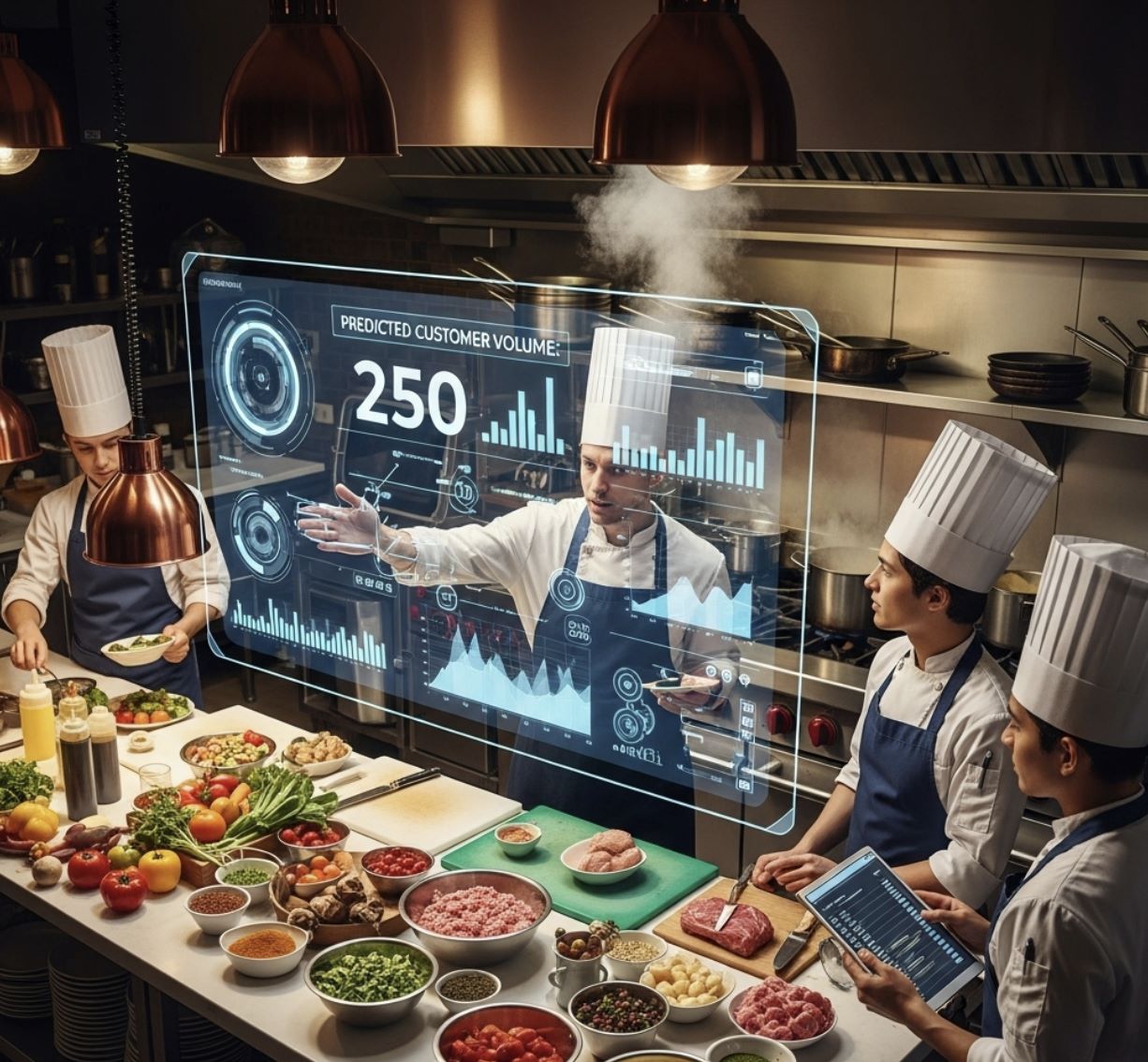
AI-drivna schemaläggningsplattformar använder dataanalys och maskininlärning för att förutse efterfrågan och skapa optimerade scheman. De hämtar historiska försäljnings- och trafikdata, väderprognoser, lokala evenemang och till och med marknadsföringskampanjer för att förutsäga hur hektiskt ett skift blir. Därefter matchar systemet dessa prognoser med medarbetarnas tillgänglighet, kompetenser och kontraktsregler.
AI kan automatiskt fylla skift för att uppnå önskad täckning och flagga eventuella konflikter (som dubbelbokning av en medarbetare). Om efterfrågan plötsligt ändras – till exempel vid en oväntad rusning – kan systemet föreslå justeringar i realtid. Kort sagt, AI förutser hektiska kvällar och schemalägger personal därefter, istället för att förlita sig på statiska kalkylblad.
När kundernas efterfrågan förväntas öka eller minska kan schemaläggning av fler eller färre medarbetare göra skillnaden mellan bra och dålig service.
— NetSuite
Kärnfunktioner i AI
- Efterfrågeprognoser: Använder historiska POS-/försäljningsdata och externa faktorer för att förutsäga hektiska och lugna perioder
- Dynamisk schemaläggning: Bygger och justerar automatiskt skiftscheman för att matcha prognostiserat behov och undvika över- eller underbemanning
- Konfliktdetektering: Säkerställer att ingen medarbetare dubbelbokas eller överarbetas
- Medarbetarhänsyn: Respekterar tillgänglighet, kompetenser, arbetsrätt och personliga önskemål (ledighet, deltid)

Fördelar med AI-schemaläggning
AI-drivna scheman ger mätbara vinster för restauranger. Genom att anpassa personalen efter efterfrågan minskar verksamheter slöseri och förbättrar servicekvaliteten. En branschstudie visade att 70 % av restauranger som använder digitala schemaläggningsverktyg såg förbättrad arbetsproduktivitet, tack vare molnplattformar som möjliggör omedelbara uppdateringar.
Rättvisa och förutsägbara scheman ökar också moralen: restauranger som använder AI-schemaläggning rapporterar högre medarbetarnöjdhet och lojalitet, vilket minskar personalomsättningen. För kunderna innebär det snabbare service med rätt personal på plats.
Viktiga fördelar
Lägre arbetskostnader
Genom att undvika onödiga skift och övertid minskar arbetskostnaderna. En pubkedja vid stranden sparade 9–10 tusen dollar per månad genom att anpassa scheman efter prognoser.
Optimal bemanning
Restauranger undviker att förlora försäljning under rusning och att betala för mycket under lugna perioder, vilket maximerar både intäkter och effektivitet.
Högre produktivitet
Bättre bemannade skift gör att personalen kan fokusera på servicekvalitet istället för att stressa för att täcka luckor.
Förbättrad personalbehållning
AI skapar rättvisa scheman så att medarbetare inte blir utbrända, vilket minskar kostsam personalomsättning och bibehåller teamstabilitet.
Datadrivna insikter
Chefer får analyser om arbetskraftstrender, vilket hjälper till att planera budgetar, kampanjer och strategiska bemanningsbeslut.

Populära AI-schemaläggningsverktyg

HotSchedules
Applikationsinformation
| Utvecklare | Fourth Enterprises, Inc. |
| Stödda plattformar |
|
| Språkstöd | Engelska; tillgängligt i USA, Kanada, Storbritannien och Australien |
| Prissättningsmodell | Betald; mobilappen kostar 2,99 USD, kräver arbetsgivarkonto |
Översikt
HotSchedules är en ledande plattform för arbetskraftshantering utformad för hotell-, detaljhandels- och restaurangbranscherna. Drivs av AI-teknik optimerar den schemaläggning av anställda, arbetskraftsprognoser och teamkommunikation. Genom att analysera historisk data och använda prediktiva algoritmer hjälper HotSchedules företag att bibehålla operativ effektivitet, minimera arbetskraftskostnader och hålla anställda informerade via mobil åtkomst.
Så fungerar det
HotSchedules använder artificiell intelligens för att hjälpa chefer att skapa optimala arbetsscheman och förutse arbetskraftsbehov. Anställda får tillgång till sina pass i realtid, vilket möjliggör smidiga passbyten och ledighetsansökningar. Plattformens prediktiva arbetskraftsanalys hjälper till att kontrollera kostnader, säkerställa efterlevnad av arbetslagar och förhindra över- eller underbemanning. Inbyggd teammeddelande och notifikationer effektiviserar den dagliga verksamheten, vilket gör schemaläggningen mer exakt och mindre tidskrävande för både ledning och personal.

Nyckelfunktioner
Smart schemaläggning och arbetskraftsprognoser baserade på historisk försäljningsdata
Anställda kan se scheman, byta pass och begära ledighet när de är på språng
Automatisk registrering av in- och utstämpling, raster och övertid
Inbyggda meddelanden, notifikationer och tillkännagivanden för smidig samordning
Kostnadsspårning i realtid och prediktiva insikter om efterlevnad
Ladda ner eller få åtkomst
Kom igång
Registrera dig via ditt arbetsgivarkonto för att få tillgång till HotSchedules.
Hämta HotSchedules-appen för iOS eller Android, eller använd webbversionen direkt.
Använd dina inloggningsuppgifter för att se scheman, byta pass eller begära ledighet.
Skapa och justera scheman med AI-drivna rekommendationer för optimal bemanning.
Använd inbyggda notifikationer för att kommunicera schemaändringar och uppdateringar med ditt team.
Viktiga begränsningar
- Kräver ett giltigt konto via arbetsgivaren; privatpersoner kan inte registrera sig själva
- Mobilappen kostar 2,99 USD; ingen helt gratis plan finns
- Begränsade anpassningsmöjligheter för vissa arbetsflöden
- Periodiska appavbrott och synkroniseringsproblem rapporterade av användare
- Inlärningskurva för nya användare som är ovana vid arbetskraftshanteringsverktyg
Vanliga frågor
Nej, HotSchedules är specifikt utformat för arbetsgivardrivna team och kräver ett arbetsgivarkonto för åtkomst.
Nej, HotSchedules är en betald tjänst. Mobilappen kostar 2,99 USD och åtkomst kräver ett betalt arbetsgivarkonto.
Ja, appen tillåter anställda att byta pass med kollegor och skicka in ledighetsansökningar direkt via mobilgränssnittet.
HotSchedules används främst inom hotell-, detaljhandels- och restaurangbranscher där arbetskraftsschemaläggning är avgörande för verksamheten.
Ja, HotSchedules erbjuder övervakning av arbetskraftskostnader i realtid och prediktiv analys för att hjälpa till att kontrollera utgifter och säkerställa efterlevnad av arbetslagar.

Mesh AI
Applikationsinformation
| Utvecklare | Mesh AI |
| Stödda plattformar |
|
| Språkstöd | Engelska; tillgängligt främst i USA och utvalda internationella marknader |
| Prissättningsmodell | Betald prenumeration; planer börjar från cirka 200 USD/månad |
Översikt
Mesh AI är en AI-driven plattform för personalhantering som är utformad för att optimera komplex schemaläggning inom vårdorganisationer. Den automatiserar skiftplanering, säkerställer regelöverensstämmelse och förbättrar personalnöjdheten genom att anpassa scheman efter medarbetares önskemål samtidigt som den upprätthåller operativ effektivitet. Plattformen minskar den administrativa arbetsbördan och möjliggör realtidskommunikation inom teamet.
Så fungerar det
Mesh AI använder avancerade algoritmer för att skapa optimerade scheman som respekterar personalens tillgänglighet, önskemål och institutionella regler. Den AI-drivna rekommendationsmotorn föreslår den bästa personen för varje skift, medan autoschemaläggaren genererar kompletta scheman på några sekunder. Medarbetare kan byta skift via Shift Bazaar, och chefer kan följa schemarättvisa och arbetsbelastningens jämlikhet via analysinstrumentpaneler. Säker kommunikation håller personalen informerad om uppdateringar och schemaläggningsändringar i realtid.

Viktiga funktioner
Genererar optimerade skiftplaner på några sekunder samtidigt som alla organisatoriska regler och personalens önskemål respekteras.
Rekommendationsmotorn identifierar den bästa medarbetaren för varje skift baserat på kompetens och tillgänglighet.
Gör det möjligt för medarbetare att enkelt byta eller handla skift med flexibla godkännandeprocesser.
Anpassningsbara instrumentpaneler övervakar rättvisa, arbetsbelastningsfördelning och schemakompatibilitet.
Inbyggda kommunikationsverktyg håller teamen sammanlänkade för realtidsuppdateringar och diskussioner om scheman.
Ladda ner eller få tillgång
Kom igång
Skapa ditt organisationskonto för Mesh AI och konfigurera administratörsbehörigheter.
Ställ in regeluppsättningar, personalpreferenser, skifttyper och organisatoriska krav.
Använd autoschemaläggaren eller rekommendationsmotorn för att skapa optimerade skiftfördelningar.
Personalen kan visa, byta eller begära skift via webb eller mobilapp.
Granska analysinstrumentpaneler för att säkerställa balanserad arbetsbelastning och efterlevnad av organisatoriska regler.
Begränsningar & överväganden
- Fokuserad på vården: Främst utformad för vårdorganisationer; användning i andra branscher kan kräva anpassning
- Endast betald: Ingen gratisplan tillgänglig; prenumeration krävs
- Komplex installation: Initial konfiguration av regeluppsättningar kan vara tidskrävande
- Lärandekurva: Chefer som är ovana vid AI-baserad schemaläggning kan behöva utbildning
Vanliga frågor
Mesh AI är främst utformat för vårdteam. Även om det kan anpassas för andra branscher kräver detta vanligtvis anpassning och kan sakna fullständigt stöd.
Nej, Mesh AI är en betald plattform med prenumerationsplaner som börjar på cirka 200 USD/månad. Ingen gratisnivå finns.
Funktionen Shift Bazaar gör det möjligt för personal att byta eller handla skift med flexibla godkännandeprocesser, vilket gör det enkelt för medarbetare att hantera sina scheman.
Plattformen erbjuder anpassningsbara instrumentpaneler som följer upp schemarättvisa, arbetsbelastningsfördelning, skiftjämställdhet och efterlevnad av organisatoriska schemaregler.
Mesh AI är tillgängligt på webbläsare, Android-enheter och iOS-enheter, vilket ger flexibilitet för chefer och personal att komma åt scheman var som helst.

7shifts — AI-Enhanced Employee Scheduler
Applikationsinformation
| Utvecklare | 7shifts |
| Stödda plattformar |
|
| Språk & Tillgänglighet | Engelska; tillgängligt i USA, Kanada, Storbritannien och Australien |
| Prissättningsmodell | Gratis begränsad plan tillgänglig; betalplaner för avancerade funktioner |
Översikt
7shifts är en molnbaserad plattform för personalhantering designad för restauranger och företag inom gästfrihet. Den använder AI-driven schemaläggning och arbetskraftsprognoser för att hjälpa chefer att optimera personalfördelning och operativ effektivitet. Anställda kan se scheman, begära ledighet och byta pass via mobila enheter, medan chefer får insikter om arbetskostnader och efterlevnadskrav. Plattformen integreras med kassasystem för att tillhandahålla datadrivna prognoser och säkerställer att scheman är rättvisa, effektiva och anpassade efter verksamhetens behov.
Nyckelfunktioner
Efterfrågebaserad arbetskraftsprognos och intelligent schemaoptimering
- Analys av historisk försäljning
- Trendbaserade prognoser
- Automatiska rekommendationer
Intuitiv schemakonstruktion med realtidsuppdateringar av anställdas tillgänglighet
- Visuell schemaläggningshantering
- Uppdateringar av tillgänglighet i realtid
- Snabba justeringar
Anställdas egna passbyten och hantering av passövertagande
- Erbjudanden och övertagande av pass
- Godkännandeprocess för chefer
- Minskade schemakonflikter
Inbyggda meddelanden, tillkännagivanden och notiser
- Direktmeddelanden
- Utskick av tillkännagivanden
- Push-notiser
Larm för arbetsrättslig efterlevnad och omfattande analysinstrumentpaneler
- Varningar för övertid
- Övervakning av efterlevnad
- Insikter om arbetskostnader
Full funktionalitet för chefer och anställda när de är på språng
- Appar för iOS och Android
- Visning av scheman
- Hantering av förfrågningar
Så fungerar det
7shifts använder AI för att automatisera schemaläggning av anställda och optimera arbetskraftsfördelningen. Chefer kan skapa scheman med intuitiva dra-och-släpp-verktyg eller efterfrågebaserade arbetskraftsprognoser som tar hänsyn till historisk försäljning och trender. Anställda kan byta pass, begära ledighet och få notiser via appen, vilket minskar administrativt arbete. Plattformen ger larm för efterlevnad, varningar för övertid och arbetskraftsanalys, vilket hjälper företag att kontrollera kostnader och upprätthålla rättvisa schemaprinciper. Dess mobilanpassade design gör den tillgänglig för både chefer och personal, vilket effektiviserar kommunikation och personalhantering över flera platser.

Ladda ner eller få åtkomst
Kom igång
Registrera ett 7shifts-konto eller logga in via din arbetsgivares konto.
Ställ in dina platser, avdelningar, roller och personalprofiler.
Lägg in anställdas tillgänglighet och hantera ledighetsansökningar.
Skapa scheman med dra-och-släpp-verktyg eller AI-baserade arbetskraftsprognoser.
Publicera scheman och meddela anställda via mobilapp eller e-post.
Hantera passbyten och övertagningsförfrågningar, godkänn vid behov.
Följ upp arbetsrättslig efterlevnad och justera scheman för att bibehålla effektivitet och rättvisa.
Begränsningar & överväganden
- Inbyggd tidsrapportering kräver integration med kassasystem eller 7Punches-app
- Gratis "Comp"-plan begränsad till en plats med upp till 15 anställda
- Avancerade funktioner inklusive lönehantering och hantering av flera platser kräver betalplaner
- Periodiska driftstopp och prestandaproblem i appen har rapporterats
Vanliga frågor
Ja, "Comp"-planen är gratis för en plats med upp till 15 anställda, vilket gör den idealisk för små team eller för att testa plattformen.
Ja, anställda kan erbjuda, ta över eller byta pass direkt via appen, med chefens godkännande om det är konfigurerat så.
Nej, tidsrapportering kräver integration med 7Punches eller ditt befintliga kassasystem för automatisk in- och utstämpling.
7shifts förutser arbetskraftsbehov baserat på historisk försäljningsdata, ger varningar för övertid, upprätthåller efterlevnadsregler och levererar arbetskraftsanalys för att hjälpa till att optimera bemanningsnivåer och minska onödiga kostnader.
7shifts är främst utformat för restauranger och företag inom gästfrihet, inklusive snabbmatsrestauranger (QSR), fullserviceetableringar, kaféer och andra verksamheter med skiftbaserad personalhantering som kräver flexibilitet.

Legion WFM
Applikationsinformation
| Utvecklare | Legion Technologies |
| Stödda plattformar |
|
| Språk & Tillgänglighet | Engelska; främst tillgängligt i USA, Kanada och utvalda internationella marknader |
| Prisstruktur | Betald prenumeration; ingen offentlig gratisplan tillgänglig |
Översikt
Legion WFM är en AI-driven plattform för personalhantering som är utformad för att optimera schemaläggning, arbetskraftsprognoser och personalkommunikation för timanställda. Dess avancerade maskininlärningsalgoritmer hjälper företag inom detaljhandel, gästfrihet och distributionscenter att skapa effektiva, regelkompatibla scheman. Genom att analysera historiska data och externa faktorer som väder eller lokala evenemang matchar Legion arbetskraft med efterfrågan, minskar administrativ börda och förbättrar medarbetarnas nöjdhet.
Så fungerar det
Legion WFM använder artificiell intelligens för att automatisera och optimera personalplanering. Chefer skapar scheman som tar hänsyn till arbetslagar, medarbetares preferenser och affärskrav. Plattformen inkluderar detaljerad efterfrågeprognostisering, uppgiftsbaserad arbetskraftsoptimering och AI-assistenter för schemaredigering och kommunikation. Medarbetare får tillgång till sina skift via en mobilapp, kan byta skift och får schemalarm. Analysinstrument ger insikter om rättvisa, arbetskostnader och operativ effektivitet.

Nyckelfunktioner
Inkluderar historisk försäljning, väder och externa faktorer för exakta arbetskraftsprognoser.
Genererar optimerade skift som balanserar affärsregler, efterlevnad och medarbetarpreferenser.
Generativ AI för konversationsbaserade schemaredigeringar och automatiserad medarbetarkommunikation.
Automatisk spårning med varningar för övertid, regelöverträdelser och arbetslagar.
Meddelanden i appen, omröstningar och realtidsnotiser för smidig teamkoordination.
Förbyggda efterlevnadsmallar och automatiserad regeluppföljning i alla scheman.
Ladda ner eller få tillgång
Kom igång
Kontakta Legion för att skapa ett konto och konfigurera dina affärsregler och krav.
Ladda upp historisk försäljning, personalregister och externa drivdata för att träna prognosmotorn.
Ställ in arbetsregler, efterlevnadsmallar och medarbetarpreferenser för din organisation.
Använd den automatiserade schemaläggaren för att skapa optimerade skift som uppfyller alla affärs- och efterlevnadskrav.
Medarbetare kan se scheman, byta skift och få notiser via iOS- eller Android-appen.
Granska analysinstrument och justera schemaläggningsstrategier med AI-drivna insikter.
Begränsningar & överväganden
- Ingen gratisplan: Prissättning kräver direktkontakt med Legion; ingen offentlig gratisnivå finns
- Installationskomplexitet: Initial konfiguration och dataimport kan vara tidskrävande
- Skalningsaspekt: Bäst lämpad för större team; kan vara överdrivet för enklare schemaläggningsbehov
- Datakvalitetsberoende: AI-assistentens effektivitet beror på fullständiga och korrekta indata
Vanliga frågor
Legion WFM är idealiskt för detaljhandel, gästfrihet, distributionscenter och andra verksamheter med stora timanställda arbetsstyrkor som kräver komplex schemaläggning och efterlevnadshantering.
Ja, chefer kan använda de generativa AI-assistenterna för att göra konversationsbaserade ändringar och justeringar av scheman på naturligt språk.
Prognoserna är mycket detaljerade och tar hänsyn till flera faktorer inklusive historisk försäljningsdata, vädermönster, lokala evenemang och andra externa drivkrafter för förbättrad noggrannhet.
Ja, plattformen inkluderar förbyggda efterlevnadsmallar, automatiserad regeluppföljning och realtidsvarningar för att säkerställa att alla scheman uppfyller arbetslagar och organisationspolicyer.
Ja, medarbetare kan se sina scheman, begära skiftbyten och få realtidsnotiser via dedikerade mobilappar för iOS och Android.

Workeen AI (Hospitality)
Applikationsinformation
| Utvecklare | Terracom S.A. (Workeen AI) |
| Stödda plattformar |
|
| Språk | Engelska, Grekiska |
| Prissättning | Betald med 14 dagars gratis provperiod |
Översikt
Workeen AI är en intelligent plattform för skiftplanering utformad för företag inom hotell- och restaurangbranschen, inklusive hotell, restauranger och kaféer. Den automatiserar personalplanering genom att analysera medarbetares tillgänglighet, kvalifikationer, preferenser och verksamhetens behov. Det AI-drivna systemet minimerar schemakonflikter, optimerar arbetskraftens effektivitet och säkerställer efterlevnad av arbetslagstiftning samtidigt som det erbjuder realtidskommunikation och handlingsbara insikter.
Så fungerar det
Hotell- och restaurangverksamheter möter oförutsägbara personalbehov – toppar vid incheckning, intensiva serviceperioder och oväntade frånvaro är vanliga utmaningar. Workeen AI löser detta genom att generera optimerade scheman med avancerade AI-algoritmer som respekterar arbetslagar, medarbetares kvalifikationer och tillgänglighetsbegränsningar. Chefer definierar anpassade skiftscheman och regler, medan personalen anger sin tillgänglighet och sina preferenser. Systemet upptäcker och löser automatiskt konflikter, skickar omedelbara aviseringar och håller teamet samordnat. Omfattande instrumentpaneler följer övertid, bemanningseffektivitet och täckningsmönster för smartare arbetskraftsplanering.

Nyckelfunktioner
Automatisk schemagenerering som respekterar tillgänglighet, roller och arbetslagar
Identifiering i realtid av överlappande skift och efterlevnadsproblem
Spårning av tillgänglighet och preferenser med rollbaserad skiftfördelning
Aviseringar och kommunikation i appen vid schemaändringar och uppdateringar
AI-drivna rapporter om bemönstringsmönster, arbetskostnader och skifteffektivitet
Centraliserade schemaläggningsinstrumentpaneler för företag med verksamhet på flera platser
Ladda ner eller få tillgång
Kom igång
Besök Workeen AIs webbplats för att begära en demo eller aktivera din 14-dagars gratis provperiod.
Definiera roller, skifttyper och schemaläggningsregler som matchar dina affärsbehov.
Mata in teammedlemmarnas tillgänglighet och preferenser via plattformsgränssnittet.
Använd funktionen för automatisk schemaläggning för att skapa optimerade scheman baserat på dina begränsningar.
Publicera schemat och personalen får omedelbara aviseringar via mobilappen.
Hantera skiftsbyten, täck frånvaro, lös konflikter i realtid och följ prestationsmått via AI-instrumentpaneler.
Viktiga överväganden
Vanliga frågor
Ja. Personal kan uppdatera sin tillgänglighet, föreslå skiftsbyten och kommunicera direkt via appen för att begära ändringar från kollegor eller chefer.
Ja. Workeen AI använder en avancerad AI-lösare som utvärderar miljontals möjliga skiftfördelningar samtidigt som hårda begränsningar och medarbetares preferenser respekteras för att generera optimala scheman.
Ja. Plattformen erbjuder centraliserade schemaläggningsinstrumentpaneler som gör det möjligt för företag att hantera bemanning över flera platser från ett enda gränssnitt.
Systemet tillämpar schemaläggningsregler baserade på anställningslagar, rollkvalifikationer och skiftsbegränsningar som du definierar, och förhindrar automatiskt icke-kompatibla scheman.
Workeen AI:s mobilapp finns tillgänglig både på Apple App Store (iOS) och Google Play Store (Android).
Tips och utmaningar vid införande
De största hindren är kostnad och förändringshantering. Mindre aktörer oroar sig för den initiala kostnaden för ny programvara, och chefer kan vara motvilliga att byta från välbekanta kalkylblad. Teknisk integration (att koppla AI-schemaläggare till POS/lönesystem) kan också vara komplex. Men som leverantörer påpekar, motiverar ofta den långsiktiga avkastningen investeringen.
Moderna AI-schemaläggningsplattformar hanterar vanligtvis arbetsrättslig efterlevnad automatiskt och uppdaterar scheman omedelbart. Genom att fokusera på verkliga resultat (som produktivitets- och kostnadsbesparingar nämnda ovan) finner många restauranger att bytet är värt det.
Överväganden vid implementering
Investering vs. avkastning
Programvaran kan ha en prenumerationskostnad, men många restauranger återvinner den genom arbetskraftsbesparingar och högre försäljning inom 6–12 månader. Beräkna ditt nuvarande arbetskraftsslöseri för att uppskatta återbetalningstiden.
Integration
Sök verktyg som kopplas till dina POS- och lönesystem; sömlös dataflöde ökar noggrannheten och minskar manuella inmatningsfel.
Medarbetaracceptans
Kommunicera att AI-schemaläggning hjälper personalen genom att minska oregelbundna skiftbyten och förbättra schemapålitlighet. Detta minskar oro och bygger stöd för övergången.
Kontinuerlig förbättring
Granska AI:s prognoser mot faktiska resultat regelbundet för att finjustera systemet över tid. Detta säkerställer att noggrannheten förbättras och att systemet anpassar sig till din restaurangs unika mönster.

Slutsats
AI-driven schemaläggning förändrar hur restauranger planerar skift. Genom att använda datadrivna prognoser och automation kan restauranger bemanna mer effektivt, minska kostnader och hålla medarbetarna nöjdare. På en arbetsmarknad med hård konkurrens där många verksamheter rapporterar svårigheter att anställa eller möta efterfrågan är smartare schemaläggning en strategisk fördel.
Relaterade artiklar

No comments yet. Be the first to comment!